Meta blocks millions of fake sign-ups a day, so why is this one still up?
Because the fakes that survive are built to look human, and automated filters catch volume far better than a convincing copy. Meta's own Facebook fake accounts report says its detection blocks millions of attempts to create fake accounts every day, and it estimates that in Q1 and Q2 2026 fewer than 5% of the daily active people it counts across its apps consisted solely of violating accounts (Community Standards Enforcement Report, H1 2026). Blocked attempts are not even in that figure. What gets through is the profile a machine can't easily tell from a person: the clone of your cousin, the widower with a stranger's photos, the "support agent" whose account is two weeks old.
So the answer to how can I report a fake Facebook account is less about finding a button than about describing the fake precisely.
A fake account, in Meta's definition, is either an account created with malicious intent to break its policies or a personal profile set up to represent a business, an organization or a non-human entity such as a pet. Impersonation is the narrower case: a profile or Page pretending to be one specific real person, whether that is you, someone you know or a public figure. That line decides which reason you pick in the report menu, who is allowed to file, and whether Meta will ask to see ID. Get the reason right and a single report carries the whole case. Pick a vague one and the review can end with a polite "no violation" while the profile keeps messaging your friends. Meta says it prioritizes fake accounts that seek to cause harm, many of them spam operations run for money, which means the report worth writing is the one that names the harm.
Your Reputation Solution is an account recovery and online reputation firm that helps people document, file and escalate these reports when the standard flow stalls. It works through the same Meta channels you can open yourself, and it never needs anyone's login to do it. Nothing in this guide requires hiring anyone: every step below is free, and each one is open to anyone with a Facebook account or, for impersonation, to the person being copied.
Whether you typed "how can I report fake Facebook account", "how do I report fake Facebook account", "report fake account Facebook" or "how to report Facebook fake account", every version ends at the same Report profile button. Bot accounts are the easy end of the spectrum, which is also why reporting Instagram bot accounts properly looks almost identical: one account, one accurate reason. Facebook removes a profile only when it breaks a specific rule, never simply because someone asks, the principle behind our guide on when Facebook will take down an account.
How do I report a fake account on Facebook from a computer or the app?
Open the profile, click Options (the three dots), choose Report profile and pick the reason that fits; the path is the same on every device. Most guides on how to report fake account on Facebook stop at that button. What decides the outcome comes one screen later, and it is the screen Your Reputation Solution checks first whenever a report has already failed.
From a computer
- Log in and open the profile from your Feed or by searching the name. Should search hide it, ask a friend to send you the link.
- Click Options (the three dots) to the right, just below the cover photo.
- Click Report profile. Some older layouts still label this Find support or report.
- Choose the reason that describes the problem. For fakes, the relevant ones are Fake account, Fake name and Pretending to be someone.
- Click Submit if Facebook offers it, then Done (Facebook Help Center: Report a Facebook profile).
From the iPhone or Android app
Tap the name to open the profile, tap Options, then Report profile, pick the reason and tap Done. Even Facebook Lite gets its own tab on the same help article, so how to report fake account on FB Lite starts from the same profile menu. Phone screens push people toward the first plausible reason, so scroll the whole list before you tap.
From a Messenger chat
How do you report a fake Facebook account that has only ever messaged you? From the chat itself. On messenger.com, open the conversation, click the Information icon, then Privacy & support and Report, choose Pretending to be someone, say who it is pretending to be and click Done (Facebook Help Center: Messenger impostor reports).
When the fake is a Page
Fake Pages follow the profile pattern. Open the Page, click Options below the cover photo, select Report Page and follow the prompts.
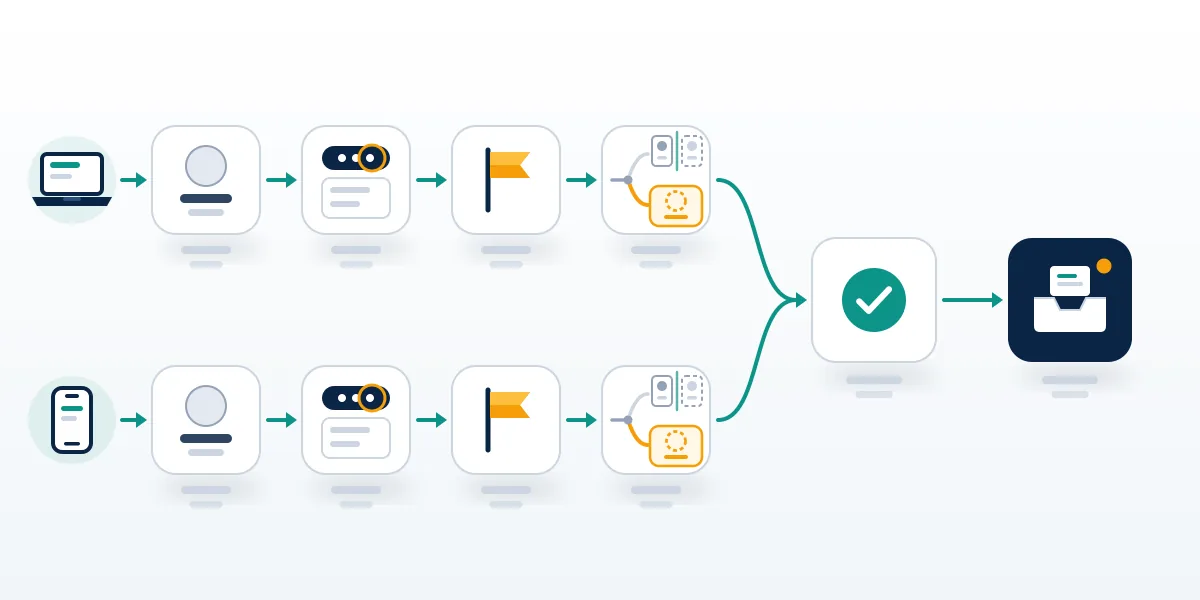
One line in Facebook's own instructions explains most of the frustration people bring to us. After you choose a reason, Facebook says, you "may then be able to submit a report to Meta", and for some types of content it asks for no report at all and uses your feedback to train its systems. Two taps that look identical can therefore do different things: one files a report that gets a decision in Support Inbox, the other mostly feeds a classifier. When Your Reputation Solution files a report, the first check is whether the flow ended on a Submit screen or only on Done, because a feedback-only tap may not leave a Support Inbox record to review again. Where yours ended on Done with nothing in Support Inbox, file again under the reason that fits the facts most tightly, such as Pretending to be someone for a friend's clone. That is how to report fake FB account clones so a reviewer decides.
If the fake is also posting about you, report those posts one at a time. Only a documented pattern across an account reaches the account itself, as our guide to reporting harassment on Facebook explains.
Pick the reason that matches the fake: impersonation, clone, catfish or bot
Most fakes give themselves away within a minute: an account created weeks ago, a friend list full of strangers or copied from your own friends, photos that turn up under another name in a reverse image search, and a conversation that drifts toward money, crypto, gift cards or another app within a few messages. Search engines treat "how to report fake Facebook profile" and "how to report fake profile on Facebook" as one question, and Facebook's menu does too; the row you land in below, not the wording of the search, is what changes the outcome.
Every case at Your Reputation Solution starts the same way, and knowing how to report fake profiles on Facebook comes down to it: matching the profile in front of you to one row of this table.
| What you're looking at | Reason to choose | Who can file | What to attach or note |
|---|---|---|---|
| Spam or bot profile with no real person behind it | Fake account | Anyone | Profile link |
| Profile using your name and photos | Pretending to be someone, then Me | You, or a parent or legal guardian | Link, screenshots, ID if asked |
| Clone of a friend sending fresh friend requests | Pretending to be someone, then a friend | Anyone who sees it, then the friend | Links to the real and the fake profile |
| Catfish or romance profile built on a stranger's photos | Fake account | Anyone | Screenshots of the chat |
| Personal profile run as a business or a pet | Fake account | Anyone | Profile link |
| Page posing as a brand, creator or person | Report Page, then Pretending to be someone | Anyone | Page link and the real Page |
When to report Facebook impersonation instead of a fake account
Report Facebook impersonation, not a generic fake account, when the profile copies one identifiable real person. Facebook treats that as its own category, covering profiles and Pages "pretending to be you or someone else" on one help page and routing people without an account to a dedicated impostor form (Facebook Help Center: impersonation). Our dedicated guide to Facebook impersonation of you or your Page goes deeper into the identity-proof side. Meta is paying attention to this route. Announcing a simpler way for creators to flag impersonators in March 2026, it cited 20 million accounts removed in 2025 and a 33% drop in impersonation reports aimed at large creators (TechCrunch, March 13, 2026).
One warning belongs here, and it marks a line Your Reputation Solution will not cross for any client: an impersonation report is not a tool for winning a name or a handle. False impersonation claims are exactly what fails on the sister platform as well, as the Instagram username-claim guide shows.
How to report a fake Facebook profile when you have no account
"How do I report a fake Facebook account without an account?" has a narrower answer than most people expect. The no-account route is Meta's Report an Impostor Account form (Facebook contact form 295309487309948), and it covers impersonation only. Its first question is whether the account is impersonating you, whether you are the authorized representative of the person impersonated (a parent or legal guardian, for example), or whether it is impersonating a friend. Pick the friend option and the form stops: Meta says it can act only on reports from the impersonated person or their representative, and asks you to send your friend the link.
Once you qualify, the form asks for your full name, a contact email, the full name on the impostor profile, any email or phone number shown on it, the profile's URL and a photo of your ID. Meta says it may encrypt and store that ID for up to one year to improve its detection of fake IDs, unless you switch the option off in Identity Confirmation Settings, in which case the copy is deleted within 30 days. So how do you report a fake profile on Facebook that isn't copying anyone in particular, with no account of your own? Not through this form. Ask someone who has an account to use the profile menu, and send them your screenshots and the profile URL, so the report they file carries more than a bare link and a guess.

A cloned friend, a catfish or a stolen-photo profile
A clone is a copy of a real friend's profile, same name and picture, sending new requests to people who already know them, and Your Reputation Solution treats it as a two-report case. Learning how to report fake Facebook account clones takes one extra step: report it with Pretending to be someone and the friend option, then tell the friend so they can file as the person impersonated, since only that report carries identity proof. Catfish and romance profiles are harder, because the person pictured usually has no idea. Report the profile as a fake account, report the messages from the chat, and send no money.
Nearly 60% of people who reported losing money to a romance scam in 2025 said it started on social media, and people reported losing more to scams that began on Facebook than on any other social platform (FTC, April 2026). Photos you took yourself open a second route, an intellectual property report, but Meta's notice to the reported party may include your name and email address (Facebook Help Center: IP reports).
"How do I report a fake profile on Facebook that uses my photos but a different name?" is the case in between, and most advice on how to report a fake profile on Facebook skips it. Fake account usually fits better than Me there, unless the profile is also presenting itself as you.
What happens after reporting fake accounts on Facebook?
Each report is checked against the Community Standards, and the decision lands in Support Inbox under Reports about others. Reach it from your profile picture in the top right: Help and support, then Support Inbox, then Reports about others (Facebook Help Center: request another review). Every Facebook fake account report ends one of two ways. Either the profile is removed, or the message says it doesn't go against the Community Standards, which is not the same as Meta saying the account is real.
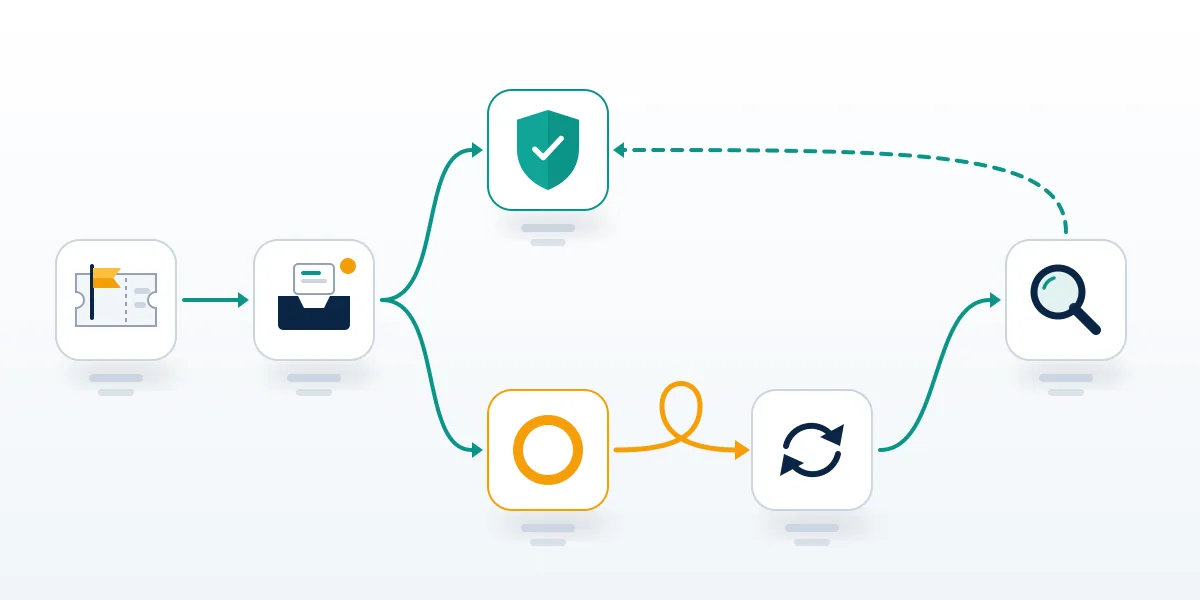
Knowing how to report a fake account on Facebook is half the job; reading the rejection is the other half. When a client brings Your Reputation Solution a rejected report, the reason field is the first thing the team reads, because a clone reported as Fake name is judged against the name rule alone. Refiled under Pretending to be someone, with links to both the real and the fake profile, the same account is judged against a different rule.
After a no, open that message, click See options and, where the option exists, choose Request another review; Facebook says the second look usually happens within 24 hours. Some cases upheld a second time can go on to the Oversight Board, although the board selects only a limited number of eligible appeals. Two more facts shape what to expect. The number of reports does not decide the outcome (Facebook Help Center: number of reports), and the person you reported is not told who filed it (Facebook Help Center: reporting abuse), which holds for an FB fake account report filed from the app too. No fake Facebook account report comes with a published deadline for the first review, and anyone quoting one is guessing. The workable sequence is the same every time: file once with the most precise reason, wait for the Support Inbox message, then use the second review rather than filing the identical report again from a second account.
If you're working out how to report Facebook for a fake account it refused to remove, the options sit outside the app. Money lost to the account belongs at ReportFraud.ftc.gov in the US; threats or extortion belong with local police. For the data behind the account, Meta says a lawyer or a law enforcement officer has to contact it under its operational guidelines (Facebook Help Center: impersonation data requests).
Reported it, got "doesn't go against our Community Standards", and the fake is still messaging people? Your Reputation Solution reviews the report trail, rebuilds the evidence around the right reason and files the escalation through Meta's own channels. It never asks for your password, and the platform still makes the final call. Start with a free case assessment.
If the fake account's owner reports you back
Retaliation is the other risk: the person behind the fake can answer your report by reporting you, and your own account can end up restricted. Disables that follow a sudden burst of complaints are usually appealable false positives, which our Facebook disabled account recovery guide covers step by step. Waves of buyer reports can restrict a seller in much the same way, as the Facebook Marketplace unban guide explains. When the retaliation reaches your accounts on other apps, the appeal starts somewhere different on each:
| If this gets restricted | Where the appeal starts |
|---|---|
| Instagram account | appealing an Instagram ban step by step |
| Reach or visibility on X | appeal a shadow ban on X |
| YouTube channel | recovering a terminated YouTube channel |
| Telegram login | how to recover a Telegram account |
| Frozen Telegram account | Telegram frozen account recovery |
| Telegram, with hands-on help | Telegram account recovery service |
Can a mass-report bot or paid removal service take a fake account down faster?
No. Facebook weighs each report against a specific rule, so a thousand identical flags add nothing that one accurate report doesn't already carry. People searching how to report fake accounts on Facebook in bulk usually meet a bot seller first, and the pitch is always volume. Over the past year Your Reputation Solution has published a breakdown of what those bots claim on five platforms:
| Platform | What decides a report | Breakdown |
|---|---|---|
| Strikes against the profile's own conduct | Facebook mass report analysis | |
| Each report tested against one guideline | Instagram mass report bots and tools | |
| TikTok | Community Guidelines, not report volume | what TikTok report bots do in practice |
| Outside services cannot ban an account | inside a WhatsApp report bot | |
| Telegram | No published report threshold | what Telegram report panels automate |
Paid removal is the other shortcut, and it tends to arrive through the same channels the fakes use. Sellers promise that an insider at Meta will pull the profile for a fee, yet reviewers cannot reverse decisions outside the official pipeline, which our permanently disabled Instagram account recovery guide explains. Across platforms the pattern repeats: anyone promising reinstatement for a fee is running the most common scam covered in TikTok permanently banned account recovery.
Fake support accounts are the second trap, and they target the same frightened people. Real X staff never DM users for codes, a point made in our suspended X account recovery walkthrough, and TikTok runs no account-recovery phone line anywhere, as the TikTok suspension appeal guide notes. Asked honestly, how to report fake Facebook accounts in bulk has one answer: you can't, and anyone offering to do it for money is selling the same thing as these fake agents.
Some lines this work never crosses. No report bots, no insider favors, no false impersonation or copyright claims, and no request for a password or a login code at any stage. What Your Reputation Solution does is narrower and slower: it files evidence-backed reports through Meta's own forms, requests the second review, and prepares the referral to police or a lawyer when a case needs one, while Meta makes the final decision on every account. Those limits are written into our service disclaimer, which states plainly that no recovery or removal outcome is promised for every case. Any firm that will not put its limits in writing has given you its answer. Where the fake account is already part of a scam, paying a second stranger to fight the first one is how people end up losing money twice in the same month.
The same fake on Instagram, TikTok, WhatsApp, Telegram, X and LinkedIn
Fakes rarely stay on one app, because the photos that built the Facebook profile can be reused anywhere. Reporting fake Facebook accounts one at a time feels slow, yet the one-account, one-reason logic works on every platform:
| Platform | Before you report | Guide |
|---|---|---|
| Impersonation reports can ask for ID | get an Instagram account taken down | |
| TikTok | The reporter stays hidden | how to report a fake TikTok account |
| TikTok, urgent | One accurate report beats mass reporting | TikTok takedown timeline |
| Reason: This account is not a real person | flag a fake LinkedIn profile | |
| Telegram | Scam or fraud framing moves faster | report a fake Telegram account |
| Telegram channels | Verified violations, not report counts | take down a Telegram channel |
| False reports can flag your own account | report a WhatsApp impersonator | |
| WhatsApp contacts | Blocking is yours; a ban is Meta's | block or ban on WhatsApp |
| X | An impersonation report is one route to a dormant handle | claim an inactive username on X |
Before you close the tab, work through the Facebook side in the order Your Reputation Solution uses on a new case. Screenshot the profile and every message first, because a removed account takes its evidence with it. Copy the profile URL from the address bar, then report with the most precise reason from the table above, not the first one that looks close. Message the people the fake has contacted, since a clone's next targets are usually on the friend list it copied, and set your own friend list to Friends or Only me so the next cloner has nothing to work from. After that, check Support Inbox rather than filing again from other accounts. If the review comes back as no violation twice and the profile is still asking people for money, the team can review the trail and handle the escalation. Expect a plain answer, too, when the right next step is a police report rather than another form.
None of these steps expires. A fake you spotted months ago can still be reported today, and a profile that was cleared once can be reported again the moment it starts doing something new, such as asking a different friend for money.