What does it mean to get an Instagram account taken down?
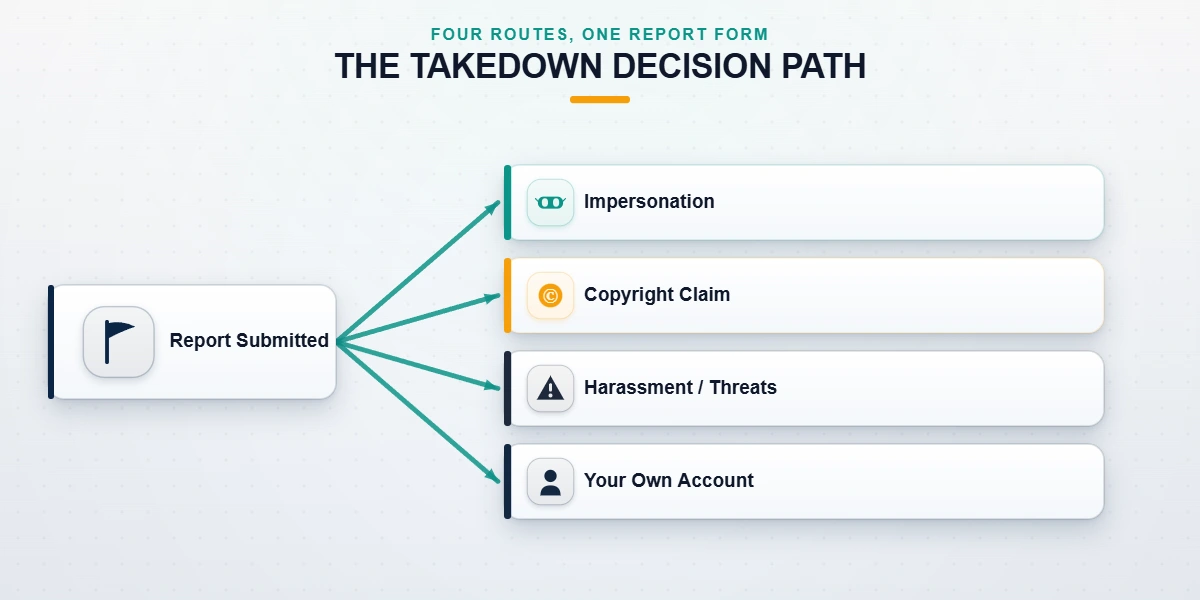
Getting an Instagram account taken down means asking Instagram (owned by Meta) to remove, disable, or restrict an account — or a single post, story, reel, or comment on it — because it breaks Instagram's Community Guidelines, Terms of Use, or a law such as copyright. As of July 2026, only Instagram can carry out a takedown. No user can delete another person's account directly; you submit a report through an official form, and an automated system or a human reviewer at Meta decides. The word "takedown" actually covers four different actions with four different processes: reporting a single piece of content (a photo, story, reel, or comment), reporting an entire account, filing an impersonation claim when someone pretends to be you, and submitting a copyright or intellectual-property notice. Each has its own form, its own evidence requirements, and its own realistic outcome. Confusing them is the most common reason a legitimate report goes nowhere.
The team behind YRS has handled 312 Instagram cases since January 2024 (our internal records as of July 2026), and roughly one in five people who contact us about a "takedown" actually want something else — usually to recover a hacked account or to remove their own content. So before you report anything, get the category right. If your real worry is the opposite problem — your own account being actioned — our Instagram account safety guide explains what genuinely triggers Instagram enforcement.
How many reports does it take to take down an Instagram account?
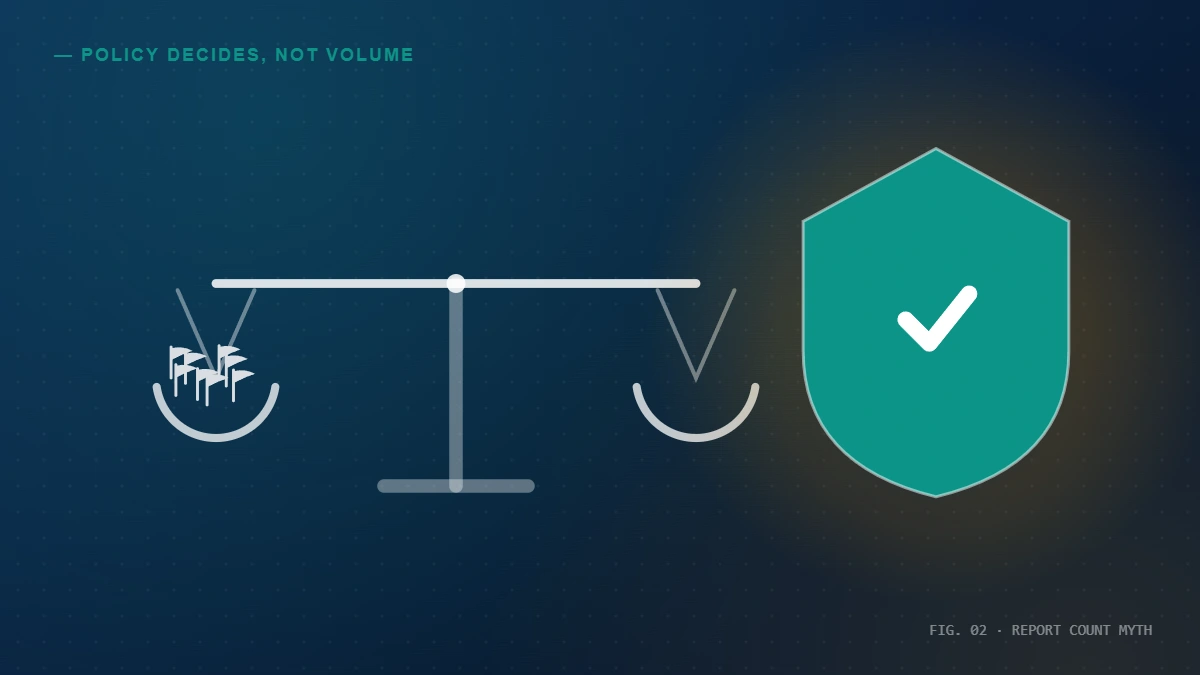
The honest answer to "how many reports to take down an Instagram account" is: there is no fixed number, because Instagram does not count reports. This is the most persistent myth in this topic, so let's be blunt about it. Meta's enforcement systems weigh three things — the severity of the violation, the credibility of the evidence, and the reported account's history — not how many people tapped "Report." Ten thousand reports against a post that breaks no rules will remove nothing; a single, well-documented impersonation report can remove an account within days. The same logic answers "how many reports to take down an Instagram post": the count is irrelevant. And organizing a group to mass-report an account you simply dislike is itself a breach of Instagram's Community Guidelines on coordinated reporting — it can get the reporters actioned instead of the target. If your goal is to take down an Instagram account by reporting, the only method that works is a truthful report of a genuine policy violation, backed by evidence.
Why does the myth persist? Because timing coincidences look like causation. An account with a real pattern of violations gets removed the same week a group happens to report it, and everyone credits the volume. In reality, the violation did the work. Instagram has publicly documented how it reports and reviews content — nowhere in that process is there a report threshold.
If your own account was wrongly swept up by a wave of false reports, that is an appeal problem, not a takedown problem. Our step-by-step Instagram unban walkthrough covers how to reverse a wrongful action and document that the reports were coordinated and false.
How to take down a fake Instagram account impersonating you
Instagram treats impersonation — someone using your name, photos, or brand to pose as you — as a Community Guidelines violation you can report even if you don't have an Instagram account yourself. To take down a fake Instagram account or a fake page pretending to be you, use Instagram's dedicated impersonation form rather than the ordinary in-app "Report" button, because the dedicated form is the one that requests identity evidence and routes to the impersonation review queue. You'll be asked for a photo of your government ID for personal impersonation, or a business document plus trademark details for a fake business page. This is the fastest legitimate path when someone has cloned your profile to scam your followers.
The steps, as of July 2026:
- Gather evidence. Screenshot the fake profile, copy its username and profile URL, and note specific examples of it passing itself off as you.
- Open the impersonation form. Go to Instagram's report-an-impersonation-account form and select "Yes, I am the person being impersonated" (or the brand/company option).
- Verify your identity. Upload the requested ID. Instagram uses this only to confirm you are the real person — it is not shared with the impersonator.
- Submit and wait. Impersonation reports are usually reviewed within one to five days. You'll be notified in-app or by the email you supplied.
If the case is high-stakes — the impersonator is running a fraud, or it's a brand account with revenue exposure — professional case preparation raises the odds. That's the core of our professional help to take down a fake Instagram account. And if the impersonator also grabbed the username you should hold, our guide to reclaiming a username covers the parallel process once the fake account is gone.
How to take down a hacked Instagram account that's now impersonating you
There's a specific, painful case buried in this topic: your own account was hacked, the attacker changed the password and email, and now it's posting scams or messaging your followers as you. Searches like "how to get my hacked Instagram account taken down" usually come from this situation — and the goal is not really to delete the account, it's to recover it (or, failing that, get Instagram to disable it so it can't keep doing damage). Reporting your own hacked account as an impersonator is the wrong move and slows things down.
The correct path starts at Instagram's hacked-account flow at instagram.com/hacked, which is built to return control to the rightful owner using identity verification — often a short selfie video — without requiring the original email or phone. Recovery on clean cases runs 24–72 hours; cases where the attacker has actively used the account run longer. If you can still log in but the account is disabled after the attacker's activity triggered enforcement, you'll instead need to recover a disabled Instagram account through the appeal flow.
For the full playbook — spotting the takeover, locking the attacker out, and hardening afterward so it doesn't happen again — see our detailed guide to get a hacked Instagram account taken down and recovered. The one thing to never do: hand your login code to anyone claiming they can "recover it fast." Instagram never asks for codes, and neither do we.
How to take down a post, photo, story, reel, or comment on Instagram
Not every takedown needs to remove a whole account. Often you only want a single piece of content gone — and yes, Instagram can and does take down individual posts, stories, reels, and comments when they violate policy or infringe your rights. Reporting one item is narrower, faster, and more likely to succeed than reporting an entire account, because you're pointing the reviewer at a specific rule breach.
Taking down a photo, picture, or post
To take down a photo or post on Instagram, open the post, tap the "…" menu, choose Report, and select the reason that actually applies (harassment, nudity, hate speech, IP infringement, or "it's inappropriate"). If the post contains your private image shared without consent — including intimate images — this is the most important category to flag, and Instagram prioritizes it. Reporting one photo does not report the whole account; if you want the account reviewed too, you must report it separately.
Taking down a story
To take down a story on Instagram, tap the "…" on the story and choose Report — the process mirrors posts, but remember stories expire in 24 hours, so evidence disappears fast. Screenshot first. Can you take down an Instagram story? Yes, but if it vanishes before review, file a report against the account with your saved screenshots instead.
Taking down a reel or comment
To take down a reel, use the same "…" → Report flow on the reel. To take down a comment on Instagram — including harassing replies on your own posts — press and hold (or swipe) the comment, tap the report icon, and choose the reason; you can also delete and block for comments on your own content without waiting for review.
Not sure which report actually fits your situation? Getting the category and evidence right is the whole game. Talk to our team for a free 60-minute case review — we'll tell you plainly what's removable, what isn't, and what evidence Instagram will want, before you spend anything.
How to get an Instagram post taken down for copyright (a DMCA / take-down notice)
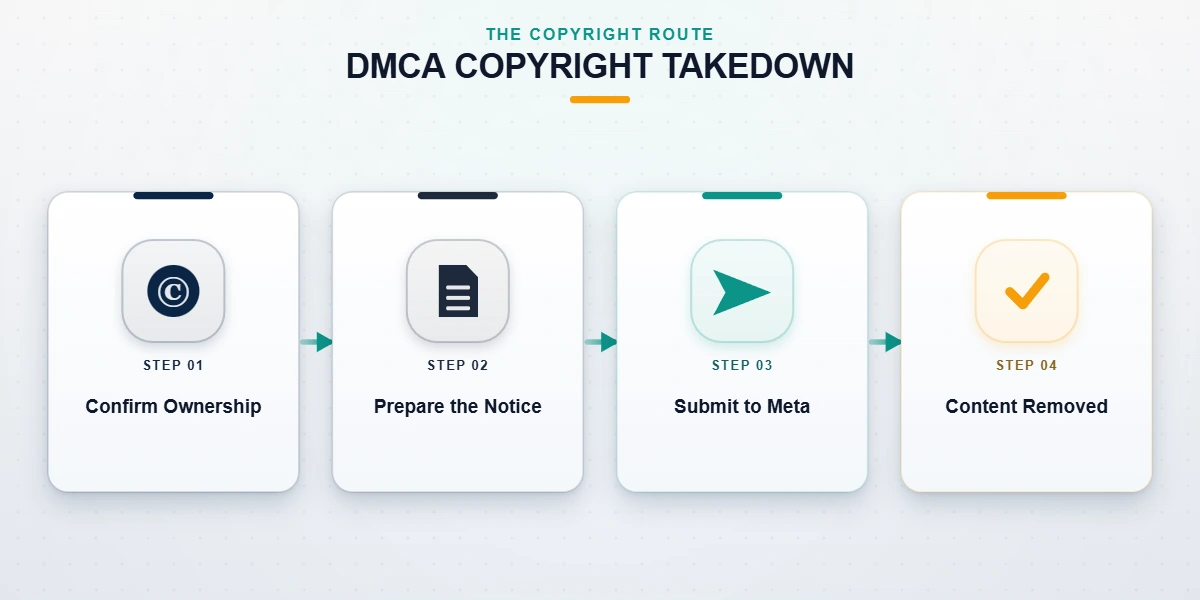
If someone reposted your photo, video, artwork, or music without permission, you don't rely on the "Report" button at all — you file a copyright complaint, which is Instagram's version of a DMCA takedown notice. This is a legal process governed by the U.S. Copyright Office's DMCA framework, and it's the strongest, most reliable route to get an Instagram post taken down, because Meta is legally required to act on valid notices. To file, use Instagram's copyright report form, identify the exact infringing URL(s), describe the original work you own, and affirm under penalty of perjury that you hold the rights. Valid copyright notices are typically actioned within 24–72 hours.
Common questions this covers: Does Instagram take down copyrighted music? Yes — Instagram's automated Rights Manager mutes or removes videos with unlicensed music, which is why "videos with music" sometimes lose audio or get pulled. Does Instagram take down posts that infringe? Yes, on a valid notice. One serious caution: filing a fraudulent copyright or take-down notice against content you don't own is itself unlawful under 17 U.S.C. § 512(f) and can expose you to damages. We never file notices we can't stand behind — and no legitimate service should.
How to take down your own Instagram account, post, or story
If the account you want gone is your own, you don't report anything — you delete or deactivate it yourself, and it's fast. To take down your own Instagram account permanently, go to Settings → Accounts Center → Personal details → Account ownership and controls → Deactivation or deletion, and choose Delete account. Meta then holds the data for 30 days (a grace window under data-protection rules such as GDPR Article 17) before permanent purge — logging back in during that window cancels the deletion.
If you only want to disappear briefly, choose Deactivate instead: that's how to take down an Instagram account temporarily — the profile, posts, and likes are hidden until you log back in, and nothing is lost. To take down a single post or one photo from Instagram, open it, tap "…", and choose Delete (or Archive, if you want to hide it without losing it). To take down your story, tap the "…" on it and select Delete. Want to take down your old Instagram account you can no longer log into? You'll first need to recover access via the flows above, because Instagram won't delete an account for someone who can't prove they own it. If your account is stuck in a permanent-enforcement state rather than one you control, our guide on when Instagram permanently takes down an account explains the limited options that remain.
How to take down an old or inactive Instagram account
A frequent question is whether Instagram takes down inactive accounts on its own. Instagram does not automatically delete accounts purely for inactivity as of July 2026 — its policy allows removing long-dormant accounts, but in practice it rarely purges them, and it will not hand a dormant account's username to you on request. So if you're trying to take down an old Instagram account, the answer depends on whose it is. If it's yours and you can still log in, delete it using the steps above. If it's yours but you're locked out, recover access first. If it belongs to someone else and it's simply old and unused, there's no legitimate way to force its removal — inactivity is not a policy violation.
The one situation that is actionable: an old or inactive account that impersonates you or squats on your name or trademark. That's an impersonation/IP case, not an "inactive account" case, and it goes through the impersonation form covered earlier. Once it's removed, you may be able to claim the freed handle — the process is in our Instagram username claim guide.
How long does it take — and what about "immediately," Reddit tricks, or doing it "without the password"?
There is no button that gets an Instagram account taken down immediately, and any Reddit thread or seller promising instant, guaranteed removal is describing something that doesn't exist. Reviews take time because a human or automated system has to verify a real violation. Here's the realistic picture:
| Takedown type | Typical review time | What decides the outcome |
|---|---|---|
| Impersonation of you (with ID) | 1–5 days | ID match + evidence of passing-off |
| Copyright / DMCA notice | 24–72 hours | Valid proof of ownership |
| Harassment or threats against you | 1–7 days | Severity + documented evidence |
| Hacked account (recovery) | 24–72 hours (clean cases) | Successful identity verification |
| Single post / story / reel / comment | Hours to a few days | Clear, specific policy breach |
| Whole account (pattern of abuse) | Days to weeks | Repeat or severe violations on record |
"How to take down an Instagram account without the password" is really two different questions. If it's your account, you don't need the password to report a hack — the hacked-account flow verifies identity instead. If it's someone else's account, you never needed their password anyway; you report a genuine violation and Instagram decides. Nobody legitimate takes down an account by logging into it. If you're weighing whether to hire help, our Instagram unban service guide breaks down what professional case work does and does not cost.
What we won't do — the anti-scam and abuse boundary
This is a topic crawling with scams and bad-faith requests, so here is exactly where we draw the line. We will never ask for your password or anyone else's — legitimate reporting and recovery never require it, and any "service" that asks is phishing. We don't offer pay-to-remove: no amount of money makes Instagram delete content that breaks no rules, and anyone charging a "guaranteed instant takedown" fee is selling the free reporting form or simply taking your money. We won't help you weaponize reports. Mass-reporting or filing false claims against a legitimate account you dislike — an ex, a critic, a competitor — doesn't work and is itself an Instagram Community Guidelines violation that can get you actioned. And some content simply stays up: lawful opinion, satire, criticism, and public-figure commentary that violates no policy generally cannot be removed, and we'll tell you that honestly rather than take a case we can't win. If you suspect a support-impersonation scam, report it to the FTC at reportfraud.ftc.gov.
That honesty is the whole point of how we work. You can read exactly why we won't help take down a legitimate account in our disclaimer, and meet the team behind our takedown guidance — every case is handled by a named specialist with verifiable credentials, led by a former Meta Trust & Safety analyst. We don't guarantee removal. We do guarantee a sober, evidence-based assessment of whether your case is actually removable, before you spend a cent.