
Which report you file decides what LinkedIn does next
Reports are routed by the reason you select, not by how serious the profile looks, so a genuine impersonation case filed as spam lands in the wrong queue. Five flows sit behind the same More button, and they end in different places. Your Reputation Solution is a reputation and account-recovery firm that files and escalates platform reports for people whose identity has been copied, and the first thing our team checks on a stalled case is whether the original report went down the right branch.
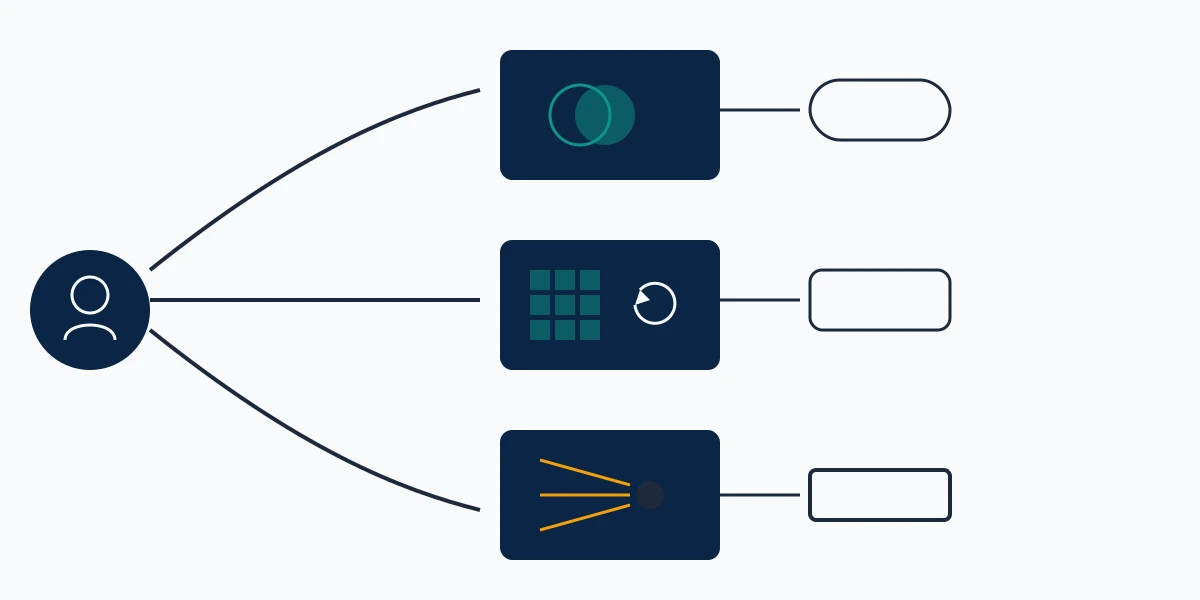
People searching how to report fake profiles on linkedin usually arrive with one of two problems. Pick yours before you click anything:
- Someone is using your name, photo, or job history → impersonation. The route for a clone of a real person.
- The account looks generated rather than stolen → not a real person. Stock headshot, no history, mass connection requests.
- A real person is targeting you → harassment. Filed on the message, post, or comment, never on the profile.
- A stranger lists your company as their employer → inaccurate information. A different form, and only a Page super admin can file it.
- The account is yours and someone else is driving it → compromised account, which is a recovery case rather than a report. Our LinkedIn account recovery service covers that branch.
The distinction people miss most often is impersonation versus a fabricated persona. LinkedIn's Professional Community Policies prohibit both, in separate lines: members must not "post misleading or deceptive information" about their qualifications or affiliations, and must not "use an image of someone else, or any other image that is not your likeness" as a profile photo. A cloned executive breaks the second. An invented recruiter with a purchased headshot breaks both, and the menu wants you to say which.
How to report a fake LinkedIn profile, step by step
Open the profile, tap More, tap Report or block, choose Report [member's name] or entire account, then pick This person is impersonating someone or This account is not a real person and tap Submit report. That is the whole flow. It is identical on desktop and in the mobile app apart from the verb, and LinkedIn documents both on its report fake profiles help page. A search for linkedin report fake profile lands on that same page. In practice Your Reputation Solution runs clients through this exact sequence before considering anything else.
The phrasing varies but the flow does not: how to report a fake linkedin account and how to report a fake profile on linkedin describe one procedure, because LinkedIn treats the profile and the account as a single object here.
Collect your evidence first. Once LinkedIn acts, the profile disappears and so does everything you failed to screenshot.
Capture the profile URL, a full-page screenshot with the headline and About section, and any message the account sent you. Where the fake profile is contacting your clients, ask two of them to forward that outreach with headers intact. Those forwarded messages are the most useful thing a client brings us: they establish that the account is being used against a named third party, not merely existing.
One report from one person opens a review. Several unconnected people reporting it for the same reason tends to move it faster, in our experience escalating these, because independent reports from unrelated people are harder to read as a grudge. Coordinating a mass-report campaign is a different thing, it breaks LinkedIn's own rules, and our team does not run one.
How to report someone on LinkedIn when the profile is not the problem
Report the content, not the account, whenever the violation lives in a message, post, or comment. Searchers asking how do i report someone on linkedin are usually looking at behaviour rather than a fabricated identity, and the profile-level flow is the wrong tool.
How to report someone on LinkedIn for harassment
Open the More icon at the top of the message or post, or right of the comment, click Report this post or Report, and select Harassment when LinkedIn asks why. The harassment reporting guidance adds a line worth reading twice: "if you believe that someone is in imminent danger, please contact the police for immediate assistance." A platform report is not a safety plan. Once a pattern has moved offline, or the same person is running accounts on several networks, file the report and contact law enforcement the same day. Your Reputation Solution files and tracks the platform side of that; it does not replace the police report.
How to report a LinkedIn profile as a bot
No button is labelled "bot." Use This account is not a real person and describe the automation in the free-text box: the connection-request volume, identical comment text across dozens of posts, the AI-generated headshot with one missing earring. LinkedIn's community policies never name bots. They prohibit doing "things to artificially increase engagement with your content" and repetitive messaging that is "untargeted, irrelevant, obviously unwanted." Write the description in those terms, because those are the clauses the report rests on.
Blocking and reporting are separate levers; only reporting touches the account. The same split governs blocking someone on YouTube versus deleting their comments: blocking protects your view, reporting asks the platform to act.
How to report a fake LinkedIn profile anonymously
Reporting on LinkedIn is already anonymous, and no setting needs changing to make it so. LinkedIn states it plainly: "Reported members won't know who made the report – it's against our Privacy Policy to share the identity of someone who flags an item." That covers the profile flow, the message flow, and the post flow. Anyone selling you an anonymous reporting service is selling you the default, which is the kind of thing Your Reputation Solution would rather you knew before you paid for it.
Two caveats keep this honest. Should you be the only person who could plausibly have filed, the other party may guess correctly: a fired employee, a single competitor, a former partner. Guessing is not disclosure and LinkedIn will not confirm it, though the practical exposure is much the same. The second caveat is the company-page route below. Reporting inaccurate employment information carries your signature and your admin identity, so that one is not anonymous by design.
Anonymity works differently on every network, which is why the answer changes when the same actor turns up elsewhere. On marketplaces the seller often sees the complaint indirectly, set out in the guide to reporting a TikTok Shop seller and who sees your name, and the flow and its limits on Snapchat are covered in the walkthrough of reporting a Snapchat account.
Can you report someone on LinkedIn without an account?
No. Every abuse-reporting flow requires you to be signed in, and the logged-out forms that do exist handle account recovery and appeals rather than third-party reports. People searching how to report someone on linkedin without an account are usually in one of three situations, each with a different answer.
Deleted your account and an impersonator has since taken your name? Ask a colleague who is still a member to file it; the report is judged on the evidence inside it, not on who submits it. Never had an account at all? Create one, which also lets you claim your name and post a short note that the other profile is not yours, and that does more for the people being deceived than the report alone. Acting for a company whose brand is being used? The Page route applies, and it needs a Page admin rather than any member.
Reported it already and the profile is still live? Send Your Reputation Solution the profile URL, the date you filed, and the reason you chose. Our team will tell you free of charge whether an escalation route exists, whether the report picked the wrong branch, or whether this is a case LinkedIn will not act on. Start a free case review — we never ask for your LinkedIn password or a verification code, at any stage.
How to remove fake employees on LinkedIn from your company page
Page admins cannot delete anyone from the employee list, because that list is built from what members put on their own profiles. The route is the inaccurate-information report, and LinkedIn's help page on reporting inaccurate profile information sets three conditions that catch most companies out.
Only Page super admins can file. Submissions "from Page content admins, Page paid media admins, or Page analysts will not be processed," so check your role before spending an hour on the form. The submission is the TS-NFPI form, and it asks for the profile link, the specific experience or education entry you say is wrong, how you know it is wrong, and your digital signature. That signature is why this is the one LinkedIn impersonation report form that is not anonymous.

Then you wait. LinkedIn's stated window is that "the reported information will be removed within fourteen (14) days unless we receive a challenge from the member," and the member's challenge route is the TS-CNFPI counter-notice. A challenge does not end the matter: LinkedIn returns to you for more information and the case becomes a documentation contest, so bring the HR record or the payroll gap.
Message the person before filing. A surprising share of fake employees are ex-staff who never updated a profile, or new hires who picked the wrong company from a dropdown, and two lines resolve those in a day without starting a fourteen-day clock. Security teams asking how to report fake linkedin accounts in volume get the same five taps repeated, one account at a time, and Your Reputation Solution says so rather than selling a bulk button that does not exist.
Brand impersonation beyond an employment claim changes the mechanism again. A registered trademark opens routes a policy report does not, a distinction set out for Twitter trademark infringement and its registered-mark requirement, and the same logic decides which lever works here.
What happens after you submit, and how long it takes
LinkedIn reviews the report against its policies and acts if it finds a breach. It publishes no service-level target, and any guide quoting one is inventing it. What LinkedIn does publish is scale: in the Community Report covering July to December 2025, 99.7% of the fake accounts it stopped were caught proactively before any member reported them, while automated defences accounted for 97.8% of those stops and manual investigation for the remaining 2.2%. That leaves your report in the small manual slice, which is exactly why the reason you picked carries so much weight.
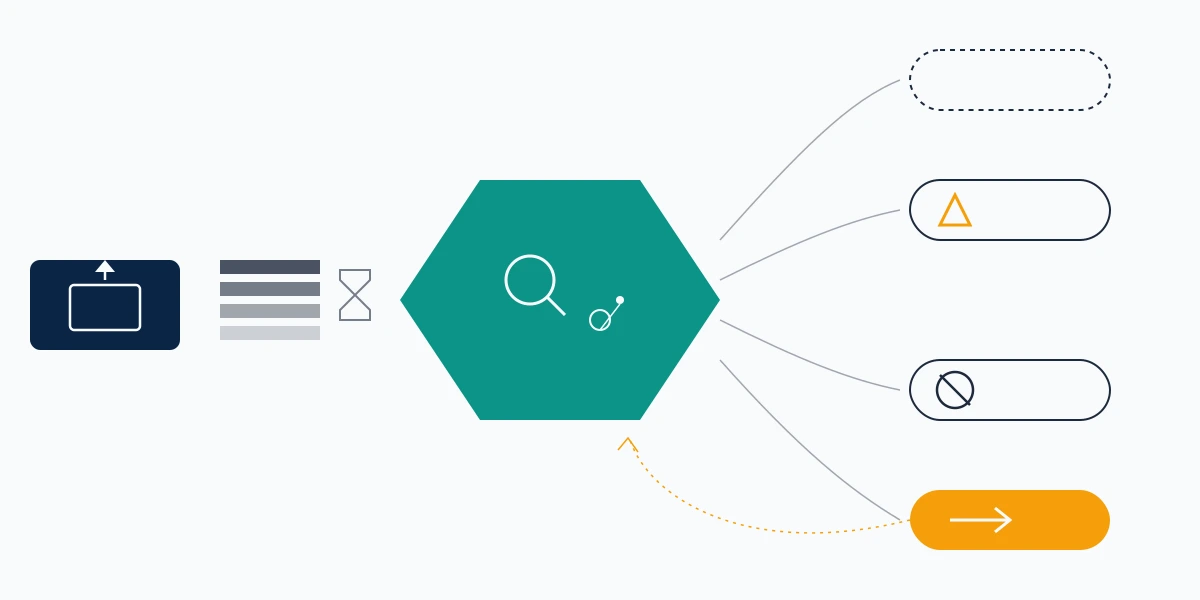
Three outcomes are possible, and people conflate them:
- Restriction — the account survives but loses functions, often while LinkedIn asks it for identity verification. Frequently a first step, not a last.
- Removal of content — the offending photo, headline, or experience entry comes down and the account continues. The usual result of an inaccurate-information report.
- Account closure — the profile goes entirely. Reserved for accounts LinkedIn concludes are fabricated or used for fraud.
Nobody tells you which one happened. Reporters are notified inconsistently and never given reasoning, so open the profile URL in a logged-out browser a week later. A "profile not found" page means closure. A profile that loads without the disputed employment entry means partial removal.
Wrongful outcomes run in the other direction too, and appeal mechanics differ by platform. The shape of that fight is set out in the guide to recovering a permanently suspended Twitter account.
When a report stalls: what actually moves it
Nothing moves a stalled report except new evidence, and refiling the same report with the same evidence is the most common wasted week Your Reputation Solution sees. Where a client has already filed twice, the fix is almost always a change in framing: the account was reported as fake when the demonstrable violation was fraud against named third parties, or reported for impersonation when the actionable breach was the stolen photograph.
Add what the first report lacked. Two or three unconnected people who received outreach. A timestamped screenshot of the copied About section beside your own. The transaction record and police reference, once money changed hands, because a documented fraud report reframes the case for whoever reads it next.
Companies asking how to report fake linkedin profiles across an executive team should file each separately, with its own evidence, not one bundled complaint reviewers cannot act on.
Impersonation rarely stays on one network. The same photograph surfaces on a Telegram channel, a Marketplace listing, or a video ad against your name, and each surface has its own mechanism: reporting a Telegram group, reporting a seller on Facebook Marketplace, and reporting a YouTube ad or scam advert. Where the impersonator reached an account of yours, the recovery paths also differ: Facebook account recovery without email access, Telegram frozen account recovery, and hacked TikTok account recovery on a PC.
When the fake profile is already in Google
Removing a LinkedIn profile does not remove it from search results, and a cached copy can outlive the account by weeks. A reporting problem becomes a reputation problem, and timelines stretch into months.
Two jobs sit here. The LinkedIn report takes the source page down. Clearing what search engines and other platforms hold runs on separate mechanisms: removing your name from Google search, removing a business from Google Maps, the YouTube privacy complaint form, and getting a Reddit post removed.
Set expectations. A clean platform report can resolve in days. Pushing an indexed impersonation page out of the results you care about is a 90-to-180-day project. Anyone quoting less is quoting a sales figure.
What this service will not do, and what LinkedIn ignores
This niche attracts firms that sell what nobody can deliver, so here is the boundary. Your Reputation Solution does not guarantee removal, because the decision belongs to LinkedIn and no vendor sits inside that queue. We never ask for your password or a verification code, at any point, for any reason, and a request for either is the clearest scam signal in this market. We do not file mass or fraudulent reports, and we decline cases where the goal is removing a competitor who has broken no rule.
LinkedIn will not act on everything that feels unfair. A truthful but unflattering post, a business dispute, a former employee's honest account of working for you, a competitor doing legitimate outreach: none are policy breaches, and filing them as impersonation costs you credibility on the reports that matter. Our service limits and disclaimer sets out where this stops.
The rest is procedure, and most of it you can run yourself in five minutes from the More menu. Bring us the case when the self-serve route has already failed, when the impersonation is being used to defraud people who trust your name, or when one actor is operating across four platforms at once and you need a single team tracking all of them.