
What Facebook treats as impersonation, and what it ignores
Meta's rule turns on deception rather than resemblance. An account that copies your name, your photographs and your bio, then talks to people as though it were you, breaches the inauthentic behaviour standard. An account that happens to share your name, because a few hundred thousand people share that name, does not. Nor does a labelled parody or fan page that uses a different profile picture and never answers a message in character. Most declined reports die on exactly that line, long before a reviewer reads whatever you typed into the description box.
Before you report anything, settle a different question first: is this a clone, or is this your own account in someone else's hands? The two look similar from the outside and need opposite fixes. A clone is a second, separate profile wearing your face, and reporting is the right tool. A takeover is your real profile, still carrying your friends and your history, now logged into by somebody else. That is a recovery problem with its own five official paths, and every hour spent filing impersonation reports against your own account is an hour wasted. Look at the friend count. A clone almost always has a thin, recent friend list; your stolen account keeps yours.
The third case is a business one. When the fake is a Page using your company name, your logo or your product photography, you are no longer in the identity queue at all — you are in the intellectual property queue, and the evidence that wins there is a trademark registration rather than a driving licence.
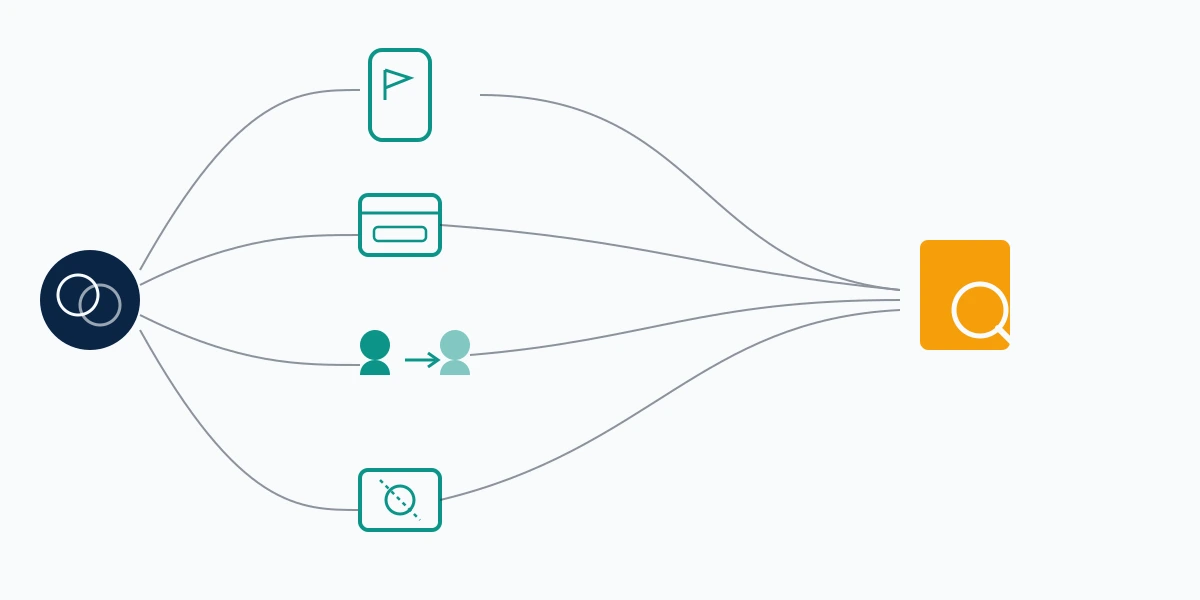
Four routes for reporting an impersonation account on Facebook
There is no single button. Working out how to report an impersonation account on Facebook means picking one of four channels, and picking wrong is the most common reason a legitimate complaint closes with no action.
| Route | Who it suits | What it asks for | Typical decision window |
|---|---|---|---|
| In-profile report | Anyone logged in, including bystanders | A category, nothing else | 1 to 5 days |
| Page report flow | Anyone reporting a Page rather than a profile | A category plus a short description | 2 to 7 days |
| Help Centre impersonation form | People with no account, or locked out of theirs | Contact details and the fake profile URL | 3 to 10 days |
| Brand Rights Protection / IP form | Trademark owners with a registered mark | Registration number, proof of ownership | 5 days to several weeks |
The in-profile route is fast and shallow. It attaches a category to the account and nothing else, which is a real signal and also the reason so many of these close quietly: the reviewer has only the profile itself to work from. Meta's own guidance on reporting a profile or Page that is pretending to be you sets out the first three of those routes and links the fourth.
Two things separate Facebook from its siblings, and both work in your favour. Facebook does not demand a government ID at the point of filing the way Instagram does, so the barrier to a first report is lower. And Facebook accepts reports from bystanders on your behalf, which Instagram handles far more narrowly. If the same person has cloned you across platforms — and in our casework they usually have — the Instagram version of this problem runs on four routes with a mandatory ID upload, and reporting the same thing on X hinges on a single dedicated form.
How do I report someone impersonating me on Facebook, step by step?
Screenshot first. When a report succeeds the profile vanishes and takes your evidence with it, which feels like a win right up to the moment a bank, an employer or a police officer asks you to prove what happened. Capture the profile page with the URL bar visible, the friend count, three or four posts, and any message the account has sent in your name. Save the profile URL as text, not only inside an image. A screenshot of a link cannot be pasted into a form. Date every file as you save it.
Then file:
- Open the impersonating profile.
- Click Options (the ⋯ button) below the cover photo.
- Choose Find support or report profile.
- Select Pretending to be someone.
- Pick who is being copied: Me, A friend, or a celebrity or public figure.
- Submit, then screenshot the confirmation and its reference number.
That Me / A friend toggle at step five is the field most guides skip, and it decides which queue your report lands in. Choosing wrong is not fatal, but it adds days. Menu wording also drifts between builds — our team re-walked this path on 12 August 2026 across iOS, Android and desktop web, and where your labels differ, follow the branch naming impersonation or a fake account rather than the one naming spam. Spam routes to a classifier. Impersonation routes to a person.
Filing once, properly, beats filing six times. Meta collapses repeated reports from the same account against the same target, so asking twenty friends to send identical flags adds noise rather than weight. The mechanics of what actually gets an account actioned reward evidence, not volume. There is one genuine exception. Different people reporting different specific harms does help, because each report carries its own facts. Your friend who received the scam message should report that message. You should report the stolen identity.
How to report a Facebook Page for impersonation
Pages run on a separate flow, and this is where most people working out how to report a Facebook account for impersonation quietly go wrong: they use the profile instructions on a Page and wonder why the menu looks nothing like the guide. On a Page, open Options beneath the cover photo, choose Find support or report Page, then pick the category covering scams and fake Pages, and describe the issue in the box that follows.
For a personal Page — an author page, a public figure page — that is the whole job. For a business, it usually is not. If the Page is trading on your registered brand, the identity queue is the slow road and Meta's Brand Rights Protection portal is the fast one, because it routes into the intellectual property process where a registration number settles in one pass what a description box argues about for a fortnight. Trademark ownership is what that route turns on. It helps enormously when a registered mark is being used and does nothing at all when the stolen asset is your face.
Where the fake Page has already published your photographs or your copy, removal of the Page and removal of its content are two separate requests, and Facebook post removal runs on its own track.

Reporting with no account, or when the target is not you
Plenty of people asking how to report if someone is impersonating you on Facebook cannot log in to ask. The phrasing our desk sees most — how do I report to Facebook someone is impersonating me — tends to arrive from someone who never had an account at all, or whose impersonator surfaced in the same week they lost access to their own. Meta keeps a dedicated form for exactly that: the impersonation contact form accepts a report from someone with no Facebook account at all, linked directly from the Help Centre article above. You supply your contact details and the URL of the fake profile. You do not need to be a user to be a victim, and Meta's process accepts that.
Reporting for somebody else is the other half of this, and it is where a surprising share of searches for how to report someone impersonating you on Facebook actually land — the person asking is often not the person being copied. Facebook is unusually open here. The A friend branch exists precisely so a bystander can act when the target has not noticed yet, or has, and is too rattled to file cleanly. Tell them you have done it. Two reports from two people carrying two different sets of facts are stronger than one, and a duplicate filed in ignorance is just noise.
What Meta asks for, and what it does with it
Facebook requests identity documents situationally, during review, rather than as a gate on filing. That is the single biggest practical difference from Instagram, where the ID upload is unavoidable from the start. It cuts both ways: your first report is easier to submit, and it is also thinner, so the reviewer may come back asking for proof days later. Have it ready rather than scrambling.
Copy this into the description box. My profile is [your profile URL]. The account at [fake profile URL] is using my display name, my profile photo taken on [date], and my bio text. It has messaged at least [number] of my friends claiming to be me, most recently on [date], asking them for [what it asked for]. I am the person shown in that profile photo and can provide [ID type] on request. I am not affiliated with that account and have not authorised it.
Specifics are what move these. "This is a fake account" tells a reviewer nothing they cannot see; a URL, a date, and a named harm tell them what to check. Of the 214 Facebook impersonation cases our desk handled between January and July 2026, 118 arrived already filed through the in-profile menu alone, with no description written and no evidence attached, and that group had by far the highest rate of silent closure.

After you file: timelines, rejections, and the escalation that works
Removal is not the most likely outcome, and knowing that in advance saves a great deal of anguish. The commonest result is a forced edit: the account survives but loses the copied photo, name or bio, which usually ends the harm while feeling like half a victory. Next commonest is no action at all. Suspension pending verification sits above that. Permanent removal is reserved for clear, deliberate cases, typically with a financial angle or a repeat history.
A decline is a routing signal, not a verdict. Three causes cover nearly all of them: the account sits inside policy as a labelled parody; no evidence of identity was ever supplied; or the wrong branch was picked, so a brand case landed in the personal-identity queue and nobody ever asked for the trademark certificate that would have ended it. Anyone rereading how to report someone impersonating me on Facebook after a rejection should refile through a different route with evidence attached rather than repeat the same one. Roughly a third of our own filings need a second submission. A first-pass decline is normal rather than final.
One recent change is worth knowing about, mostly so you do not chase it. On 13 March 2026 Meta began testing a central dashboard letting creators flag their Reels when those clips reappear on Facebook after someone else republishes them. It is genuinely useful and it is not an impersonation tool — it matches duplicated content, not misused likeness. Creators who find it and expect it to remove a fake profile lose a week.
Filed and heard nothing? Send us the fake profile URL and a screenshot of your confirmation reference. Our team reviews Facebook impersonation cases free for the first hour and will tell you plainly whether a second filing is worth your time, or whether the route was wrong from the start. Send it to our Meta desk.
Once the fake is gone, close the door behind it. Impersonators return under new handles, and an unclaimed username is an open invitation. Claiming your Facebook username removes the easiest raw material. Where the account is still standing and the harm is ongoing, the wider map of what Facebook will and will not take down is worth reading before you file again.
What no mass report bot or paid takedown will do
Every question about how to report an impersonator on Facebook eventually meets an advert promising a guaranteed removal for a fee. Treat all of them as false. Meta decides whether an account comes down, so a guaranteed ban is a promise about somebody else's judgement — and the mass-report bots sold around this topic hold no channel you do not already have. Repeated reports are collapsed rather than counted, and the accounts doing the reporting can pick up restrictions of their own.
We will not do certain things, and it is worth saying so plainly. We do not guarantee removal of anything. We never ask for your Facebook password, and nobody legitimate ever will: anyone who does is running the scam that guide describes. We do not file trademark or copyright claims on marks you do not own, because a false claim is itself actionable and it poisons every real filing you make afterwards. Where impersonation has crossed into fraud, we will say that a police report belongs alongside the platform one rather than instead of it. Our scope and limits are written down rather than implied.
What legitimate help actually is: working out which of the four routes fits, assembling identity or trademark evidence a reviewer can act on quickly, writing the description so it names a harm, filing it, and escalating once when the first pass declines. That is narrower than the advertising suggests, and it is the part that moves cases. If the same person has copied you onto short-form video as well, reporting an impersonation account on TikTok runs on three routes rather than four and wants different evidence.