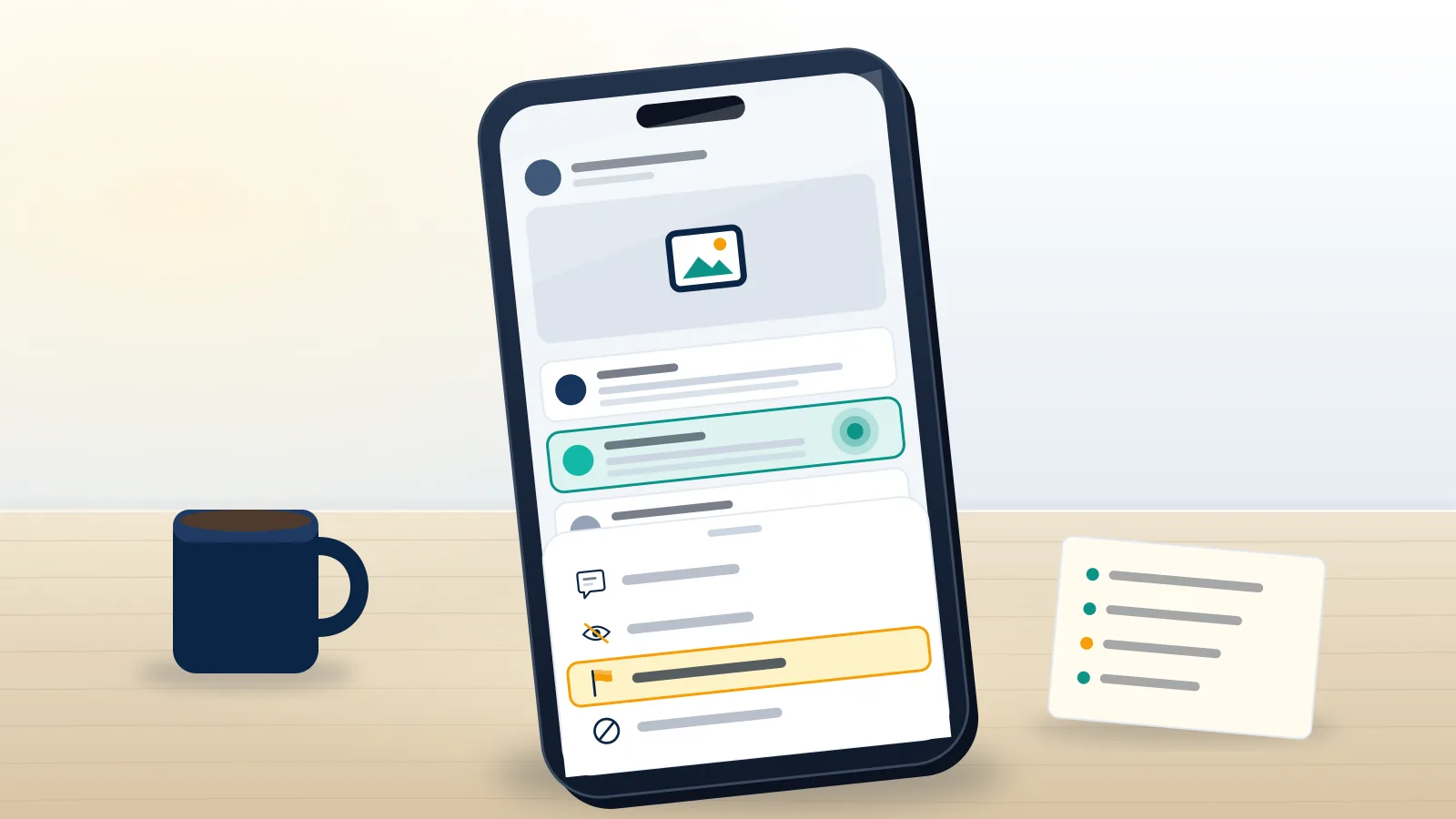
Reporting a comment on Facebook is not the same as deleting it
Most people who search for how to report a comment on Facebook expect the comment to vanish the moment they press the button. It does not. A report is a request for review: it sends one comment, with its surrounding thread, to Meta's moderation queue, where it is checked against the written Community Standards. If the comment breaks a rule, Meta removes it and may add a strike to the commenter's account. If it does not, the comment stays up and you get a message saying so. Hiding or deleting, by contrast, is something only the owner of the post, Page or group can do, and it happens instantly without any review. So the right button depends on where the comment sits. On your own post, you can delete it in two taps and report it as well. On someone else's post, reporting is your only lever, apart from blocking the person.
Your Reputation Solution is an account recovery and online reputation firm that helps people and businesses deal with harmful content on platforms like Facebook, from a single abusive reply to a coordinated pile-on under a company post. Reporting is the first tool we reach for, and it is free for everyone.
This guide covers comments only. If the problem is the post itself or the Page that published it, the steps differ, and the guide to report a Facebook post or Page walks through those menus.
How do you report a comment on Facebook from a phone?
Long-press the comment, tap Report comment, pick a reason and tap Submit. That is the whole flow on the Facebook app for iPhone and Android as of October 2026, and it takes under a minute. In order:
- Open the post and scroll to the comment. If the thread is long, tap "View more comments" or switch the sort from "Most relevant" to "All comments", because Facebook hides some replies by default.
- Press and hold the comment text (not the name) until a menu slides up.
- Tap Report comment. This is the Facebook report a comment button; older app builds label it "Find support or report comment".
- Choose the reason that matches what the comment actually says. You may get one or two follow-up questions, such as who is being targeted.
- Tap Submit. Facebook then offers optional extras: block the person, unfollow them, or hide their comments from you.
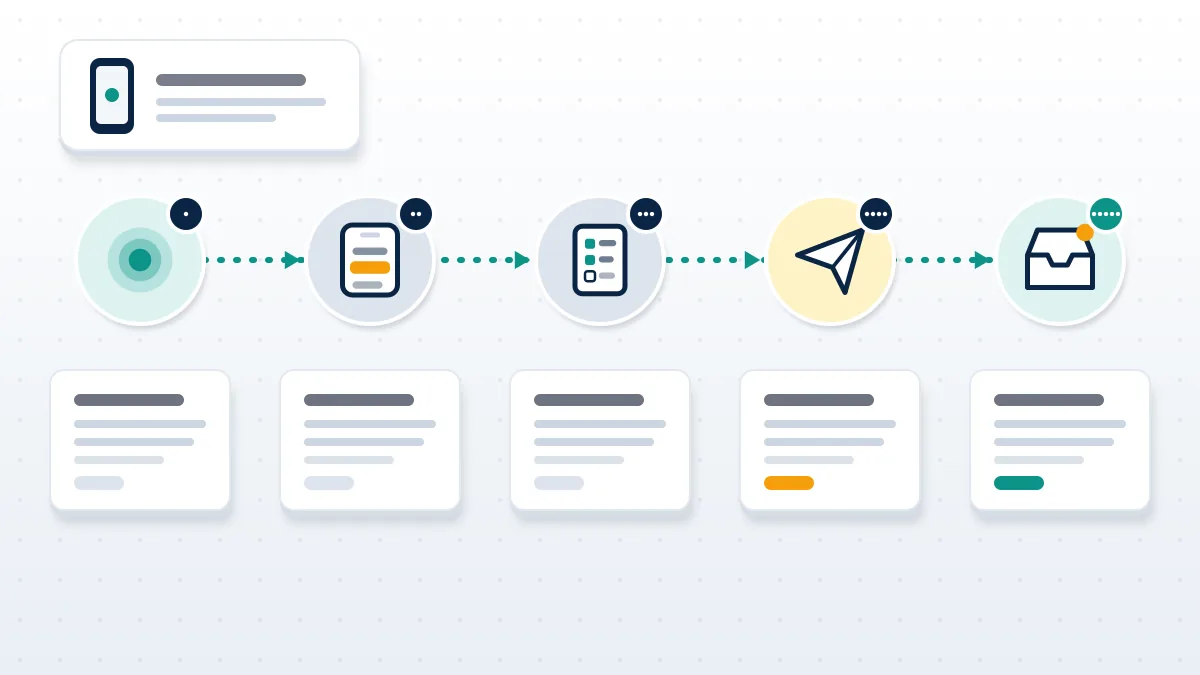
A quick caution about step 4. The last option in the list, "I just don't like it", is not a report at all. It routes you to hide, unfollow and block tools and sends nothing to a reviewer. People pick it out of politeness and then wonder why nothing happened. And if you are asking how do I report a comment on Facebook when the option is greyed out, the usual fix is updating the app.
Facebook how to report a comment on desktop, Reels and live video
To use Report comment on Facebook from a computer, hover over the comment until three dots appear to its right, click them, then choose Report comment. The reasons and follow-up questions are identical to the app, so if you already know how to report a Facebook comment on a phone, nothing new is required. The dots only show on hover, which is why many desktop users think the option is missing. The Facebook report comment option is there; it stays invisible until the cursor reaches the comment.
Comments on Reels and live videos
Reels comments sit in a side panel. Long-press on mobile, or hover and use the dots on desktop, exactly as above. Live video comments are harder because they scroll away. Pause the replay, find the comment in the replay's comment list, and report it there. If the stream is still running and you are the host, removing the commenter from the live is faster than any report; the same trade-off shows up when you report a TikTok LIVE and ban viewers, where the host's tools outrun moderation.
Group comments follow the same steps, with one extra route. A group's admins can remove a comment for breaking group rules even when it breaks no Meta rule, so in an active group, the "Report to group admins" option is often quicker than a report to Facebook itself.
Which reason should you pick when you report a Facebook comment?
Pick the reason that names what the words in the comment do, not how they made you feel. Reviewers judge the comment against the one policy you chose, and a correct comment with the wrong label is a common reason a report comes back as "doesn't go against our Community Standards". The same rule holds when you report a tweet on X, where the reviewer also tests only the reason you picked. Knowing how to report Facebook comment threads that mix several problems comes down to this: report each comment under its own reason.
| What the comment does | Reason to choose | What the reviewer needs to see |
|---|---|---|
| Insults, threatens or mocks a specific person | Bullying, harassment or abuse | Who is targeted; works best when the target reports |
| Attacks people for race, religion, gender or similar | Violent, hateful or disturbing content | The protected trait being attacked |
| Pushes a fake investment, giveaway or "recovery agent" | Scam, fraud or false information | The pitch, link or contact handle |
| Posts your photo, address or phone number | Privacy violation (via "Something else" if not listed) | That the information is yours and shared without consent |
| Copies your photo, video or brand | Intellectual property | Usually a separate form, not this menu |
| Encourages self-harm | Suicide or self-injury | Facebook also shows the poster support resources |
Rights-based complaints are the exception to the one-tap model. Copyright and trademark claims go through Meta's dedicated forms because the reviewer must check ownership, the same reason a TikTok copyright infringement report or a DMCA takedown on Twitter asks for proof the content is yours. Trademark disputes need a registered mark, as covered in the note on Twitter trademark infringement. Telegram has no web form at all for rights holders, which the guide to a Telegram copyright infringement report explains.
Can you report comments on Facebook that you can no longer see?
Yes, with limits. Can you report a comment on Facebook after it is deleted? No, because the Report button lives on the comment itself. Once the commenter deletes it, there is nothing left to flag, and a screenshot cannot be uploaded through the in-app flow. If the deleted comment was part of a pattern, report the person's profile instead and mention the pattern; the same profile route is what you use when a commenter is a fake or impersonating account, much like the process to report a fake LinkedIn profile.
Three other cases come up often:
- The commenter blocked you. You will not see the comment. Ask a friend who can see it to report it, or log out and view the post if it is public.
- The comment is on a memorialized profile. Family members with legacy contact access can remove it. If the profile is not yet memorialized, the steps on how to report someone as deceased on Facebook come first.
- The comment came from your own hacked account. Recover the account before anything else, starting with Meta's Facebook account recovery options. If the login email was changed, the route for Facebook account recovery without email applies, and if the codes never arrive, see Facebook account recovery not working.
What happens after reporting a comment on Facebook?
Facebook sends the comment to review and posts the result to your Support Inbox, usually within a day. You can find that inbox under Settings & privacy, then Help & support, then Support Inbox, or at facebook.com/support. Each report gets its own entry showing the reason you chose and the decision.
The commenter is told their comment was removed if Meta acts, but not who reported it. If Meta keeps the comment, open the entry and tap "Request another review". After that second decision, many cases show a reference ID you can take to the Oversight Board, which accepts appeals within 15 days of Meta's final decision and picks only a small number of cases. Users in the EU also have rights under the Digital Services Act: Article 16 obliges Meta to process notices like your report, Article 17 requires a statement of reasons when content is restricted, and Article 20 gives you an internal complaint route for at least six months after a decision.
One report is enough to start a review, and ten identical reports do not count as ten votes. Duplicate reports on the same comment generally merge into one case, a point that also explains how many reports it takes to get banned on TikTok: the answer is about policy, not volume.
A practitioner note from our case files. When Your Reputation Solution reviews a comment report that came back unchanged, the cause is rarely that Meta "ignored" it. Most often the reporter chose a broad reason such as "false information" for a comment that is really targeted harassment, or the reporter was a bystander when the policy needs the target to report. Refiling from the targeted person's account, under the narrower reason, is the first thing we try, and it costs nothing.
When the comments are about you or your business
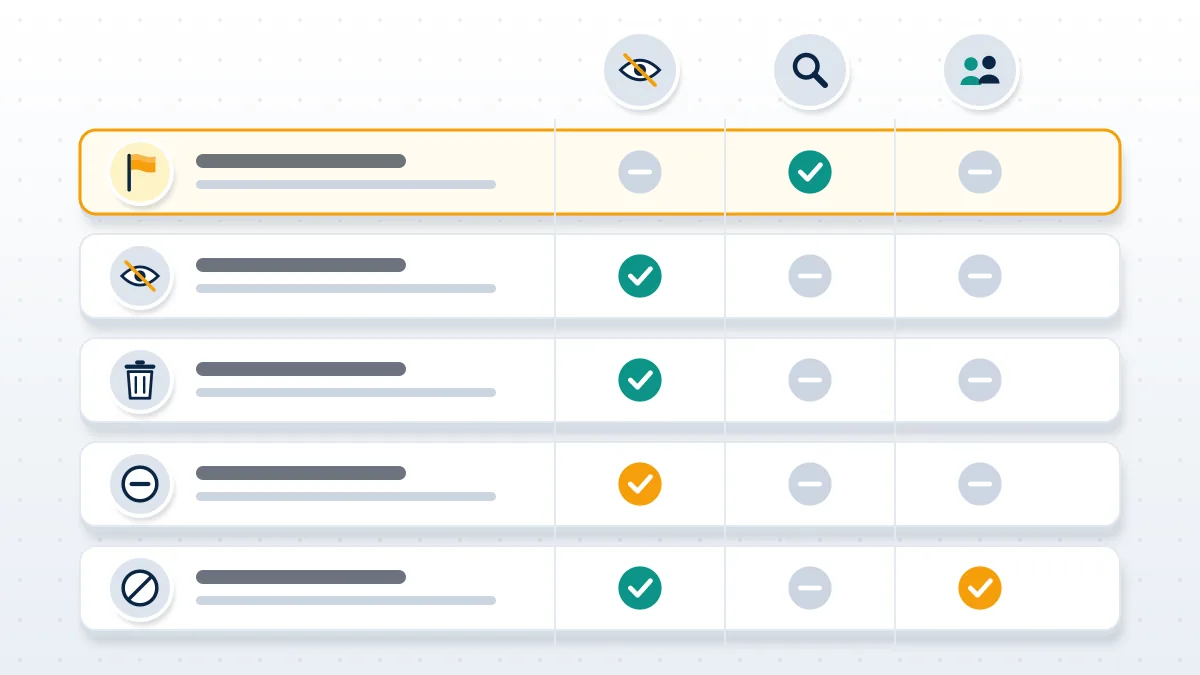
If you own the post or Page, you do not have to wait for Meta. You can hide a comment (the commenter and their friends still see it, nobody else does), delete it, restrict the person, or ban them from the Page. Pages can also switch on keyword filtering and Moderation Assist in Meta Business Suite to auto-hide comments with chosen words or links. Owners asking how to report Facebook comments in bulk will find no bulk button, so hide in batches and report the worst ones individually. Reporting still matters, because it is the only step that can lead to a strike on the commenter's account, so hide first and report second.
Businesses get one more problem: a hostile thread under an ad or product post can outlive any single report. If you lose admin access in the middle of that, Facebook business account recovery has to come before moderation. Where the comments contain falsehoods that are now being quoted elsewhere, a Facebook report only solves the Facebook copy. Grounds such as defamation, privacy or court orders are covered in the overview of what a Facebook post removal service can legitimately file, and the wider playbook to remove negative content online maps the routes for search results and other sites. A comment that repeats an old arrest and now ranks for your name is its own case; there are legal steps to remove an arrest record from Google. Readers in Australia have an extra regulator-backed path, outlined in negative content removal in Australia.
Stuck with a comment that keeps coming back? Your Reputation Solution reviews the thread, picks the reporting route that fits the policy and escalates it through the channels Meta provides. Book a free 60-minute assessment and we will tell you honestly whether reporting, hiding or a legal route is the right fit.
Comment trouble rarely stays on one platform
Scam comments are the clearest example. A reply under your post says "contact this agent to recover your account" and points to a WhatsApp number or a Telegram handle. Report the comment under Scam, then report the account it points to; the guide to report a Telegram scammer covers where to file that second report. Before you trust anyone who answers a public comment offering help, read whether a Facebook account recovery service is legit or a scam. The same networks buy video ads, which is why it helps to know how to report scam ads on YouTube and how to report a TikTok Shop seller when the pitch moves to shopping.
If you run a channel elsewhere, the moderation tools look different. YouTube lets creators remove and block directly, as shown in the steps to delete someone else's comment on YouTube, and X has no comment-level owner tools at all, so getting a decision there can mean trying to reach a human at X support.
What Your Reputation Solution will not do
Your Reputation Solution files and escalates reports through the platform's own tools; Meta makes the final decision on every comment, and no outside firm can override it. That rules out a few things people ask for. We will not file false reports, run report bots, or coordinate mass reporting against a commenter, which breaks Meta's terms and can get the reporter's own account restricted. If that has already happened to you, the guide to get unbanned from Facebook covers the appeal. Sellers of a paid Facebook ban service promise to "take down" a commenter for a fee; they cannot do that legally, and most never try.
We never ask for your Facebook password, login codes or a payment before we have reviewed your case, and anyone who does is not acting for Meta. Legitimate content that is unflattering, such as an honest negative review, is not removable by reporting, and we will say so rather than sell a promise. The limits of what we offer are set out in our disclaimer.