
Pick the report that matches what you can see
Facebook gives every post, Page, group, profile and ad its own Report button, and the button you press sets the question a reviewer answers. Report one post and Meta judges that single piece of content; report the Page behind it and Meta judges the Page's identity and purpose, which one bad post rarely proves. Plenty of reports fail for that reason alone, even when the content is plainly abusive. Pick the smallest object that contains the violation, then climb only when the violation is the object itself: a Page pretending to be a bank, a group organized around harassment, a profile that exists only to scam. Reviewers read the object you reported, not the backstory you remember. None of these routes costs money or needs an old account, a verified badge or a friend inside Meta, whatever a paid seller claims.
| What you are looking at | Button to press | What Meta judges | Where the answer lands |
|---|---|---|---|
| One post, photo or video | Options, then Report post | That single piece of content | Support Inbox |
| A Page (brand, business, public figure) | Options below the cover, then Report Page | The Page's identity and purpose | Support Inbox, or feedback only |
| A group | Options below the cover, then Report group | The group's purpose and repeated content | Support Inbox |
| A person's profile | Options beside the name, then Report profile | Whether the account is fake or abusive | Support Inbox |
| An ad | Three dots on the ad, then Report ad | The ad against Meta's advertising rules | Rarely any message |
Two footnotes. Profiles run on their own flow, covered in the guide to report abuse on Facebook, and no surface counts reports, as the breakdown of Facebook mass report rules by surface shows.
Your Reputation Solution is a reputation and account-recovery service that assembles evidence for Facebook reports and escalates the ones Meta leaves unanswered, mostly for people and businesses whose own name or Page is being copied. One rule-breaking post needs nothing more than the free button.

How do you report a post on Facebook?
Click Options, the three dots at the top right of the post, choose Report post, pick the matching reason and press Submit.
- Find the post in your Feed, on a profile, Page or group.
- Click or tap Options at its top right, then Report post.
- Select the option that names the Community Standard it breaks.
- Check the summary, press Submit, then Done.
Those four steps are the whole answer to how to report a post on Facebook, and the iPhone and Android apps use the same three-dot menu, so a search for how to report a post in Facebook's app lands on identical screens. Choosing the reason carries more weight than any wording you could add, because it routes the post to the policy that fits: a fake giveaway filed as spam is weighed against spam rules, while the same post filed under scams and fraud gets judged as a scam. Pick the narrowest true option. Every time you report a post Facebook also suggests unfollowing, blocking or unfriending the poster, which hides the content without deciding anything. Posts on your own timeline can be reported too, but comments on your own profile cannot; hide or delete those instead (Facebook Help Center).
Reporting a post on Facebook inside a group adds a fork: one option goes only to the group's admins, who see who reported it, and the other starts a real review. Before any facebook post report goes in, Your Reputation Solution saves the post link, a dated capture and the poster's profile URL, since a removed post leaves nothing to cite.
Spelling doesn't change the route. Report post Facebook, report Facebook post, how to report Facebook post and how to report post on Facebook all end at the same four steps.
Matching the flag to the rule is no Facebook quirk. TikTok works alike, which is why the matching flag beats volume on TikTok, and Instagram handles spam with reports weighted by evidence, not count.
How do I report a Facebook Page, including a business Page?
Open the Page, click Options below its cover photo, select Report Page and pick the option showing how it breaks the Community Standards.
This route works on a computer and in the app, where the same Options button sits under the cover image. Each time you report a Page Facebook first treats your answer as feedback: depending on the option, you may then submit a report to Meta, or it may only use your feedback to help its systems learn. So a missing Support Inbox message doesn't always mean the report vanished. Blocked by the Page? Ask a friend to file. Readers who searched how do I report a page on Facebook because a business Page copies a brand should pick the option about pretending to be someone, since impostor Pages move through Facebook impersonation reporting routes with their own queue. The same answer covers how to report a Facebook page, how to report a page on Facebook, how do you report a Facebook page and the clipped how to report FB page: one button, one Options menu.
For business-impersonation files, Your Reputation Solution starts with Page transparency, which shows when a Page was created, its previous names and the countries its managers work from (Facebook Help Center), then adds the real company's registration, domain and customer complaints and files through the impostor report, the trademark form or both. A month-old copycat with a recycled name tells its own story. Anyone working out how to report a Facebook business page for a client should file as its authorized representative.
Trademark owners hold a stronger lever. Meta's intellectual property forms are built for rights owners, and a notice sent through them may pass your name and email to the Page owner (Facebook Help Center). Registered marks do double duty elsewhere: a mark is how you claim an Instagram username by trademark, and it explains why trademark claims win on X when a squatter holds your handle.
Can you report a Facebook group as a whole?
Yes: open the group, click Options below its cover photo and choose Report group, as long as you can see what you are reporting.
Private-group members see the same menu, and outsiders can report whatever the group shows them, such as a name built around a slur. Usually, though, the stronger move is to report Facebook group posts one at a time from their own three-dot menus. A report on the whole group asks Meta whether the group's purpose or pattern breaks the rules, which takes proof across many posts; a post report asks about one concrete thing. In group cases, Your Reputation Solution files the individual posts first and the group last. Admins of a disabled group get 30 days to appeal through Group Quality. Removal turns on the violations, never the headcount, the same logic behind taking down a public Telegram channel. For the complete walkthrough, including groups with no admin, see the guide on how to report a Facebook group.

What happens after a facebook post report reaches Meta?
Meta checks the content against its Community Standards, then posts the decision in your Support Inbox, usually with a way to ask for another look.
Most guides on how to report a Facebook post stop at the Submit button, yet the useful part starts after it. Support Inbox shows the status of anything you reported. If Meta finds the content allowed and you disagree, open Support Inbox, choose Reports about others, open the decision and click See options; when Request another review appears, the content is reviewed again, usually within 24 hours (Facebook Help Center). Some content types offer no second review at all. After a second upheld decision, the case can sometimes go to the Oversight Board. In the EU, the Digital Services Act adds hard rights: a platform must tell whoever filed a notice what it decided (Article 16) and let them contest that decision through an internal complaint system for at least six months (Article 20), per Regulation (EU) 2022/2065. Reporting never guarantees removal, and Facebook says so plainly.
A second review is a fresh look, not a louder argument, so where the form allows detail, cite the exact policy and post, the discipline behind naming the exact rule in an appeal on TikTok.
Is a copycat Page using your business name, or has a report about your own photos stalled? Your Reputation Solution offers a free case review that checks which report route still applies and what evidence Meta expects. Get help with an impostor business Page.
Do mass reports or report bots take a Page down faster?
No: Facebook states that the number of times something is reported doesn't determine whether it's removed (Facebook Help Center).
Meta applies the same guidelines at every review, so a Page that breaks no rule survives a thousand reports, and a Page that breaks one can fall after a single accurate report. Sellers offering to show you how to report Facebook page targets in bulk are selling a report threshold that does not exist, and WhatsApp states outright why outside services cannot ban a WhatsApp account.
TikTok and Telegram tell the same story. Count alone never triggers a ban on TikTok, the finding in does a TikTok mass report bot work, and our read of Telegram's moderation page found no published threshold there either.
When a report comes back with the content left up, Facebook's own advice is to unfollow, block or take a break from the person, because a repeat report meets the same guidelines. Some requests get refused outright: mass reports, fake reports, bought accounts to file them, pay-to-remove deals, false copyright claims and attempts to remove a competitor's honest Page or reviews. We never ask for your Facebook password or login codes, and anyone who does is running the kind of scam you came here to report. Paying a stranger to get a Page removed can also backfire, because a coordinated false-report campaign breaks the same Community Standards it pretends to enforce. Read the limits of what we can promise before hiring anyone. Your Reputation Solution files and escalates reports through Meta's own channels, and Meta alone decides what comes down.
Is reporting a Facebook post anonymous?
Yes, toward the person you report: Facebook doesn't include any information about who filed a report when it contacts them (Facebook Help Center).
That protection covers the everyday case, whether you report a Facebook post, a comment, a Page or a profile. Three situations weaken it. Intellectual property reports can reveal you, because the notice sent to the poster may include the rights owner's name and email. Reports sent only to a group's admins show those admins who complained. Context can also betray you when Facebook stays silent: if you were the only person who saw a private post, its disappearance points at you. Meta itself always knows which account filed, which is how it spots people who report in bad faith. WhatsApp offers a useful comparison, since it also hides the reporter from the person reported, yet its report hands Meta your recent messages with them, a detail covered in what a WhatsApp report shares with Meta.
Impersonation flips this. Instagram asks impersonation reporters for a photo of their ID, part of the Instagram account takedown evidence list, and Facebook's no-account impostor form asks for ID too, since only the person impersonated or a representative can file.
Blocking (banning) someone from a Facebook Page you manage
Anyone searching how to ban someone from Facebook page comments is an admin, and Facebook now labels the tool Block rather than Ban.
- Switch into your Page from your profile photo, then open Settings & privacy and Settings.
- Under Audience and visibility, click Blocking.
- Next to Block profiles and Pages, click Edit, then Add to blocked list.
- Type the name, click Block beside it and Confirm.
Page blocks are the opposite of a Meta-issued Marketplace restriction, which follows the person across Marketplace. When Your Reputation Solution handles a pile-on against a client's Page, the accounts get blocked first and only rule-breaking comments get reported, since blocking stops the harm and only reporting removes anything.
Quicker routes exist for a single troublemaker: hover over the commenter's photo on one of your Page's posts, click Options and choose Block, or open the Followers list and block from there. Blocked profiles can no longer see what your Page posts, tag the Page, message it, invite it to events or groups, or find it in search, and they drop off your follower list (Facebook Help Center). The block stays local. It covers your Page, not the groups, apps or games you and that person share, and nothing is removed from Facebook itself. WhatsApp draws the same line between an admin action and a platform decision, the core of how to ban someone on WhatsApp: admins remove, Meta bans. Older guides still describe a Ban from Page button under People and Other Pages, a menu the current Pages replaced.
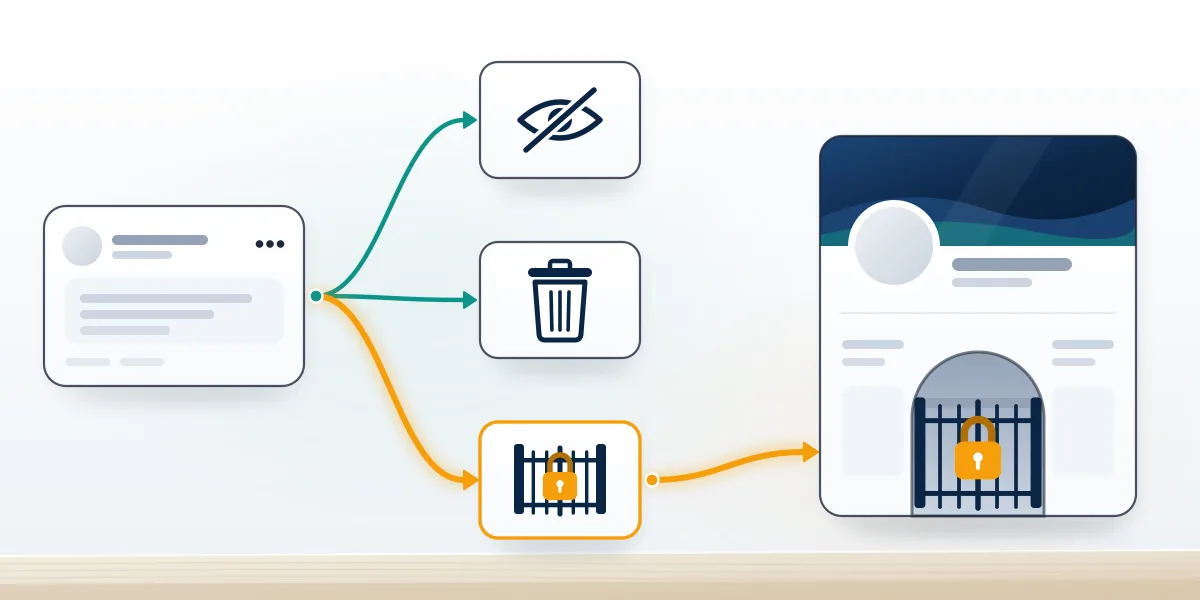
How do you take down a Facebook Page, yours or someone else's?
Delete your own Page under Settings, then Access and control; someone else's Page comes down only when Meta upholds a report against it.
To take down a Facebook page you own, you need Facebook access with full control. Switch into the Page, open Settings & privacy, then Settings, click Access and control and select Delete Page; Facebook may ask for your password again. The Page is deactivated at once but survives 14 days before permanent deletion, and you can reactivate it from your personal profile inside that window (Facebook Help Center). If a pause is the goal, deactivate or unpublish instead, the trade-off laid out in unpublishing versus deleting your Page. That covers how to take down a Facebook business page cleanly. Access is the snag Your Reputation Solution sees on these requests: the only full-control admin is often a former employee or agency, and a Page with no one holding full control is deactivated and scheduled for deletion automatically.
After those 14 days nothing brings the Page back, the same hard stop behind the permanently disabled Instagram recovery limits and TikTok bans nobody can reinstate.
Someone else's Page is a different job. Only Meta can remove it, and only for a broken rule, so use the Report Page flow with evidence; a competitor's honest Page or reviews stay up, since unflattering is not a violation.
Facebook Page suspended for impersonation: what the owner can do
Start in Page Status, fix whatever made the Page look like an impostor, then click Appeal at the top of the Page.
Facebook lists the usual triggers (Facebook Help Center): an admin who uses a fake or duplicate profile, a Page name that could mislead people, or content that misleads followers about who the Page represents. Page Status, under Settings, Page setup and Page status, lists recent violations, including ones caused by other managers, and for some offers a request for review. Remove any admin whose profile is not authentic before appealing, or the second review meets the same fault. Then appeal with proof: business registration, a website on the same domain as the Page's contact email, and the history of the brand name. Restricted, unpublished and deleted are different states with different exits, just as a shadow ban appeal on X differs from a suspension and Telegram frozen account appeal paths differ from a deleted account.

When the admin's own profile is the problem
Sometimes the Page is fine and Meta disabled the admin's own profile, which Your Reputation Solution checks first. Such cases call for the disabled Facebook profile appeal form, often with a government ID, and Instagram's equivalent is Instagram's video-selfie identity check.
Write the appeal like evidence
Specific, evidence-backed appeals outperform angry ones on every major platform, which is what gets suspended X accounts reinstated, and a terminated YouTube channel appeal deserves careful drafting because it goes in once.
Try the free route first
Most lockouts have a free fix, as Telegram shows: recovering a Telegram account from the login code needs no form, while identity-led Telegram account recovery exists for hacked or lost-number accounts. Pages removed for fraud, terrorism or child-safety violations stay gone, and no firm can change that.