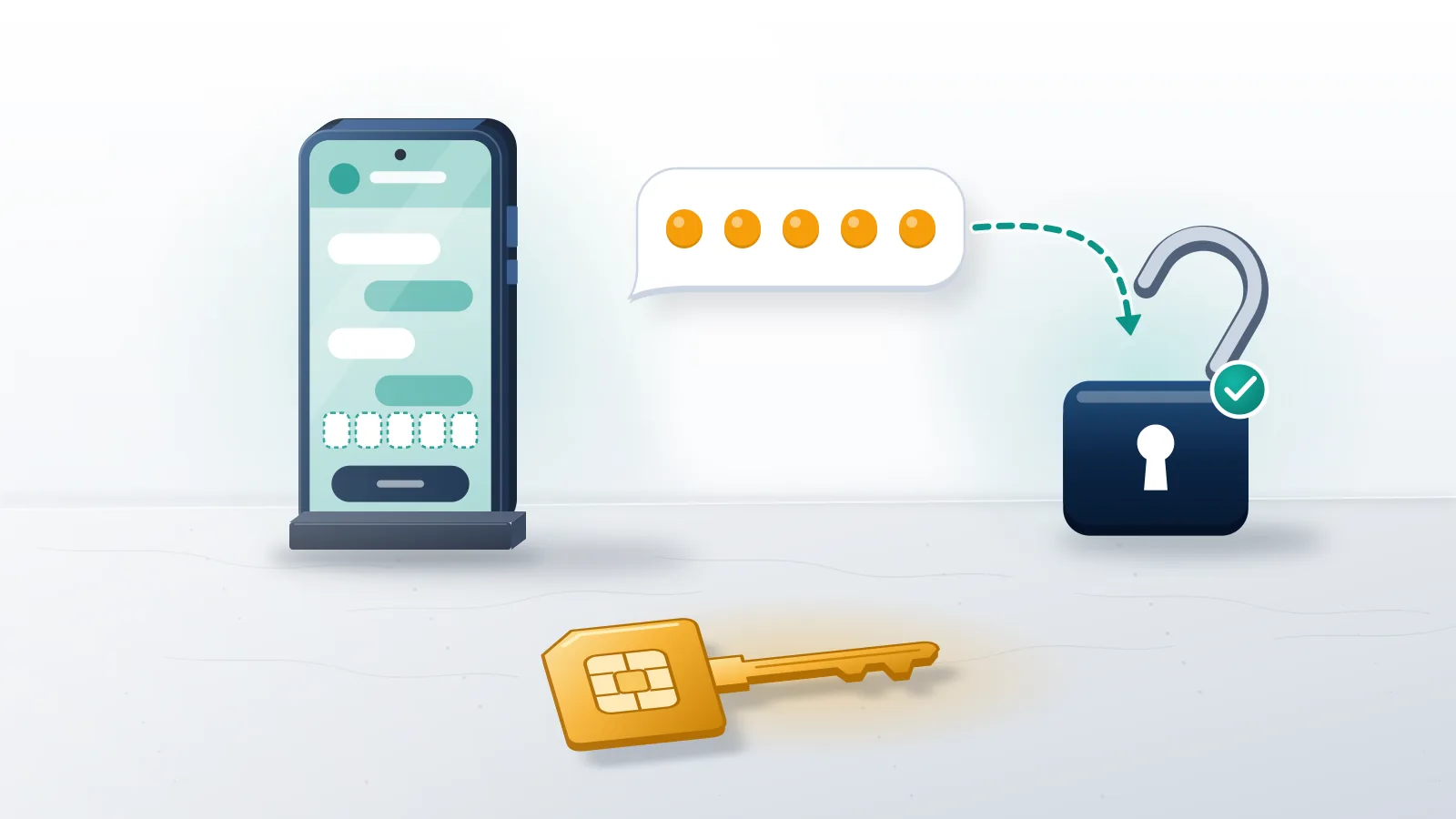
What does recovery without a verification code actually mean?
It means signing in through a route that needs no fresh code on your phone, and Telegram offers only a few of those. Every login starts with a phone number, and the one-time code proves you control it. According to the Telegram FAQ, whoever has the number has the account. So real telegram account recovery without verification code is never a bypass. What it can be is one of three things: getting the same code through a different channel, signing in from a device that is already logged in, or proving control of the number again through your carrier. Anything sold as a way around the code is one of those three dressed up, or an attempt to take the account from you. Those are the only doors, and this guide sorts out which one fits your lockout, what each one costs, and where the second lock, your two-step password, changes the picture.
Most searches for how to recover telegram account without verification code come from one of four lockouts, and each has a different fix:
- No code ever arrives: read the next two sections.
- Lost number or SIM: jump to the phone number section.
- Code accepted, then a password screen: read the two-step section.
- Banned number or frozen account: read the restriction section.
For context, Your Reputation Solution is an account recovery and reputation management firm that reviews locked social and messaging accounts and files through each platform's own channels. Nobody at the firm has special access to Telegram, and nobody there can produce a login code for you.
Deleted accounts and bans get fuller treatment in the broader Telegram recovery walkthrough, which this page extends for the code problem specifically.
The code usually lands in your other Telegram app first
Telegram does not always send a login code by SMS, and in many lockouts the missing code is sitting inside the app on another device. When you already have an active session somewhere, a laptop, a tablet or an old phone, the FAQ says Telegram may send the login code via Telegram instead of SMS. That message comes from the official Telegram account with a blue check, and the Android app says so on the code screen: "We've sent the code to the Telegram app on your other device." Behind that screen, the login API documentation describes a fallback chain. The server picks a first method, sets a timeout, and names a next type to try if nothing arrives in time. Available types include an in-app message, SMS, a voice call, a flash call, a missed call whose last digits are the code, Fragment for +888 numbers, and a login email.
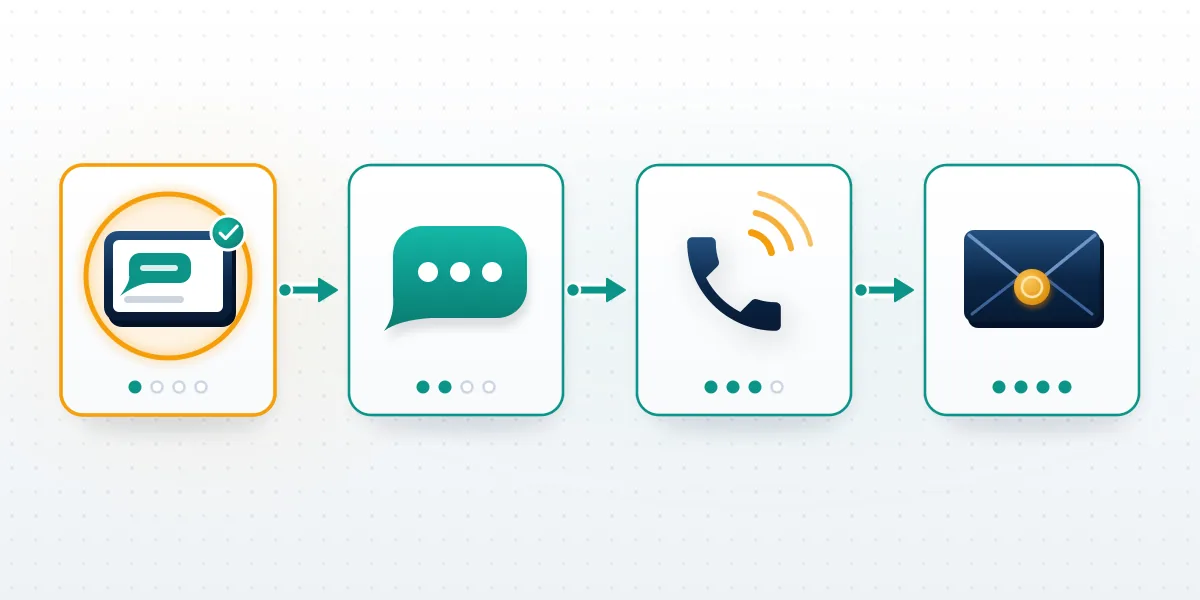
This design explains most "no code" complaints. People watch their text messages while the code waits in Telegram Desktop on a work computer, or in a browser session nobody remembers opening. Check every device you have used, including web.telegram.org in an old tab.
A login email is its own branch of that chain, and Telegram account recovery with email explains when Telegram asks for one and why it sits apart from the recovery email. WhatsApp runs a separate system with its own fixes for the same code failure on WhatsApp.
Whenever Your Reputation Solution reviews one of these lockouts, the first question is which devices were ever signed in, because a forgotten session is the cheapest way back.
How do you get the code by SMS, call or email instead?
Wait for the timer on the code screen to run out, then tap the fallback Telegram offers you. In the current apps, as of September 2026, the order looks like this:
- Enter the number in full international format, with the plus sign and country code. Telegram's FAQ names a wrong format as the first thing to check.
- Open the chat from the verified Telegram account on any device that is still logged in.
- Tap "Didn't get the code?", then "Tap to get a code via SMS" once the countdown ends.
- If the screen reads "Telegram will call you in" with a timer, let it run. Voice codes only work with two-step verification on, and landlines are not supported.
- Where Telegram set up a login email for you, look there too, including spam and promotions folders.
Telegram account recovery via SMS is the standard fallback, yet a telegram account recovery SMS that never shows up usually has one of four causes. Flood protection comes first: ask for codes too often and the sendCode reference returns PHONE_NUMBER_FLOOD, which it describes as asking for the code too many times, followed by a wait measured in seconds that Telegram never publishes as a fixed number. Every extra tap during a lockout can only lengthen it. Cost is second. In countries where SMS is expensive, official apps may get a payment-required response, which means Telegram Premium is needed to continue by SMS. Third comes the carrier, through blocked short codes, roaming, or a SIM that rejects international senders. Fourth is a banned number, which returns PHONE_NUMBER_BANNED and has nothing to do with delivery at all.
On a flood-limited number, Your Reputation Solution's advice is dull but free: pause, wait an hour, then try once with the full international number.
Code-free sign-ins Telegram does support
Telegram has three sign-in methods that skip the texted code, and every one depends on something you set up before the lockout. First comes QR login: the new device shows a QR code, and a device where you are still signed in scans it and approves the session, as the QR login documentation lays out. Second is a passkey, added on 12 December 2025. According to the passkeys page, it lets you log in with a PIN or biometric data instead of an SMS code, though you can only create one from a session that is already logged in. Last is the login email, which replaces the SMS code for people who sign in often and which Sign in with Apple or Google can verify. None of the three helps someone with no logged-in device, no passkey and no login email, because none of them is a recovery tool.
So the honest reply to "how can I recover my Telegram account without verification" is short: through an old session, if one survives.
A passkey also leaves two-step verification in place. Telegram's passkey documentation says users with a cloud password still have to enter it after the passkey step.
In every one of these routes, Your Reputation Solution checks what you still have and helps file requests through Telegram's support form, while Telegram alone decides whether the account comes back. No page on telegram.org promises that support will send a code or restore access by hand, so treat any reply as a bonus rather than a plan.
What if the phone number itself is gone?
Get the number back from your carrier, because Telegram has no other way to verify you. This is the hardest version of the problem: telegram account recovery phone number without verification means the number is both your login identity and the place the code goes. Two official answers appear in the FAQ. If the SIM was lost or stolen, ask your mobile carrier to block it and issue a replacement with the same number, then log in as usual, and the code arrives on the new card. If you are still signed in on any device, open Settings, tap your number, and use Change Number to move the account to a line you control, with chats, contacts and media intact. Without either, everything waits on the number. The worst case is a number that lapsed and was reassigned to a stranger, since the new owner now receives your code. Carriers recycle inactive lines on schedules each carrier sets, so an unused prepaid SIM is the usual risk.

Anonymous +888 numbers bought on Fragment work differently. Their codes come through fragment.com, so the key is control of the wallet that holds the number, not a SIM card.
A number that Telegram blocked is a ban, not a delivery failure, and when your Telegram number is gone or banned covers that appeal separately.
Other platforms lean on a phone number or email just as hard, and their harder cases rhyme with this one. How X handles suspension appeals and recovering a disabled Facebook account both turn on proving control of the contact details the platform already trusts.
Locked out with no code and no old device? Here, Your Reputation Solution can check which official route still fits your case before you spend more attempts on the code screen. Request a Telegram case review, and never include a login code or password in the message.
Three outcomes when you forget the two-step password
The code gets you past the first lock, and a forgotten two-step verification password is a second lock with exactly three possible outcomes. Start by tapping "Forgot password?" on the password screen. With a recovery email on file, Telegram sends a 6-digit code there, and entering it deactivates the cloud password so you can set a new one. With no recovery email but a device still logged in, open the Two-Step Verification settings on that device and request a reset. Its settings text states the options plainly: remember the password or wait 7 days until it is reset, and the password reset method confirms the account keeps its data. With no recovery email and no logged-in device, only "Reset account" is left, and that button deletes the account. Telegram's warning for it begins, "This action can't be undone."
| Your situation | What Telegram offers | What you keep |
|---|---|---|
| Recovery email on file | 6-digit code to that email, then a new password | Everything |
| No recovery email, a device still signed in | Password removed after a 7-day wait, cancellable | Everything |
| No recovery email, no signed-in device | "Reset account", deletion after a 1-week security delay | The phone number only |
| Offline past the self-destruct period | Nothing | Nothing |
Across all three outcomes, Your Reputation Solution never asks for the old password or the recovery-email code, because only the account owner types them into Telegram.
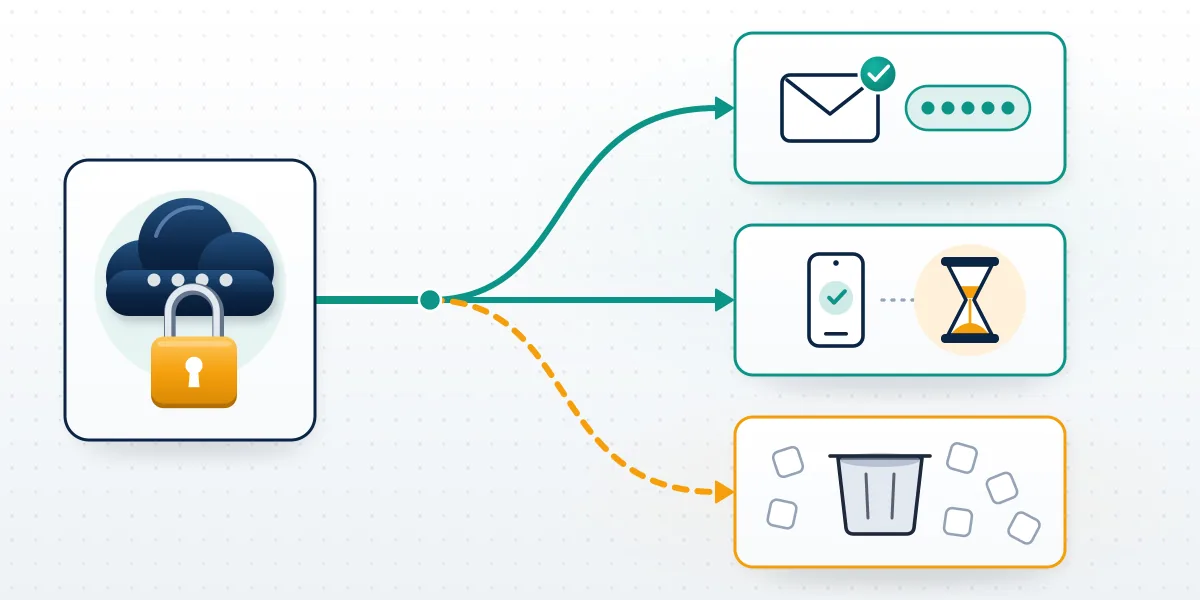
That table is the whole answer to searches like "how to recover telegram account forgot password" and the looser "how to recover telegram account if we forgot password". What decides the outcome is what you prepared, not anything you type into the login screen now.
Nothing brings a reset account back. Our deletion guide covers the same reset that wipes the account from the other side, and what survives a deleted Telegram account lists the pieces other people still hold, such as messages you sent them.
Resetting also puts your public @username in doubt. No Telegram page says when a released handle becomes available again, so don't plan on reclaiming it. Other apps set their own rules, as with inactive Instagram username claims and X inactive username claims.
How to recover Telegram account without two step verification
Without two-step verification, the login code is the only lock on the account, so recovery is simpler and the risk is higher. How to recover telegram account without two step verification comes down to the code alone: get it through any channel described above, enter it, and you are in, with no password screen and no waiting period. That same simplicity is how most takeovers happen. Anyone who reads your SMS, talks you into forwarding the code, or moves your number through a SIM swap gets exactly the access you have. Once you are back in, open Devices in Settings and end every session you don't recognise. New sessions must wait 24 hours before they can log out older ones, according to the session-reset reference, so an intruder's older session can outrank yours for a day.
Then turn on two-step verification with a recovery email you control. It is the one setting that turns a stolen code into a dead end.
For cases that stall, Your Reputation Solution offers help with a locked Telegram account that stays inside Telegram's own support channels and never touches your login code.
Where the intruder switched on two-step verification before you did, the account now carries a password you never chose, and what to do after a Telegram takeover covers that race step by step.
Is it a login problem, or a ban or freeze?
Once Telegram accepts your code but blocks what you can do, you have a restriction, not a login problem. Frozen accounts can still read chats but cannot send or post. Freezing arrived in April 2025 as a restriction applied after reports from other users, with an appeal inside the app. Banned numbers show an error at login however many codes you request, on any device. Spam limits are a third state, checked and appealed through the official @SpamBot. None of these improves with more code requests, and hammering the code screen during a ban only adds flood waits on top of the restriction itself. Frozen accounts get an appeal link from the app itself, and a freeze is not a login problem walks through that route, while banned Telegram account appeal options covers an outright ban on the number.
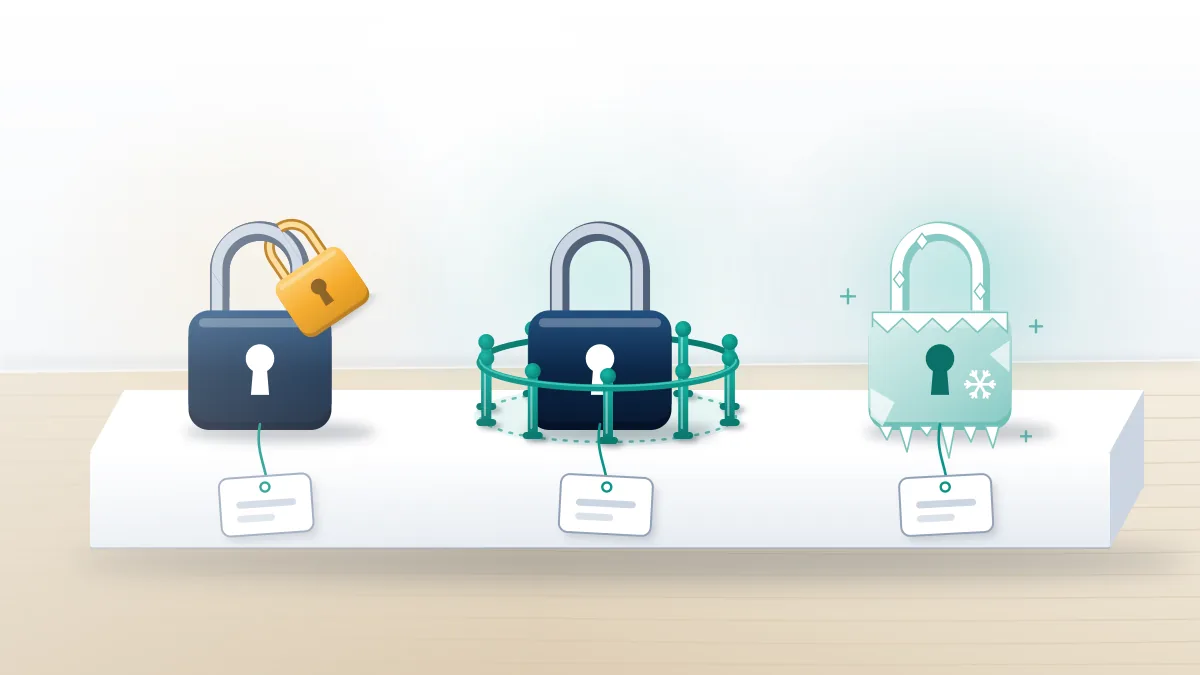
Freezes and bans often follow a wave of reports. Report waves bought on Telegram itself explains how those panels are sold and what they can and cannot trigger.
Instagram sees the same pitch, where mass report tools marketed for Instagram appear next to spam-report bots sold for Instagram.
TikTok and WhatsApp get their own versions, and both the TikTok version of that promise and report bots aimed at WhatsApp numbers rest on the same misunderstanding of how moderators review reports.
On Facebook, coordinated reports on Facebook meet the same human review, and a penalty there can be as narrow as a feature-level ban like Marketplace. Across platforms, Your Reputation Solution treats each of these as an appeal filed through the platform's own form, never as a login fix.
Bypass offers, and the lines this service won't cross
Every Telegram login message ends with a plain instruction: "Do not give this code to anyone," as the official app string shows. Any offer of telegram account recovery without verification code through a "bypass", an "exploit" or "server access" ends in one of two places. It either asks for that code, or it takes money with nothing behind it. Hand the code over and the other person signs in as you, and if they then set two-step verification, you are locked out twice. Fake agents also comment under recovery posts on every platform, which is why a reply offering help within minutes is a warning sign, not good luck. Real help never needs the code, the password, or remote access to your phone. At most it needs to know which devices you had, whether a recovery email exists, and what the error screen says. Anything more is a takeover attempt.
Those fake agents follow every lockout type, including a permanently disabled Instagram account and Instagram's own ban appeal.
They also target a permanently banned TikTok and a suspended TikTok account. Both are real appeals with free official forms.
Creators get the same pitch when facing YouTube's termination appeal or a shadow ban on X.
What Your Reputation Solution won't do, on Telegram or anywhere else:
- ask for your login code, SMS code or two-step password
- claim access to Telegram's servers or staff
- promise that an account comes back, or name a date
- restore a deleted or reset account, since Telegram calls deletion irreversible
- ban, freeze or take down someone else's account on request
Ban-for-hire work is out too, which covers requests to get someone's WhatsApp banned and how banning someone on WhatsApp works alike. Those requests get declined whatever the price.
Removal only happens through a platform's own report system, whether that means a lawful Instagram takedown or urgent TikTok removal requests.
Channel removal is a separate process on Telegram, with its own report rules.
This service is not affiliated with Telegram or any of its staff. Limits are spelled out in the service disclaimer page, and the people behind these guides are listed by name with their credentials.