How to report an ad on Facebook from a computer or the app
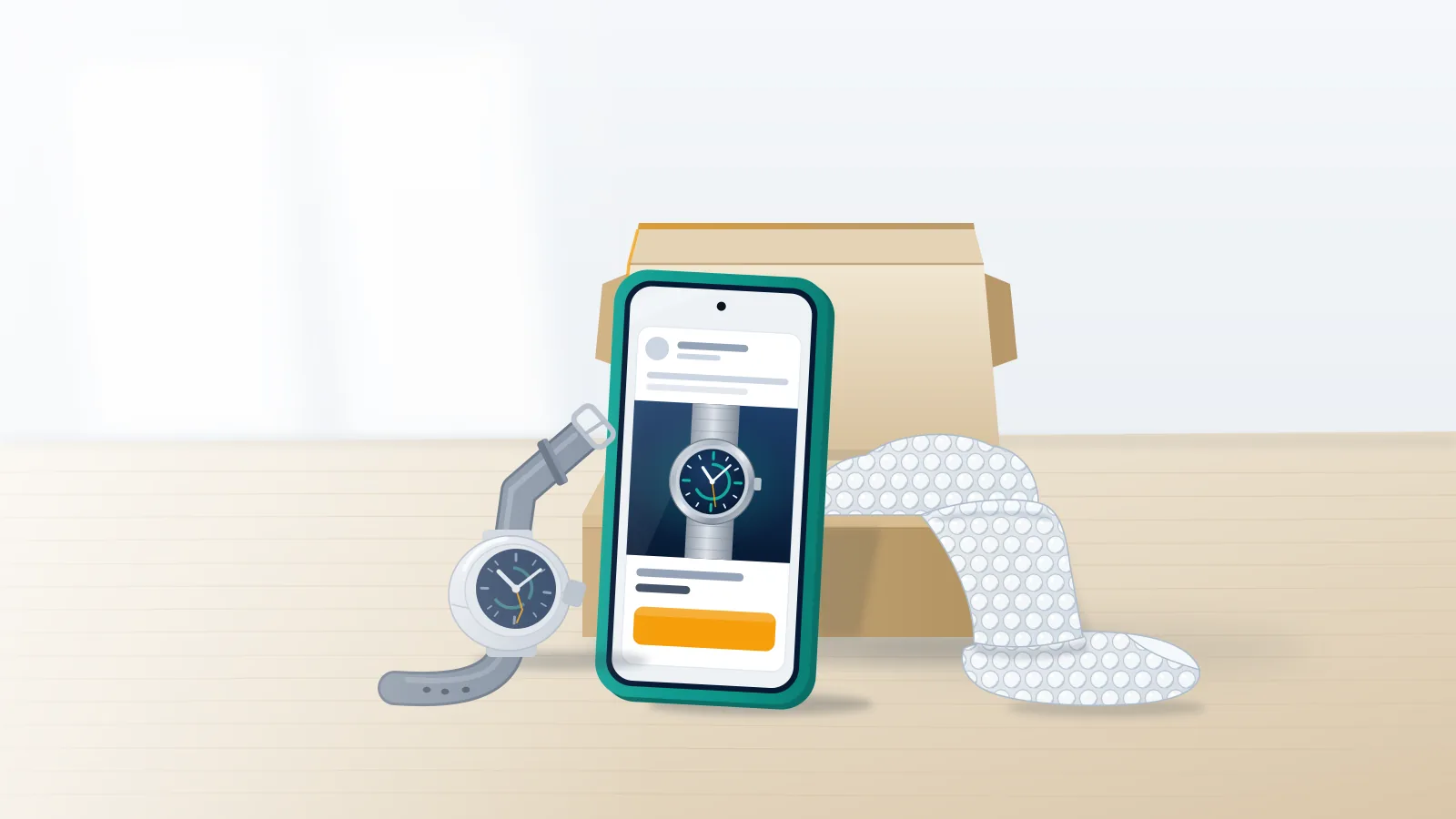
Every Facebook ad carries its own report control, and it sits on the ad rather than on the Page that paid for it. Click the three-dot Options menu next to the ad, choose Report ad, then follow the questions to the option describing a scam or fraud. Guides quote different labels for that option, so choose by meaning rather than wording. Phones work identically. Anyone looking up how to report an ad on Facebook app menus needs the same three dots, on the ad itself.
A report is a request for review, not a removal. Meta's help page for reporting an ad says reports "may trigger our ad review system to initiate another review of an ad." That review tests the ad against Meta's policy on Prohibited Commercial Practices, which bars ads using deceptive or misleading practices, "including those meant to scam people out of money or personal information." Borrow that language when you write.
Reviewers check an ad against named practices, so the useful half of how to report a Facebook ad is saying what it promised and what happened after you paid. On X, inappropriate ads are a report reason of their own, and how X reviews a reported tweet shows that only the reason you pick gets tested.
Your Reputation Solution is an online reputation and account-recovery company that turns scam-ad cases into evidence files and submits them through Meta's own reporting routes, for people who lost money and for businesses whose names the ads borrow, and every route below can be filed free by the person the ad harmed.
Guides on how to report Facebook ads tend to stop at the Feed button, yet the same Report ad control has three entry points. People who type how to report scam ad on Facebook while the ad is still open have the easiest one.
| Route | Where to find it | Works when | The catch |
|---|---|---|---|
| Report ad in your Feed | Options (three dots) on the ad | The ad is on your screen | Scroll past and it's gone |
| Recent ad activity | Left menu on a computer, or facebook.com/ads/activity | You clicked or saved the ad | Only ads you saved or interacted with |
| Meta Ad Library | facebook.com/ads/library, open to anyone | The ad is still running | Ordinary ads that never reached the EU or UK vanish once stopped |
When the ad has already scrolled away
For anyone asking how do I report a scam ad on Facebook once it has left the Feed, Meta's Business Help Center describes reporting an ad later:
- Open the Meta Ad Library.
- Type words from the ad, or the advertiser's name, into the Search ads box.
- Find the ad and click Options beside it.
- Choose Report ad and answer the questions.
That library has a hard edge. According to Meta's Ad Library help page, it contains all active ads, but an ordinary commercial ad that never reached the European Union or the United Kingdom is not archived, and its entry shows only the date it started running. Ads delivered to the EU or the UK stay searchable for a year after their last impression, and political or social-issue ads for seven years. So a scam ad shown only to American users leaves no Ad Library record once its advertiser switches it off. Before any report goes in, Your Reputation Solution screenshots the ad and its Library entry, advertiser name included. Capture-first is also the rule when reporting a scammer on TikTok, where a report filed too early can make the account vanish while evidence is still being gathered.
Two worries keep people from filing, and exposure is the first: Facebook's page on reporting abuse says information about the reporter is not included when it contacts the reported party, a rule reporting a fake LinkedIn profile shares. Hiding is the second, and hiding an advertiser in ad preferences files no report.
How to report a Facebook advertiser, not just the ad
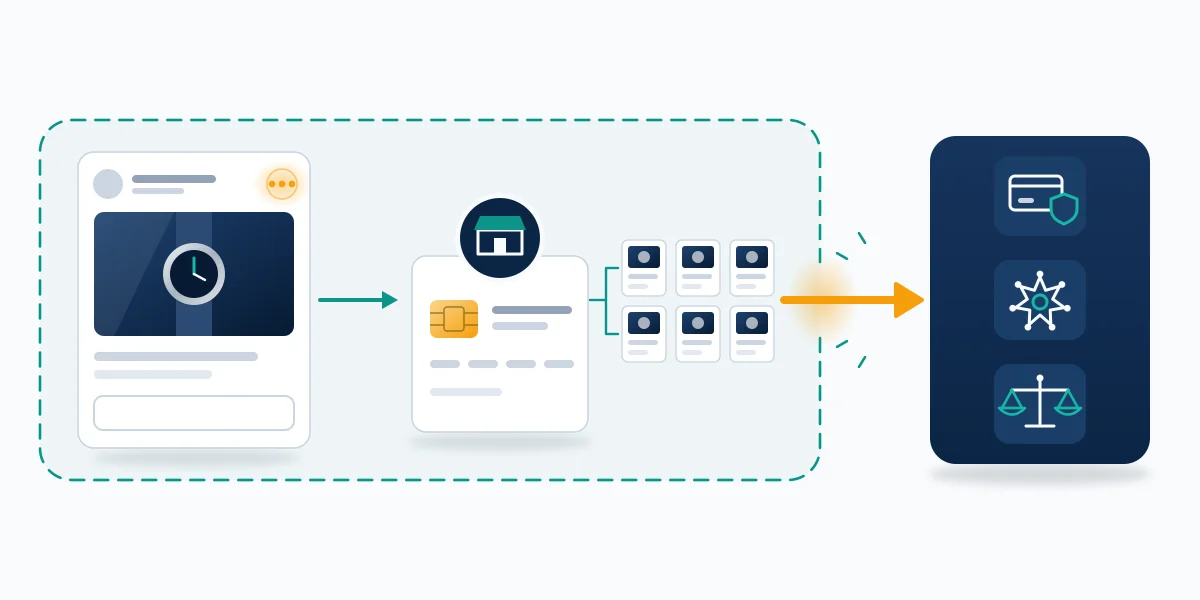
The short answer to how to report a Facebook advertiser: report the Page that bought the ad. Open it from the advertiser's name, click Options below the cover photo, select Report Page and pick the best-fitting option, per Facebook's reporting instructions. An ad report reaches one creative; a Page report reaches the Page every one of them runs from, which makes it central to how to report Facebook ads scam campaigns that keep changing creative.
Read the last screen before closing it, because Facebook's instructions say some feedback only goes "to help our systems learn" with no report filed, so a flow without a submit button never became a report.
Check the Page's transparency details before filing by clicking its name under the cover photo. Facebook's guide to Page transparency lists what that section shows: the date the Page was created, the primary countries it is managed from, how many people manage it in each country, its previous names, and any confirmed owner that has completed Meta's business verification. Each field can contradict an ad. Take a "local" furniture clearance run by a Page created five weeks earlier and renamed twice: those two facts tell a reviewer more than any adjective, so quote them. Knowing how to report fraudulent Facebook ads with that record attached turns a complaint into a comparison. Open the Page in the Ad Library and the same details sit beside every ad it is running, so each live creative can be reported too.
From that record to every live creative, Your Reputation Solution builds the file and files the reports, while Meta alone decides whether the ad or the Page behind it comes down. Ads delivered to the EU, Singapore, Taiwan, Australia or India can also carry a disclosed payer, which belongs in the file under Meta's advertiser and payer transparency rules.
Pages and personal profiles are separate targets, and Facebook impersonation reports show Meta routing complaints about each through separate menus and review queues.
When a fake ad uses your face, name or brand
People who search report fake ad on Facebook after finding their own photo in one hold a claim no bystander has. Since a test announced in October 2024, Meta has matched faces in suspected celebrity-bait ads, and its February 26, 2026 legal action says that protection covers more than 500,000 celebrities and public figures. Private individuals and small businesses sit outside it.
Match the complaint to what was taken. Copied product photos or video support a copyright claim and a cloned logo a trademark one, while a borrowed face on its own supports neither, the split TikTok's copyright and DMCA report forms draw too. IP claims cost anonymity: Facebook's intellectual property help says the notice may include the rights owner's name and email address. Where the face is synthetic, say so, since Meta's scam policy names celebrity and brand bait outright and what X's Authenticity policy covers includes synthetic and manipulated media.
Deleting your genuine profile to escape an impersonator backfires, as what Instagram deletion leaves standing shows: the real account goes and the fake stays.
Is a scam ad using your brand, your face or your ad account? Your Reputation Solution matches the evidence to the Meta intake built for it and tells you what Meta can and cannot do before any fee is agreed. Start with a free 60-minute assessment.
Why are scam ads on Facebook still up after you report them?
Because a report asks for another look, and that look judges what Meta's reviewers can verify rather than what you saw on your phone.
In a February 2021 Which? survey of 2,000 UK adults, about a quarter of scam-ad victims who reported the ad to Facebook found it still running, and 31% said doubt that Facebook would act was their main reason for not reporting (The Register, April 26, 2021).
Scam ads on Facebook are not removed when the review sees a clean ad
Three documented mechanisms account for the gap, and cloaking comes first: a technique that shows an ad reviewer one destination and a shopper another. Meta's own February 2026 lawsuits accuse a Vietnam-based advertiser of using cloaking to get past ad reviews while selling counterfeit luxury goods. Describe a page the reviewer cannot reach and the review has nothing to confirm. That is why our team at Your Reputation Solution records the landing page from the device and link the victim actually used, redirects included, before anything is filed.
Next comes the certainty bar. Internal documents reviewed by Reuters and reported on November 6, 2025 showed Meta's systems banning an advertiser only when at least 95% certain of fraud, with suspected advertisers below that line charged higher ad rates instead (TechCrunch). Under rules like those, a report that adds suspicion without proof leaves an advertiser where it was.
Last, an ad report is a signal rather than a case. Facebook's page on reported content it didn't remove promises a Support Inbox notice for reported posts, photos and comments, plus a second review "usually within 24 hours" where offered; neither of Meta's ad-reporting pages mentions either. Reporting a Facebook group differs, since that decision lands in your Support Inbox. Complaints still count over time, because Meta's Prohibited Commercial Practices standard allows action "up to restricting or disabling the responsible accounts or entities" where negative feedback persists despite warnings.
Silence can't be read in either direction. An ad that stops appearing may have been removed by Meta or simply paused by its owner, the same limit as reading an Instagram ban from the outside. Reports that went nowhere may also have gone through the wrong door, like impersonation filed as spam, which Instagram's five legal removal routes show producing rejections that read like verdicts. Before re-filing, Your Reputation Solution checks a failed report's route.

Why does Facebook allow scam ads?
Meta denies that it does, but documents reported by Reuters describe enforcement rules that let suspected scam advertisers keep buying ads at higher prices.
By its own count, Meta removed over 159 million scam ads in 2025, 92% before anyone reported them, and took down 10.9 million accounts linked to criminal scam centers (Meta, March 11, 2026). It also wants verified advertisers to drive 90% of its ad revenue by the end of 2026, up from 70%.
Reuters' documents read differently. Meta projected that about 10.1% of its 2024 revenue, roughly $16 billion, would come from ads for scams and banned goods, and its platforms showed users an estimated 15 billion "higher risk" scam ads a day (Marketing Brew, November 10, 2025). Spokesman Andy Stone said the documents "present a selective view that distorts Meta's approach to fraud and scams." A second Reuters report, on December 31, 2025, said Meta had run the keywords Japanese regulators searched in its Ad Library and removed the scam ads those searches surfaced, then treated the tactic as a global playbook, which Meta called genuine enforcement (SiliconANGLE). In April 2026 the Consumer Federation of America sued Meta in Washington, D.C., alleging that "the riskier the advertiser, the more money Meta makes," which Meta says misrepresents its work (FOX 5 New York).
Regulation is still on paper. Ofcom's draft UK code on fraudulent advertising, open for consultation until October 2, 2026, would require the largest platforms to verify advertisers and run dedicated fraud-reporting channels, with final decisions due in 2027 (Lewis Silkin).
Near-certainty rules reward the report that removes doubt, which is why every scam-ad file Your Reputation Solution prepares centers on two things a reviewer can check without trusting anyone: the Page's transparency record and the landing page's redirect chain.
Where to report scam ads on Facebook outside Meta
If a scam ad took your money, call your bank or card issuer before you file anything with Meta. Reporting or deleting anything on a platform addresses the introduction, not the loss, as what channel deletion does not fix puts it.
Export the chat with the seller before you block or delete anything, because banks and investigators ask for the message history, a point what to save before an account goes makes about Snapchat.
People who report scam ads on Facebook and stop at the button leave the fraud itself unreported. File where you live:
| Where you live | Report the fraud | Police route | Scam ad complaint |
|---|---|---|---|
| United States | FTC at ReportFraud.ftc.gov | FBI's IC3 at ic3.gov, plus local police | Report ad and Report Page |
| England, Wales, Northern Ireland | Report Fraud | Report Fraud (police-run) | ASA scam ad form |
| Scotland | Police Scotland on 101 | Police Scotland on 101 | ASA scam ad form |
| Australia | Scamwatch | ReportCyber | Scamwatch |
| Canada | Canadian Anti-Fraud Centre, 1-888-495-8501 | Local police | Report ad and Report Page |
Anyone working out how to report facebook ads scam to police should bring a file rather than a story: screenshots of the ad and the advertiser's name, the Page URL, the landing page address, payment receipts and the exported chat. Speed matters, since the Canadian Anti-Fraud Centre tells victims to contact local police "as soon as possible," and FTC or IC3 filings can run alongside a police report.
Fake recovery offers target scam victims often enough that the FBI warned about them. Its July 20, 2026 alert said criminals were impersonating the Internet Crime Complaint Center to offer fund recovery through Facebook, Telegram, email and deepfake videos, and that "IC3 will never ask for payment to recover lost funds, nor will IC3 refer someone to a company requesting payment" (FBI). No one at Your Reputation Solution recovers money lost to scam ads, for a fee or otherwise, and a stranger offering to is running the sequel.
Learning how to complain about scam ads on Facebook beyond the report button mostly means finding a body that passes complaints back to the platforms. Britain's Advertising Standards Authority says it shares scam ad reports with partners "including all the major social media platforms and ad networks operating in the UK, so that scam ads are taken down." Australia's Scamwatch can, with your consent, use a report to get scam ads removed. US readers file with the FTC and inside Facebook.
Search how to report facebook ads scam reddit and the question underneath is whether reporting ever works. Regulators hold the measured answers. FTC figures put 2025 losses to scams that started on social media at $2.1 billion, with more lost to scams starting on Facebook than on any other platform, and more than 40% of people who lost money to a social media scam had ordered something they saw in a social media ad (FTC, April 27, 2026). Investment scams, which often began with an ad or post, made up $1.1 billion of it. Asking friends to report the same ad adds duplicates rather than evidence, since what report volume actually changes is how fast a review starts, not how it ends. Dated screenshots of the same ad reappearing do more, because they document a pattern no single report shows.
Is the scam ad running from your own ad account?
If ads you never created are billing your card, treat it as a hijacked account first and a scam-ad report second.
Searches to report advertising fraud on Facebook come from both ends of an ad: people cheated by one, and advertisers whose own account is running one. Among advertisers, a common pattern is the one in Facebook business account recovery: an attacker phished someone with admin rights, added themselves as an admin and removed everyone else. This is recovery work, and Your Reputation Solution handles it through Meta's own appeal and verification routes.
Meta's guide to unrecognized ad account activity sets the order of checks. Open Billing and payments, go to Payment activity and click a charge's Transaction ID; the receipt names the payment method charged and the ads the money paid for. Under Account settings, Ad account roles shows everyone with access, so look for names you never added. Protection may already be under way, since Meta says it sometimes removes admins, pauses ads or changes payment methods to recover an account, so a sudden freeze is not necessarily punishment. If the activity still makes no sense, the same page asks you to tell Meta the ad account may have been hacked. Dispute the charges with your card issuer as well, because Meta's billing review and a card dispute are separate processes that run on their own timelines.
Secure the email address behind each admin login before touching the ad account, the order recovering the Google account behind YouTube follows too, since an attacker who still controls the inbox can undo a recovery within minutes. Don't delete the compromised profile to lock the attacker out: deleting a Facebook account is the wrong reflex while an intruder is still inside, because one login from their side cancels the request.
What Your Reputation Solution will and won't do
Within a scam-ad case, the firm assembles the evidence and files only the reports the facts support. Refusals matter as much. Nothing is promised about whether an ad or advertiser comes down, because Meta makes that call. Mass reporting is off the table, and so are report reasons the evidence doesn't support or copyright and trademark notices for material a client doesn't own. Nobody on the team asks for a Facebook password or login code, and no fee is charged to chase money lost to a scam ad.
Anyone claiming a side door into Meta deserves suspicion. In February 2026 Meta sent cease-and-desist letters to eight former Business Partners selling unauthorized account restoration, and as choosing the right YouTube monetization appeal explains, nobody outside a platform's review team can move a case. Some ads that feel like scams stay up because they break no written rule, and clients hear that before paying anything. Limits are set out in full on the disclaimer page.