What deleting a YouTube channel actually removes
Deletion takes the videos, the playlists, the watch history, the private messages and every comment the channel ever posted, and Google describes all of it as permanent on the help page that holds the button (Google, 2026).
More goes than most guides admit. Your subscriber count disappears, which is obvious enough, and so does every playlist you built for other people to follow. Less obvious: the comments you left on other people's videos over eleven years vanish from those videos too, so a thread you once anchored now reads as strangers replying to nobody.
Less goes than you fear, though. The Google account survives. Gmail, Drive, Photos, Maps reviews, the Play purchases, all untouched, because a channel is a layer sitting on top of an account rather than the account itself.
Your Reputation Solution is a reputation-management and account-recovery firm, and the question people actually arrive with is rarely how. It is what else goes with it — asked, more often than not, a day too late.
One category does not move at all: copies. A video someone else downloaded and reuploaded is their file now, on their channel, under their name, and your deletion never reaches it. The same holds for a profile built to imitate you. A fake built from your profile outlives the deletion of the real one and needs a report rather than a delete button, which is a slower and entirely separate process.
Grace windows are worth checking before assuming one exists here. Platforms differ sharply. TikTok runs a 30-day grace window in which a deleted account can be reactivated, and YouTube publishes nothing equivalent for channels, which is why the confirmation screen asks twice.
Delete the channel, or delete the Google account behind it?
The channel and the Google account are separate objects in separate products, and confusing them is the most expensive mistake on this page. Deleting a channel leaves the Google account fully intact, which Google states directly on the channel deletion page. The Google account itself is the larger act. That one takes Gmail, Drive and everything bought through Google with it, and Google warns recovery is possible only "within a certain amount of time" without publishing the exact window (Google, 2026). Your Reputation Solution untangles this confusion more often than any other on YouTube cases.
So when the search is how to delete a youtube account, how can i delete a youtube account, how do you remove a youtube account, how to remove a youtube account or the clipped how to remove youtube account, the honest first move is asking which of the two objects you mean. Nine times in ten people mean the channel. They want the videos gone and the email still working.
Occasionally they mean both at once. The plural phrasing how to remove youtube accounts usually comes from one person running three or four channels off a single login, and those get removed one channel at a time rather than in a batch.
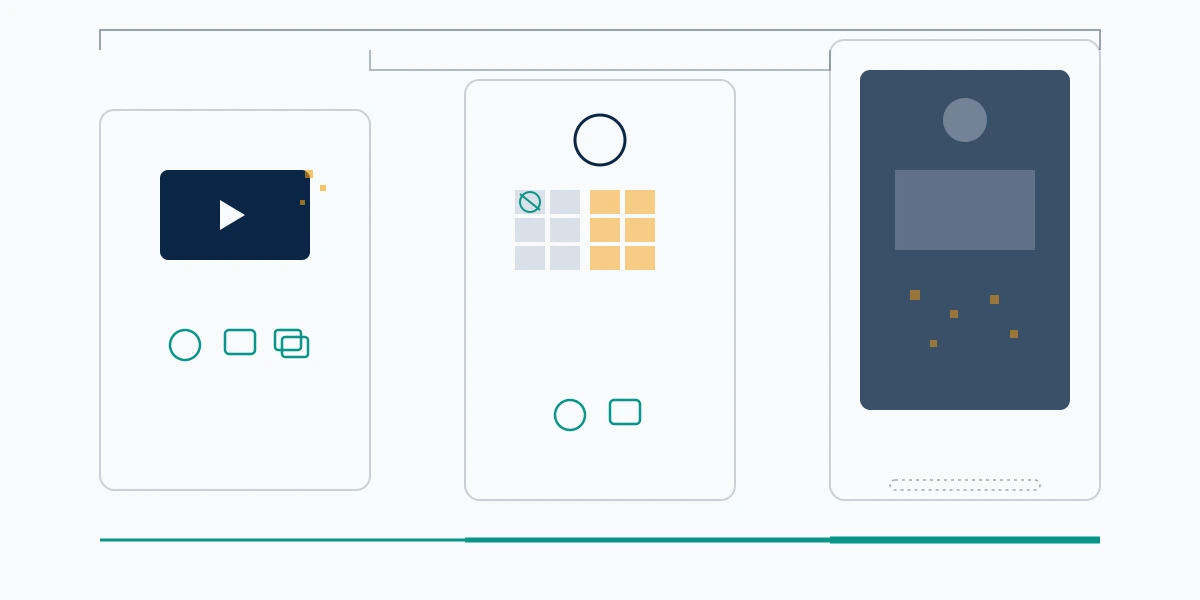
| Delete one video | Hide the channel | Delete the channel | Delete the Google account | |
|---|---|---|---|---|
| Videos | That one goes | Hidden, kept | Gone | Gone |
| Your comments elsewhere | Untouched | Hidden | Gone | Gone |
| Subscribers | Kept | Hidden | Gone | Gone |
| Handle (@name) | Kept | Held | Released later | Released later |
| Gmail and Drive | Untouched | Untouched | Untouched | Gone |
| Reversible | No | Yes | No | Only briefly |
Advertising and timed deletion both live with the Google account rather than the channel, and both catch people out. YouTube ads run on Google Ads policy, which is why the flag icon behaves so differently there and why reporting a scam ad follows its own route. Timed deletion is really its absence: YouTube has no dormancy clock, so nothing deletes itself eventually. Telegram does the opposite, letting you delete a Telegram account permanently by hand or leaving an inactivity timer to finish the job unattended.
How can you delete a YouTube channel, step by step
The path is short, and it exists only on a computer. Your Reputation Solution walks people through this screen most weeks, and the sequence has not changed in years. Sign in, then:
- Open YouTube Studio.
- Click Settings in the left sidebar.
- Choose Channel.
- Open the Advanced settings tab.
- Scroll to the bottom and click Remove YouTube Content.
- Sign in again when Google asks, pick I want to permanently delete my content, then tick both confirmation boxes.
Search phrasing varies far more than the interface does. How do you delete a youtube channel, how do you delete a channel on youtube, how to delete a channel on youtube, how do i delete a channel on youtube and the bare delete a channel on youtube all end at those same six clicks. So do remove youtube channel, remove channel youtube and youtube delete a channel.
Before the final click, spend ten minutes on three things.
Export your data through Google Takeout first, because afterwards there is nothing left to export. Screenshot whatever you might need as evidence later, whether that is abusive comments, an impersonator, or a copyright dispute still in progress, since deletion removes your copy of the record along with everything else. Then decide what the handle is worth to you, because it will not come back on request. Our team asks for that evidence file at the start of almost every case, and a channel deleted in a bad week is usually the reason it does not exist.
Brand Account channels need checking first
A channel living under a Brand Account carries its own owner list, and removing your personal access is not the same act as deleting the channel. Google publishes no clear statement about what happens to a Brand-Account-owned channel when the managing Google account is deleted. Neither will Your Reputation Solution invent one. If the channel matters, delete it explicitly from its own Advanced settings instead of assuming that account deletion carries it away.
How to delete a YouTube channel on a phone
You cannot, not inside the app. Google's help page states channel deletion is unavailable on mobile devices, and the setting is simply not rendered there, so how to delete a youtube channel on phone, how to delete a youtube channel on a phone and how do you delete a youtube channel on a phone share one answer that is a redirect rather than a refusal.
The workaround takes about a minute. Open Chrome or Safari on the phone, go to studio.youtube.com, tap the browser menu, turn on Request desktop site, then work through the six steps above on the pinched-in desktop layout. It is fiddly on a small screen. The two confirmation checkboxes near the bottom are easy to scroll past, and nothing completes until both are ticked.
The omission looks deliberate rather than accidental. Google keeps the destructive settings behind the desktop Studio across its products, and channel deletion sits in the same tier as account deletion: reachable, but never one thumb-tap from a feed you were scrolling. Treat the extra friction as a design decision you can work with instead of a bug to be solved.

Anyone doing this in a hurry because they are being targeted should add one step.
A phone browser session leaves you signed into the Google account after the tab closes, so on a borrowed or shared device, sign out before handing it back. This matters most to people acting under pressure, because the device someone grabs in a crisis is frequently not their own.
How to delete a YouTube video without touching the channel
Most people who think the channel has to go want one video gone, and Your Reputation Solution redirects a steady stream of deletion enquiries back to this single menu. Open YouTube Studio, go to Content, hover over the row, open the three-dot menu and choose Delete forever. Subscribers, handle and every other upload stay exactly where they were.
That single menu answers how do i delete a youtube video, how do you delete a youtube video, how can i delete a youtube video, how can you delete a youtube video, how do i delete a video on youtube, how do i remove a youtube video and how do you remove a youtube video.
Now the part a lot of blog posts get wrong. Several guides describe a 30-day trash or recycle bin holding deleted videos. Google's own documentation describes no such thing: the replace-or-delete page uses the words permanently deleted, and the button itself reads Delete forever (Google, 2026). Until Google publishes a stated recovery window, treat video deletion as final and keep your own master file.
Unlisting is the middle setting nobody uses. An unlisted video stays playable by direct link, disappears from search, browse and your channel page, and flips back to public whenever you want.
Deleting your own upload is free and takes about four seconds, which marks the line between self-service and a case. Your own content is the one ground nobody argues with. That is why when a removal case is worth opening is a genuinely different question, and why our work only begins once the file belongs to someone else. At that point you are asking a platform for a decision instead of pressing a button, and the request needs grounds, evidence and a policy it actually violates, which is the same shift that governs removing content that is not yours.
What happens to your comments, on your channel and everyone else's
Delete the channel and every comment it ever posted goes with it, in both directions, which is the single fact Your Reputation Solution finds people most regret not knowing. Comments on your videos disappear because the videos disappear. Comments by you on other creators' videos disappear from those videos as well, and that is the half almost no guide separates out. It is usually the half people mean when they ask.
This matters more than it sounds. A decade of replies under other people's uploads is often a person's largest public footprint, bigger than their own channel ever was, and it goes silently, with no list of what was removed. No export of "comments I have left" exists after the fact.
Capture it beforehand if any of it matters.
When someone brings us a harassment case after deleting a channel, the missing piece is almost always this: the abusive replies were quoted in threads the person no longer has, and the screenshots were never taken. Deletion is not neutral for a case that is still open.
If comments are the actual problem, deletion is a heavy instrument for a light job. You can remove a thread from your own videos, hide a specific user from your channel, or block them outright, and there are three ways to clear a comment history that leave everything else standing. People routinely collapse three distinct controls into one word here, the same confusion that makes block, remove or report look interchangeable on WhatsApp when they produce three different outcomes.
Hide, unlist, or step back: the exits that are not deletion
Hiding sits on the same settings screen as deletion and does most of what people actually want. Channel name, videos, likes, subscriptions and subscriber list all go private, the account keeps working, and you can undo it whenever. Pick hiding when the goal is not visible right now instead of gone forever.
Hiding has one property deletion lacks, and it is the property that matters in a live dispute: it is a pause button. Your Reputation Solution routinely suggests hiding first when someone is mid-crisis, because a hidden channel buys a week of quiet without destroying the record you may need later. If the situation resolves, you unhide. If it does not, the delete button has not moved.
Bulk unlisting is the version of this that creators overlook, and it works because you can switch every video to unlisted from the Content list without touching the channel itself, which empties the public page while leaving the archive, the subscriber count and the handle exactly as they are. Anyone holding a direct link keeps access, so this is concealment rather than removal, and it is the wrong tool if the problem is a specific person who already has the links. For a channel going quiet during a dispute, it beats deletion on every axis that matters.
Deletion is also the response that costs you most while changing the other person least. When someone is harassing you, your channel is not the object under judgement. Their comments and their account are, and each gets assessed individually against policy. That is why what Meta will and will not remove turns on specific posts rather than on whether the target stayed or left, and YouTube runs on the same logic.
Leaving to escape someone is a legitimate choice, and sometimes the right one. If material about you keeps resurfacing after the channel is gone, talk to Your Reputation Solution about the copies rather than the original.
Renaming is the option almost nobody considers. A channel can take a new name and a new handle while keeping its videos, its subscribers and its history, which covers most cases where the real complaint is that a person's legal name is attached to old content. You keep the archive and lose the association.
Stepping back quietly is a fourth option people forget exists. On group platforms the distinction is stark: exit a space, report it, or delete your own presence, and three routes, two possible outcomes maps that decision well. Leaving removes you while everything else stays live, which is precisely what deleting a channel does to a conversation you were part of.
If you change your mind after deleting
Assume you cannot get it back. Google's help text offers no restore path for a deleted channel, and services promising otherwise are guessing with your money.
Worth knowing: two narrow exceptions exist. Should you have deleted the Google account rather than the channel, Google's account page says recovery may be possible within an unspecified period, so start the account recovery flow immediately rather than next week. Handles run on their own clock: TeamYouTube has said a released @handle becomes available to others roughly 30 days after deletion, which is a window rather than a guarantee, and certainly not a reservation system.
Speed is the only variable you still control at this stage, and Your Reputation Solution will not tell you a removed YouTube channel is retrievable when Google has never said it is. Sign in to the account from a device and browser you have used before, because Google weighs familiar signals when deciding whether a recovery attempt looks legitimate. Do not create a replacement account first: a fresh profile on the same device muddies exactly the signals the recovery flow reads. Answer the security questions from memory rather than guessing repeatedly, since repeated failures can close the path entirely. None of this raises the odds much on a channel deletion, where no restore path is documented at all, and all of it matters on a Google account deletion where a window genuinely exists.
A deletion you regret and a deletion you did not choose are different problems with different routes, and mixing them up wastes the window that matters.
Regret gets confused with two other situations. Where YouTube closed the channel instead of you, that is a termination carrying an appeal route, and a channel YouTube closed, not you follows an entirely separate process with different evidence. Where you are locked out and cannot even reach the delete button, recovery has to come first, because if you are locked out rather than leaving the account must be yours again before any of this applies. Meta, for comparison, publishes five official paths back into an account, and every one of them closes after a point.
What deletion does not fix
Nobody can delete your channel for you, and nobody can delete someone else's. No partner programme exists, no insider, no expedited queue. Any service charging to delete a YouTube channel is selling a button you already have, and Your Reputation Solution will never ask for your password, your recovery codes or your two-factor device to do work of this kind. A "specialist" who asks has told you what they are. The published limits and disclaimers put the same boundary in plainer terms.
The mirror of that rule matters just as much. You cannot remove another person's account by reporting it hard enough, because only the account holder can delete it and a report is a request for review, not a removal you control.
Deletion undoes nothing that already happened, either. Closing the channel because a scammer reached you through it addresses the introduction, not the loss, which happened on a payment rail the platform never saw. That asymmetry is why a report never returns your money on Marketplace, and why the steps to take if you were scammed begin with your bank and your login instead of your profile. Meanwhile the channel outlives your account: the operation that targeted you keeps running for whoever comes next.
One quiet cost deserves naming. Delete a channel carrying a business name and the handle eventually becomes claimable by anyone, after which getting that name back runs on evidence of a registered mark rather than on having used it first, which is why a registered mark decides the outcome in trademark disputes across every platform. Rename or hide instead when the brand still matters to you.
Closing accounts on other platforms at the same time
The same week people search instagram how to delete an account, they search pinterest delete account, twitter how to delete an account and glassdoor delete account, broken word order and all, because these queries get typed in a hurry during a general clear-out. Your Reputation Solution sees these arrive together often enough to treat them as one job rather than four. Each of those platforms hides its switch somewhere different and sets its own grace window, so check them one at a time rather than assuming YouTube's answer transfers. Instagram splits deactivation from deletion. X runs a dormancy period before removal completes. Glassdoor keeps the reviews you wrote after your profile goes, which catches out more people than the rest combined, because the thing they wanted gone is exactly the thing that stays.
Underneath all of them sits the layer that no delete button reaches: material about you that other people control, which is what the removal and recovery services exist to handle. Deleting your own profile is the part you can finish in an afternoon. The copies, the screenshots and the reuploads someone else is hosting are a different job with a different timescale, and starting it before you delete gives you a record to work from rather than a memory of one.