
Deactivate, delete, or disabled by Meta: which one do you mean?
Three different things share one search box, and picking the wrong one costs you either your archive or a fortnight of appeals.
Deactivation hides your profile and keeps everything behind it. Deletion hides your profile now and destroys what is behind it in thirty days. A Meta-initiated disable was never your decision at all, since it arrives as a notice rather than a menu, and the way back is an appeal Meta can refuse.
| You deactivate | You delete | Meta disables you | |
|---|---|---|---|
| Who starts it | You | You | Meta |
| What the public sees | Nothing | Nothing | Nothing |
| How it reverses | Log back in | Log in within 30 days | An appeal Meta may reject |
| Your photos and DMs | Kept, hidden | Erased after the 30 days | Held, out of your reach |
| Where it happens | Accounts Center | Accounts Center | No menu, just a notice |
That third column is where most of the confusion on this topic starts. Searches like how disable instagram account, how disabled instagram account and how do you disable a instagram account arrive from both directions at once, half from people choosing to step away and half from people who were shut out and are describing what happened to them. Where Meta closed your account without asking, the appeal route is a different process with different odds, and none of the steps below apply to it.
This vocabulary trap is not an Instagram invention. Three different jobs share the word remove on TikTok, and choosing the wrong one there costs days in exactly the same way.
Your Reputation Solution is an account recovery and reputation practice, which is the only reason a page about the first two columns carries the third: people arrive having confused them, and the remedy for each is a different piece of work.
One assumption is worth dismantling before you choose anything. Thirty days of grace is a design decision by Meta rather than an industry standard, and Telegram deletes on a single confirmation with no reversal state at all.
How can you delete an Instagram account from the app or the web?
Everything here assumes you can still log in. If the account is an old one whose password and email are long gone, deleting an old Instagram account you cannot access begins with recovery instead, because the final screen of this flow re-asks for the password before it does anything.
The question arrives in a dozen shapes. How to delete an instagram account, how do i delete an instagram account, how do you delete an instagram account and how can i delete an instagram account are the tidy versions; how delete an instagram account, how do i delete a instagram account, how can i delete a instagram account and how do you delete a account on instagram are what people type at two in the morning. All of them end at the same two screens.
One route serves iPhone, Android and desktop web alike. Meta is midway through renaming the menu, so you will meet one of two label sets, and Your Reputation Solution walks people through both because any guide you find describes whichever one existed the week it was written.
- Open Instagram, go to your profile, then the menu at the top right.
- Tap Settings and privacy, then open Accounts Center. Some accounts now show this panel as Meta Account.
- Tap Personal details, then Account ownership and control. Newer builds replace both with Profiles and personal details, then Manage.
- Tap Deactivation or deletion.
- Choose the profile. With several signed in on one device, this is the screen on which people delete the wrong one.
- Tap Delete account, then Continue.
- Give a reason, re-enter your password, confirm.
Anyone still telling you the app cannot do this is working from a pre-2022 guide. Apple's App Store Review Guidelines require that "If your app supports account creation, you must also offer account deletion within the app" under guideline 5.1.1(v), and Instagram shipped the in-app route to comply. Browsers hold no advantage they once had.
That password prompt at step seven is doing real work, and it is why nobody can run this for you. Platforms build deletion as an owner-only action behind a credential — only the account holder can delete a Snapchat account, and the symmetry is deliberate. When Your Reputation Solution takes a case that opens with the word delete, the first question is never which button to press. It is whether the person still holds the login, because that one prompt sorts a deletion job from a recovery job.
How to delete an account on Instagram when several are signed in
Accounts Center handles one profile per run. Delete the profile you meant, then repeat the whole sequence for the next. There is no multi-select, and the confirmation screen names the handle, so read it. Phrased the other way round — how can i delete an account on instagram, how do i delete an account on instagram, how do you delete an account on instagram — the wording changes and the menu does not.
How do you disable an Instagram account instead of deleting it?
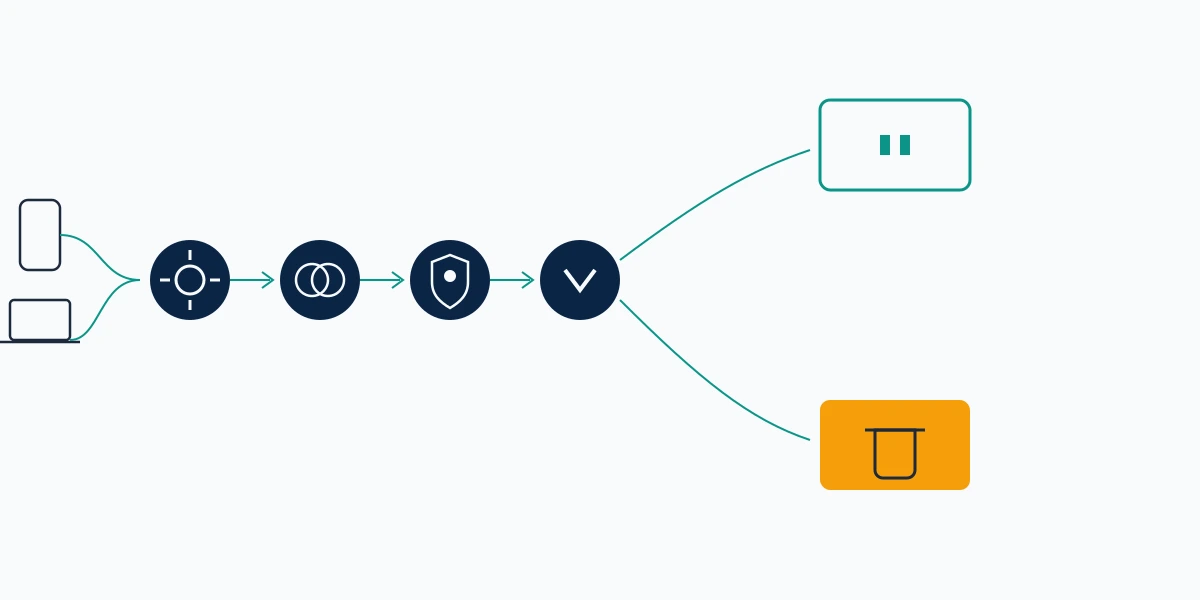
Deactivation is the same menu with a different ending. At step six you choose Deactivate account instead, and Meta's help centre is precise about what follows: your photos, comments and likes are hidden until you log back in. Hidden, not removed. Reactivation is the login itself, with no form and no waiting.
Two limits catch people out. You can only deactivate once per week, which ruins it as a weekend habit. At the other end there is no cap at all, so an account can sit deactivated for years without Meta converting it into a deletion on a timer. Anyone looking up how to disable instagram, how to disable instagram account or how to disable an account on instagram wants this switch rather than the ban.
Before reaching for either one, test whether the account is really the problem. Where one person is the reason, blocking, removing or reporting them is instant, targeted and reversible in a way that erasing your whole presence is not. When one post is the reason, Meta acts on six specific grounds without touching the account underneath. Your Reputation Solution argues for the smallest tool that solves the real problem, which on this topic is very often the right one.
Disabling the linked Facebook profile from the same panel
People searching facebook how to disable account land here because both flows now live under one roof. On Facebook the path runs from your profile picture through Settings and privacy, Settings, Meta Account, Manage account and Manage, ending at that same Deactivation or deletion screen. Deactivating Facebook leaves Messenger working; deleting it does not. Both stay separate decisions even while they share a panel, so acting on one does not act on the other.
Can you undo it, and what do the thirty days really give you?
Yes, and the mechanism is duller than most guides suggest: you log in. Any login inside the window cancels the request outright, which is why Meta's own page states that "After 30 days of your profile deletion request, your profile and all of your information will be permanently deleted."
Two periods matter and only one of them is famous. Thirty days are yours. Behind them sits a second window Meta states plainly, that copies "may remain after the 90 days in backup storage" held for disaster recovery. Your Reputation Solution gives people the two-part answer rather than the tidy one: unreachable at thirty days, genuinely absent some time after that.
Facebook runs the same clock. Where the two profiles are joined in Accounts Center, recovering a Facebook account inside its 30-day window can become a route back into both.
Be careful what you trust while that clock runs. Deletion-in-progress is the exact pretext scammers imitate, and the fake Instagram Support message giving you 24 hours to appeal is far more likely to land while you are already expecting the platform to contact you. Instagram will not ask you to confirm a deletion by following a link in a DM.
What deleting an Instagram account does not remove
Deletion reaches your account. It reaches nothing that belongs to anyone else.
Every screenshot, every repost, every message now sitting in another person's inbox stays exactly where it is when your profile goes. Anyone who has been posting about you leaves posts that still have to be reported one object at a time after you have gone, and you will be doing it without an account to report from. Marketplace shows the same asymmetry: removing the listing does not remove the seller, and it reappears within the hour.
Search results are their own problem. Google keeps showing a profile until it recrawls the dead URL, and its Refresh Outdated Content tool shortens that wait for anyone, not only site owners. Matching the index to reality is all it does. Content still live stays live.
Your username returns to circulation, and releasing it is not neutral. A handle people associate with you becomes available to whoever registers it next, which is the part Your Reputation Solution flags most often for people leaving a business account. Once a copy appears the remedy is the slow one: reporting a fake profile on whichever network it surfaces on, filed by you and judged by them.
Threads is where the honest answer is a caveat rather than a fact. Meta's help centre promises one direction, that "Deleting your Threads account won't also delete your Instagram or Facebook account", and makes no matching promise the other way. Since a Threads profile hangs off the Instagram login, assume deleting Instagram takes Threads with it — a caution drawn from how the accounts are wired, not something Meta has documented.
Why won't Instagram let you delete the account?
A button can be present and still be wired to nothing. The flag icon under a YouTube ad does nothing because ads are judged in a separate system, and a delete screen that refuses you is usually failing for a comparably structural reason rather than a bug.
Five causes cover almost all of it, in the order our team meets them:
- No password. That final screen re-asks for it. Recovery has to come first, and nothing routes around that step.
- Stale app build. Accounts Center has moved twice in two years, so an old binary can display a menu that no longer resolves.
- Wrong profile selected. With three accounts signed in, only the confirmation screen spells out which handle you are about to lose.
- Already deactivated this week. That once-per-week limit blocks a second deactivation. It does not block a deletion.
- Professional account. Switching back to personal clears a layer of confusion first, though Meta does not formally require it.
Prerequisites you cannot argue your way past are not unique to this flow: a form that rejects you for a missing registration behaves the same way on X, where a trademark complaint without a registered mark goes nowhere regardless of merit.
One search in this cluster deserves separating out, and Your Reputation Solution answers it first on intake calls. People typing how to remove an account from instagram frequently want something much smaller — taking a profile off the login list on a single phone, which signs it out and leaves the account entirely alive. The rest of that family, how to remove instagram account, how remove instagram account, how to remove account of instagram, how to remove a account on instagram, how to remove a instagram account, how to remove instagram accounts, how do you remove instagram account and how do you remove an instagram account, almost always mean the permanent thing. Removing an account from a device and removing it from Instagram are different actions, and only one of them cannot be undone.
When deleting is the wrong move
Sometimes the delete button is the wrong tool for what actually happened.
Someone else controlling the account means you cannot delete it at all, because you never reach that final password screen — a recovery problem wearing a deletion problem's clothes. An impersonation of you is the inverse case: deleting yours removes the genuine profile and leaves the fake standing. And when the reason for leaving is content that has already travelled, deletion stops future exposure while doing nothing about the copies.
Here is what Your Reputation Solution will not do, stated plainly. We will not delete your account for you, because no legitimate service can: it is a free setting behind your own password, and anyone offering to do it for a fee will either ask for that password or charge you for two minutes of menu-tapping. We never ask for a password or a login code. Once the thirty days have run and Meta has processed the deletion, nobody reverses it, us included. The rest of our limits are written down rather than implied.
That honesty extends to what a report achieves. Filing is a request for review rather than a delete button: reporting a Telegram group is judged by Telegram, on Telegram's schedule, and the gap between filing and removal is where most disappointment in this field lives. Reporting a Snapchat account gives you a status screen, not a switch. Deleting because you were scammed? The report likeliest to matter belongs to the platform the first message came from, and that platform is often Telegram rather than the app you happen to be standing in.
Deleting because of something outside your control? If an attacker is holding the account, if a duplicate of you is the real problem, or if leaked content will outlive the profile, those are separate cases with separate routes. Tell Your Reputation Solution what happened and the team will say which one you have, free of charge, including when the answer is that you do not need us at all. No password, no login code, ever.
Menu labels and timings above were verified against Meta's help centre on 9 September 2026.