Owner photos and customer photos are two separate problems
Every Business Profile holds two piles of images, and Google applies different rules to each. The first pile is what the owner or a manager uploaded: the storefront, the menu, the logo, the cover. The second comes from customers and Local Guides, who can add photos to any public place on Google Maps without asking the business.
That split settles most versions of the question. If you uploaded it, you can delete it yourself. If a customer uploaded it, you cannot delete it at all; you can only report it, and Google's moderators compare it against the Maps user-contributed content policy before deciding. People who search how to remove pictures from Google Business, how to remove pictures from Google My Business or how to remove images from Google Business are often caught off guard here, because the photo sits on a profile they verified and manage every day. Verification gives you control over the listing's facts, its hours and your own uploads. It does not give you control over what the public contributes to the place, any more than owning a restaurant lets you delete a diner's review.
Your Reputation Solution is a reputation-management and account-recovery firm that helps businesses and individuals report, document and escalate unwanted content on Google, Meta, X and other platforms. This guide covers photos only. If the whole listing is fake, or belongs to someone else, that is a different process, covered in our guide to removing a business from Google Maps you don't own.
How to remove photos from Google Business when you uploaded them
Sign in with an owner or manager account, open Photos, choose the By owner tab, open the image and select the trash icon. That is the full answer to how to remove photos from Google My Business when the photo is yours, whether it is one picture or twenty. Most people asking how do you remove photos from Google My Business, or how to remove photos from Google Business Profile under the newer name, are in exactly this situation.
On a computer, from Google Search
- While signed in, search your business name, or type "my business", to open the Business Profile panel.
- Select Photos.
- Open the By owner tab. Customer uploads sit under a separate tab and have no delete control.
- Click the photo, select the trash can icon at the top right, and confirm.
That is how to remove a photo from Google Business on a computer. How to remove photos on Google Business Profile in larger numbers is the same click repeated, since Google offers no multi-select. And how to remove a photo from Google Business Profile listings you manage for several locations works the same way, one profile at a time.
On a phone, in the Google Maps app
- Open Google Maps and tap Business at the bottom right.
- Tap See Business Profile, then Photos.
- Open the owner tab, pick the photo, tap the three-dot menu and choose delete.
If you were wondering how do I remove a photo from Google My Business without a computer, this is it, and how to remove a photo from Google My Business on a tablet follows the same menus. The steps for how to remove photos on Google Business are nearly identical on Android and iPhone.
If the delete option is missing, the account you are signed in with is not an owner or manager of that profile. Owners often email us some version of "remove photo from Google My Business, no trash icon," and that single fact explains most of them.
A deleted owner photo normally leaves the public profile within minutes. In the cases we handle, a cached thumbnail sometimes lingers in Maps for a day or two, which is a caching delay rather than a failed deletion. The answer to how do I remove photos from Google Business Profile changes for the logo and cover photo: you replace them by uploading a new one in the same Photos panel rather than deleting them outright. Google may also choose its own lead image for search results, so swapping the cover does not fix which picture people see first.
Photos posted from a personal Google account
Some owners took pictures before they claimed the listing. Some staff posted from their own Gmail. Those images count as customer contributions, so the business panel cannot touch them, and searching how to remove a picture from Google Business or how to remove a picture from Google My Business rarely mentions it. It is also the usual reason behind "how do I remove pictures from my Google Business Profile when I took them myself?" The person who posted them deletes them from their own account: Google Maps, then their profile, then Your contributions and Photos. That is usually the missing step for anyone asking how to remove photos from my Google Maps business when nothing in the owner tab matches.
Can I remove customer photos from Google Business?
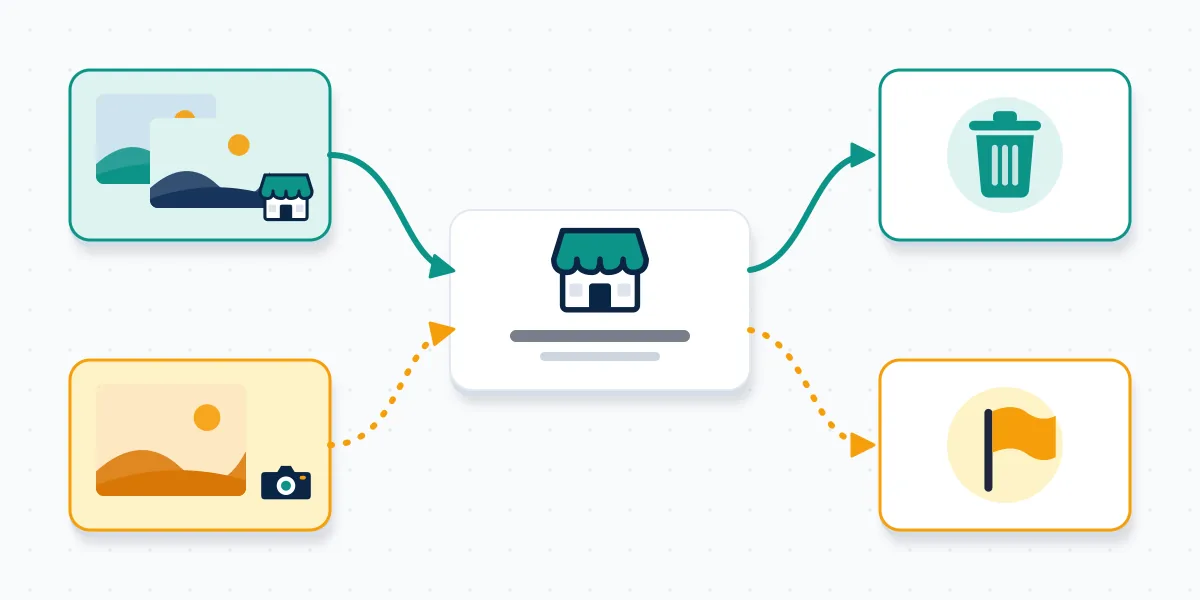
No, not directly; an owner can only report a customer photo, and Google removes it only if it breaks a policy. That is the honest answer to "can i remove customer photos from google business," and it disappoints people who expected a delete button. It is also the answer to can you remove photos from Google Business when a stranger took them, and owners who ask can I remove photos from my Google Business page almost always mean this customer tab.
Google's own help page on reporting inappropriate photos or videos on your Business Profile lays out the route. In Google Search, open your profile, select Photos, then View all photos, open the image, and choose Report a problem at the bottom right. Pick a reason and select Submit. In the Maps app, the path runs through Business, See Business Profile, Photos, the photo itself, then More and Report. Google states that review "can take several business days" and warns that submitting several requests for the same content might delay it (Google Business Profile Help, 2026). That is the whole mechanism for how to remove a customer photo from Google My Business. There is no paid tier, no priority queue and no owner override. The same steps cover how to remove customer photos from Google My Business when a batch arrived at once, though each image needs its own report.
The reason you choose matters more than how angry the report sounds. Moderators check one thing: does this image match the box you ticked?
Which report reason actually gets a photo taken down?
Pick the reason that describes what is visibly in the frame, not how the photo makes you feel. When we file these, the reports that stick are the ones where a stranger could look at the image for three seconds and agree with the label. Anyone working out how to remove photos on Google My Business that customers posted should start with this table.
| What the photo shows | Reason to select | How Google usually rules |
|---|---|---|
| A different business, a random object, a meme | Not a photo or video of the place | Often removed |
| An identifiable face of staff or a child, a licence plate, a receipt with a name | Privacy concern or Personal information | Often removed when a person is clearly identifiable |
| Phone numbers, promo codes, QR codes, a competitor's ad | Spam | Often removed |
| Nudity, violence, hate symbols | Offensive or inappropriate | Removed when the content is plain |
| Your own professional photo reused without permission | Not an in-app reason; use Google's legal removal form | Handled by the legal team, separately |
| A dirty table, an old menu, a bad angle that is still real | None fit | Usually stays |
The last row is the one owners argue with. A truthful, on-topic photo that hurts your image is still a photo of the place, and Google keeps it. Filing it under "Offensive" to force the issue tends to get the report closed, and repeat false flags on one profile can make later legitimate reports harder.
This evidence-first logic is not unique to Google. An Instagram page report, the process for how to report a seller on eBay, and the steps for how to report someone on Twitch all reward a specific reason backed by something the reviewer can see. Owners also ask whether the customer learns who reported the photo. Google does not name the reporter, much like the answer to if you report someone on YouTube, will they know.
How do I remove photos from Google My Business that use my own copyrighted shots?
Use Google's legal removal request rather than the in-app report, because copyright sits outside the moderators' policy checklist. If a competitor or a reseller lifted your paid photography and uploaded it to your listing, or to theirs, the Google legal removal request asks for the original image, where it was first published and a statement that you hold the rights. It is the same category of claim that drives how many copyright strikes are allowed on TikTok, and it is the cleanest answer to how to remove a photo from your Google Business Profile when the image is legally yours but someone else uploaded it. It carries the same caution, too: a knowingly false copyright claim can expose the sender to liability. Use it only for images you actually own.
Stolen photos have a second use worth knowing about. Scam pages often borrow a real business's storefront and staff pictures to look legitimate, a pattern that turns up in almost every Instagram scam and Telegram scam we document. If customers tell you they paid a page using your photos, report that page on its own platform as well; deleting the image from your profile will not shut down a copy elsewhere.
Has Google refused the same photo twice? Your Reputation Solution can review the image, your report history and the policy it actually falls under, then tell you plainly whether another route exists. Request a free case review.
What should you do when Google keeps the photo?
Stop resubmitting, wait out the review, then escalate once with better evidence. Google says repeat reports on the same content can slow things down, so a fourth identical report is worse than none. A declined attempt to remove Google Business photos is not always final, but Google business remove photos requests that keep repeating the same claim rarely change the outcome.
A sensible order, based on how these cases usually unfold for our clients:
- Check after several business days. Open the profile in a private browser window, signed out, so you see what the public sees.
- Escalate through Business Profile support. Use the Contact us option in the Business Profile Help Center, include the photo's link, the reason you chose and one sentence explaining what in the image breaks the policy.
- Let the right person report it. A staff member whose face appears can file a privacy report as the person in the photo, which carries more weight than a request from their employer.
- Dilute what you cannot remove. Upload accurate, current owner photos every few weeks. The customer photo stays, but it stops being the first thing people see, which is the realistic fallback when Google Business Profile remove photos requests are declined.
- Fix the thing the photo shows. If it captured a real problem, fix it, photograph the fix and reply to the related review. Future customers read that response too.
Google has no general appeal button for a declined photo report. The support contact is the closest thing, and it works best when the original report was filed under the correct reason.

Locked out of the account that uploaded the photos?
You need an owner or manager on the profile before any owner photo can go. At this point, how can I remove photos from my Google Business Profile becomes an access question, and how to remove photos from my Google Business listing after a staff change starts with getting back in. If the employee who uploaded everything has left, ask the primary owner to add you as a manager under the profile's people and access settings. If nobody can sign in, Google's request-access flow lets you ask the current owner for control, and Google steps in when the owner does not respond.
Lockouts rarely stop at Google. When a business loses one account, its other channels are often in the same state, and each platform has its own repair path. On Instagram, a brand page usually hits an Instagram account locked checkpoint first, or an Instagram password reset email that never arrives. If someone paused the page on purpose, here is how to reactivate an Instagram account, and what a deactivated Instagram account looks like to customers meanwhile. When Meta removed it, the questions become why Instagram suspended my account for no reason, what an Instagram account banned permanently looks like, and how to get back an Instagram account through the appeal. Our notes on how to avoid being banned on Instagram apply to business pages too.
X runs on its own clock. The steps for how to reactivate an X account only work inside the 30-day deactivation window. After that, our guides on how to recover a Twitter account and how to recover an X account cover hacked and suspended cases, and how to reach a human at X support explains which forms land with staff. If posts reach nobody but the account still works, run a Twitter shadowban check before assuming the worst.
Video and messaging accounts matter for local businesses as well. Owners who post shop tours sometimes need to recover a hacked YouTube channel, and some hand it to a YouTube channel recovery service once their own attempts run out. A disabled Snapchat business account raises the question of how long a temporary lock lasts on Snapchat. A banned Telegram channel has its own steps to recover a banned Telegram account. And if a squatter registered your business name as a Telegram handle, Fragment is where people buy Telegram usernames through a public auction, which is often quicker than a dispute.
What Your Reputation Solution will not do about Google photos
Your Reputation Solution files reports, assembles evidence and escalates through Google's own channels; Google makes every removal decision. No outside firm can delete a customer photo from your profile, and anyone who sells that as a guaranteed service is selling something Google does not offer.
So, plainly, here is what we refuse:
- We do not promise that a photo will come down, or name a date it will.
- We do not mass-report photos, run report bots or use fake accounts to flag content. Coordinated false reports break Google's policies and can put your own profile at risk.
- We never ask for your Google password or verification codes. If access is needed, you add us as a manager from your own account and remove us when the case closes.
- We do not file copyright claims for images you do not own.
The limits of what any provider can do are set out on our disclaimer page, and the broader work we take on is listed under reputation and recovery services. Any guide on how to remove Google Business photos, this one included, can only point you to Google's own tools. If a seller offers a shortcut for how to remove Google My Business photos "for a flat fee, guaranteed," treat it as you would any other unverifiable offer: ask what route they will file through, and walk away if the answer is vague. Learn more about how Your Reputation Solution approaches cases before you decide.