
A hacked YouTube channel is a Google Account takeover first
A hacked YouTube channel is a channel whose Google Account, or the Brand Account that owns it, is being run by someone else, and in the campaigns Google has documented the way in was a stolen login session, not a guessed password. YouTube keeps no separate channel login, so every fix runs through Google. Open YouTube Studio before securing that account and you are cleaning a house the intruder can still walk into. Google's Threat Analysis Group measured the trade in October 2021, after tracking a campaign aimed at creators: it blocked 1.6 million phishing messages and 2,400 malicious files, and restored about 4,000 accounts (Google TAG, 2021). Stolen channels were sold for $3 to $4,000 depending on subscriber count, or renamed to run cryptocurrency scam live streams. Buyers and sellers sit in the same underground as the crews trafficking stolen accounts behind report-bot offers.
For creators in that position, Your Reputation Solution is an account-recovery and reputation service that helps creators and businesses get hijacked channels back through Google's and YouTube's own routes, then close whatever door the attacker used. This page covers the hijack. Login trouble with no attacker involved, such as a forgotten password or a lost phone, belongs in the complete YouTube account recovery guide.
Hacked, locked out or terminated: which one is it?
Check three things before acting: whether you can still sign in, who is listed as channel owner, and whether a termination email has arrived. Thinking "my YouTube account has been hacked" is the natural first reaction, yet three different failures look identical from the outside.
| What you see | What it usually means | Where to start |
|---|---|---|
| Password rejected, recovery phone or email replaced | Google Account takeover | Google's recovery page, from a clean device |
| Channel renamed or streaming crypto, but you can still sign in | Session hijack: the attacker holds a live session | Sign out every session, then the owner list |
| You now show as manager, or not at all, under permissions | A rogue owner took the Brand Account | Brand Account owners and the 7-day rule |
| "This channel has been terminated" after uploads you never made | Termination caused by the hack | Recover the account, then YouTube's appeal form |
| Strike emails for videos you never posted | Hacker uploads under review | YouTube Studio's cleanup tool |
Lockouts without an attacker are a separate problem again. Plenty of people search for a youtube account hacked fix when the real cause is a recycled phone number or an abandoned recovery email, and the same confusion runs through TikTok's lockout-versus-suspension cases, where the account turns out not to be banned at all. If a login you can't get past is the only symptom, recovering the Google login behind YouTube is the whole job. Before any fix, Your Reputation Solution runs each YouTube channel hacked recovery case through this table, because a password reset on an account the attacker still co-owns, or an appeal for a channel that was never terminated, burns hours the attacker is using. Row two is the dangerous one. Nothing looks broken at login, so owners lose a day before noticing that the channel name changed.
How do hijackers get past 2-Step Verification?
Most never break it; they copy a session that already passed it.
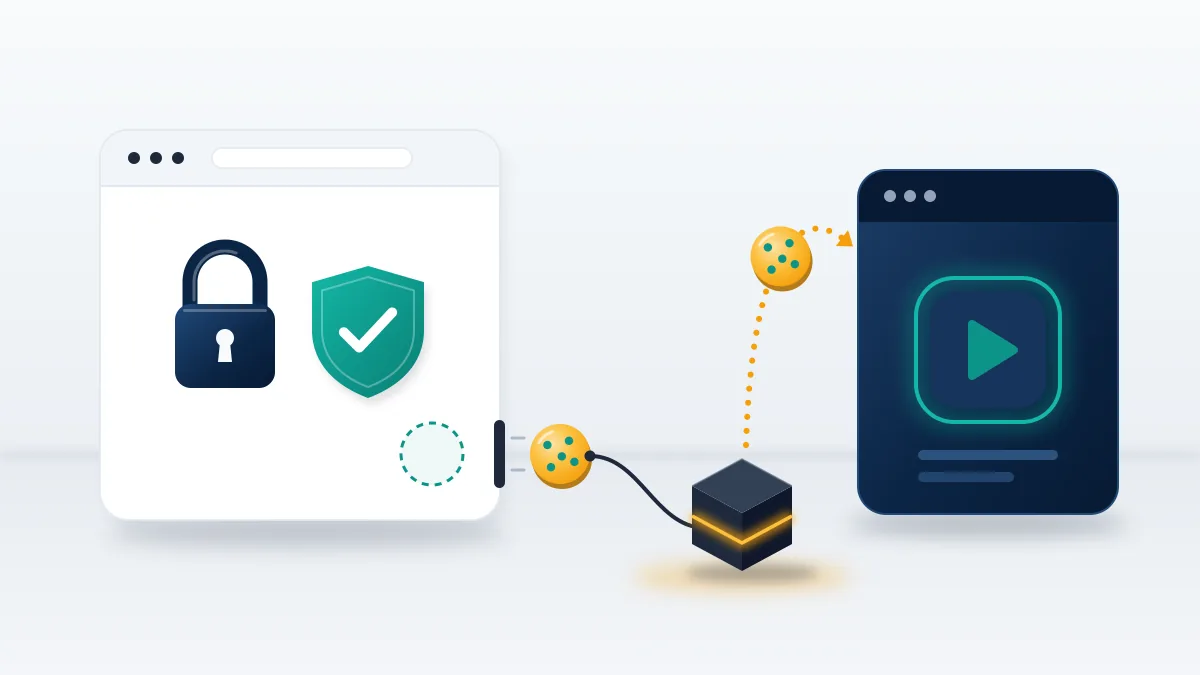
Signing in leaves a session cookie in your browser that tells Google the check is done. Infostealer malware such as RedLine and Vidar, both named in Google's 2021 report, copies those cookies with saved passwords, and the attacker loads them into their own browser. TAG described fake collaboration offers for antivirus software, VPNs, music players, photo editors and games, each with a demo to download. Linus Tech Tips lost its main channel this way on March 23, 2023, when a staff member opened what looked like a sponsorship offer and the malware copied the Chrome and Edge profiles, session tokens included, in about 30 seconds (Dexerto, 2023). Next the attackers renamed the channel LinusTechTipsTemp and ran old Elon Musk and Jack Dorsey footage with crypto-scam overlays, and YouTube shut it down for guideline violations the team never committed (TechSpot, 2023).
Downloads dressed up as tools work the same way. Any free report bot that asks you to sign in can be an account-takeover kit pointed at the buyer, and sideloaded report tools that carry malware land on creators' machines just as a sponsorship file does.
Anything that runs as you holds your session, which is the whole risk in code you did not write controlling your session. When reviewing a hijack, Your Reputation Solution asks first which file someone on the channel team opened in the week before. That device stays infected until proven otherwise.
How to recover a hacked YouTube channel, in six ordered steps
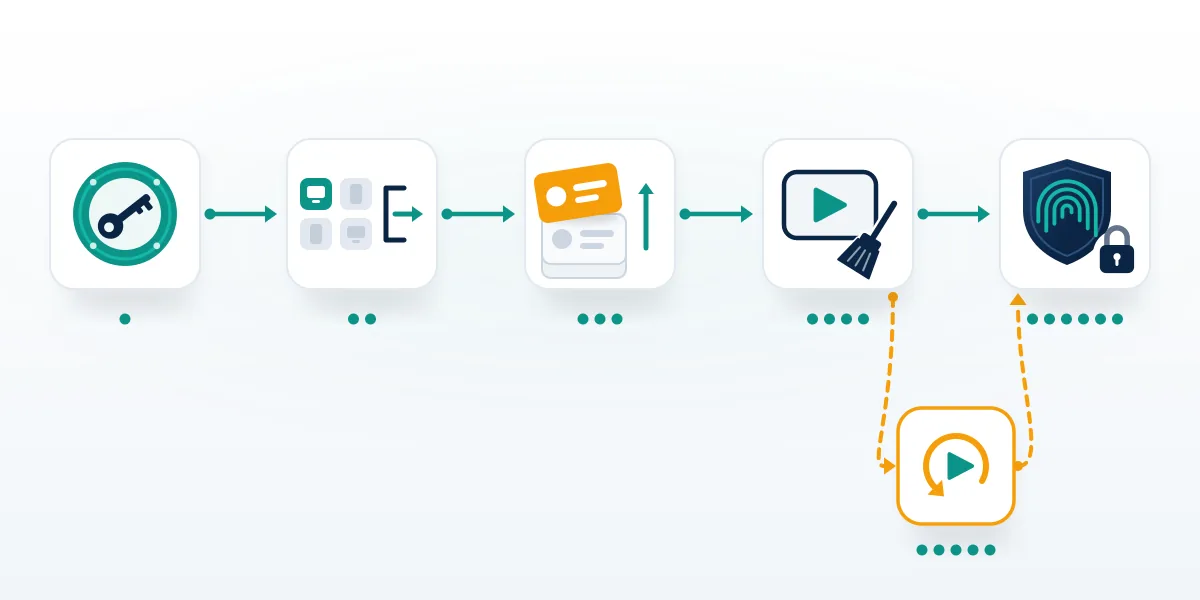
Order matters more than speed when you recover hacked YouTube channel access, since each step closes a door the next one assumes is shut.
- Recover the Google Account from a clean device, through Google's recovery page if the password fails.
- Change the password, sign out every session, and strip recovery details, apps and devices you don't recognize.
- Take back the owner seat by removing rogue owners and managers from the Brand Account and Studio permissions.
- Run YouTube Studio's cleanup tool, then fix by hand what it leaves: name, handle, picture, banner, privacy settings.
- Appeal through the form YouTube links from its hacked-channel page if the channel was terminated.
- Harden the account so the same cookie trick fails next time.
YouTube's help page runs the same sequence in three stages: recover and secure the Google Account, revert the channel to its pre-hacked state, then reduce the risk of another break-in (YouTube Help). One warning there is worth reading twice, which is that an appeal for a terminated channel may be denied if account recovery is incomplete. Step three exists because YouTube's sequence assumes one owner, and hijackers who add a second owner account survive every password change on yours. In clean cases, where the recovery phone or email still works, the six steps usually take 24 to 72 hours in the recoveries this team has handled through 2026, and a termination appeal adds YouTube's own review time. Skip one popular idea: asking fans to mass-report the hijacked channel, since reporting your own hacked account can get it deleted instead of returned on TikTok, and the same logic applies here.
In practice, Your Reputation Solution works every hijack case in exactly this order, and anyone handling it alone should too.
What do you lock down in the first hour?
The Google Account, from a device you trust, before anything on YouTube.
Pick a phone or computer that never opened the suspicious file, because malware on the original machine copies the new session the moment you create it. Sign in, or work through Google's account recovery page if the password no longer works. Then change the password. Google signs the account out everywhere except devices you use to verify sign-ins, some devices with third-party apps you granted access, and home devices (Google Account Help). Those exceptions are where an attacker hides. Open Recent security events and Your devices, as Google's checklist for a hacked or compromised account directs, and sign out anything you don't recognize. Replace any recovery phone or email the attacker added. Remove third-party apps with account access and every App password, since an App Password keeps working until somebody revokes it by hand.
Speed matters for one reason. Until the stolen session dies, its holder can change recovery details faster than you can undo them. Telegram shows the same race: ending unknown sessions comes before the new password, and an attacker setting their own cloud password can lock the owner out for good.
Screenshot each security event before you clear it. Timestamps from this hour become appeal evidence later.
Hijacker still listed as owner, or the channel already terminated? When your own attempt stalls, Your Reputation Solution maps the owner list, prepares the evidence YouTube's forms ask for and files through the official routes. Request a free hacked-channel case review. Nobody on the team will ask for your password or a 2-Step code.
Take the owner seat back before you touch the channel
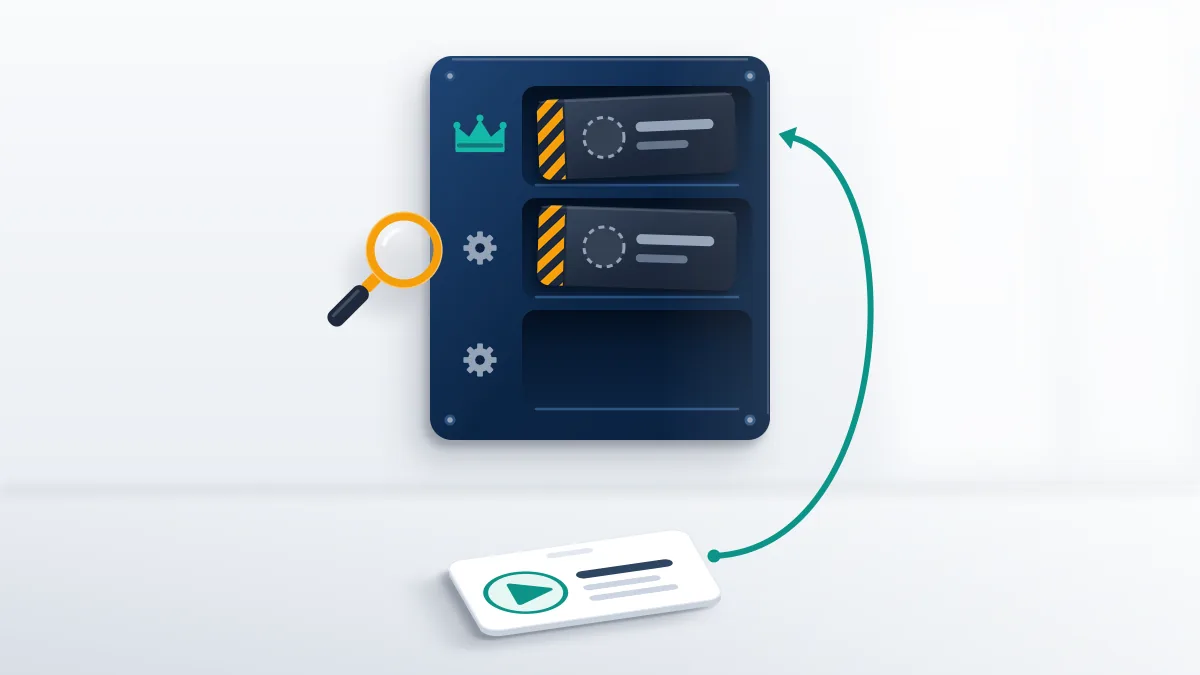
Channels owned by a Brand Account carry their own access list: owners, who control who manages the account; managers, who can post to YouTube; and communications managers, who can't use YouTube at all (YouTube Help). Anyone who gets in through one person's session can add an account of their own as owner, and that seat survives every password change on the original login. Remove each owner and manager you did not add, check the Permissions list in YouTube Studio settings for the same names, and confirm who holds primary ownership. That seat has a built-in delay. New owners must hold the role for 7 days or more before becoming primary owner, so an attacker who promoted themselves recently may not have finished the job, and an owner who was demoted and re-added waits out the same week. Log every change with its time, since YouTube's appeal form and Creator Support both ask what happened and when.
Facebook applies the same logic to Pages, which are judged on what their admins post or approve, and YouTube treats a rogue owner's uploads as the channel's own.
What can YouTube Studio's cleanup tool undo?
The tool corrects activity you mark as unauthorized, while the name, handle, picture, banner and hidden videos stay yours to fix.
Owners and managers can open the cleanup tool in YouTube Studio, where it lists unusual activity on the channel for review in one pass (YouTube Help). Before anything gets marked, Your Reputation Solution has clients screenshot that full list, since it doubles as appeal evidence. You then confirm, change by change, whether you made it. Marking one unauthorized lets the tool correct it, and that choice is final, whereas authorized marks stay editable until the date in YouTube's email, usually 30 days after you submit. Then comes a manual list: channel name, handle, profile picture, banner, playlists, custom thumbnails and subscriptions. Check privacy settings last, because hackers hide existing videos by switching them to private. Delete hacker uploads only when they carry no Community Guidelines strike, copyright strike or copyright claim, and keep local masters, since none of these pages promises that deleted videos come back.
Handles renamed during a takeover point to the hijack, not to squatting, the same pattern that surfaces when people try to claim an Instagram username that had been taken in a hack. If the attacker released your old handle and a stranger grabbed it, treat that as recovery, as X does with handles lost to a takeover rather than a squatter.
Can a channel terminated for the hacker's streams come back?
Yes, when the violations came from the hijacker, but only after you control the Google Account again and only through YouTube's appeal form.
Some terminations stay final. Channels with their own strikes before the hack, or cases involving child sexual abuse material, terrorism, sustained harassment or fraud the owner took part in, don't return through any appeal wording. Within those limits, Your Reputation Solution prepares the evidence and files the appeal, and YouTube alone decides whether the channel returns. A denied first attempt has its own route, covered in how to recover a terminated YouTube channel.
Its hacked-channel page tells creators to recover the Google Account, find the termination email in that inbox, and submit the appeal form linked there. Support covers hacking incidents from the past 9 months, a data-retention limit rather than a courtesy, so a hijack discovered late has a shelf life (YouTube Help). Partner Program creators who have recovered their accounts can also contact Creator Support, and @TeamYouTube on X offers another route. YouTube Help also offers a hacked-channel assistant that walks through the same stages in English, Spanish and Portuguese. Write the appeal like an incident report: the date access was lost, what changed, when control came back. Wording that states access by "an unauthorized party on [date]", as in recovering a suspended Twitter account, transfers well. Even then, YouTube admits it cannot always determine that a hijacker has been removed.
Other platforms treat hacker-posted violations similarly. Appealing a TikTok ban caused by a hacker's posts and Meta's review route for posts made during a hack both start from proof that someone else was in control.
Keeping it recovered: passkeys, a clean device, fewer seats
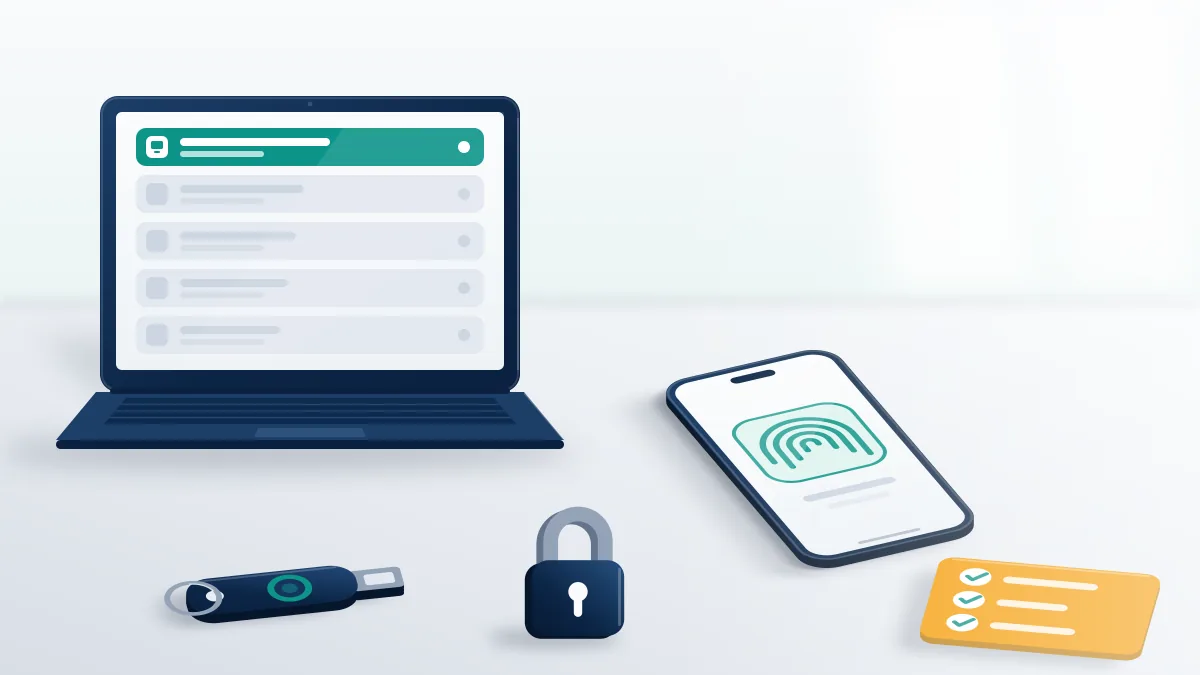
Recovered channels stay recovered only once the entry point is gone. Start with the device: scan it or rebuild it, because an infostealer that took one session will take the next. Move sign-ins to passkeys, which use a fingerprint, face scan or screen lock and "can't be shared, copied, written down" (Google Account Help). Passkeys won't kill a cookie that has already been stolen. They do stop the phishing page that harvests a password plus a code. Monetized channels already need 2-Step Verification, since Partner Program creators have needed it to open YouTube Studio from November 1, 2021 (9to5Google, 2021). Text-message codes remain the weakest second factor, and SIM swaps and SMS interception are a common route into Telegram accounts. Your Reputation Solution closes each recovery by moving the owner login to an email address used for nothing else, as YouTube's help page suggests, and cutting the owner list to people who need the seat.
Post-recovery checks should also cover the accounts linked to the channel. Hijackers who post from a connected X account can leave a reach drop that looks like a shadow ban on X. Anyone asking for a browser export or session cookies belongs to the attack, since no honest helper needs your session cookies.
Who is the hacker still reaching while you recover?
Mostly your subscribers, through clone profiles and fake support numbers that borrow your name.
The crypto stream on the hijacked channel is only the visible part. Copycat profiles elsewhere keep working your audience after YouTube is clean, and each platform has its own removal route. On Instagram, the impersonation form built for copycat profiles is the fastest legitimate path when someone clones you to scam followers. WhatsApp is different ground: a fake "channel support" number that uses your name is a brand-protection case, and getting a scammer's WhatsApp banned runs through Meta's own reporting. Whichever platform the clone sits on, report it from an account that shows your real identity and link the original channel, so the reviewer can see both. File after the real channel shows your name and picture again, because a clone set beside a channel still carrying the hacker's branding gives the reviewer nothing clean to compare against.
Scammers rarely stay on one app, so blocking and reporting an impersonator on WhatsApp matters even when they aren't in your contacts. If the scam stream pointed viewers to a Telegram group, one well-documented report of a real violation can get a public channel removed.
Once the channel is yours again, post a short notice listing the dates it was out of your control. Viewers deserve to know which streams were fake.
Recovery offers that are the second attack
Your Reputation Solution never asks for your password, a 2-Step Verification code, a session cookie or a browser export, and never promises reinstatement. Nor will it buy a hijacked channel back from a seller, pay a hijacker, or file a copyright claim to force an outcome. What the team takes on and declines is written down, and what honest recovery firms won't promise is the checklist to hold any paid helper to, us included.
Those lines exist because hacked creators draw a second wave: "YouTube partner managers" in DMs, recovery "hackers" in comment sections, and Telegram accounts offering to reverse a termination for a fee. Google says it never asks for passwords or verification codes by email, phone call or message (Google Account Help), and the pattern matches what Meta users see, where a one-time code handed to a stranger is how an account gets taken for good. These offers look professional, quote a fixed price with a short deadline, and ask for the one thing that finishes the takeover: a login, a verification code, remote access to your computer or a copy of your browser profile. Paying buys nothing, since YouTube's appeal form is free and has to be filed from the recovered account itself. People who have exhausted official appeals are the favorite target, and scammers prey on appeals-exhausted owners on every platform.