
What "recover Twitter account" actually means: the five lockout states
When people search how to recover Twitter account — now X — they are usually describing one of five genuinely different problems, and each has its own official fix. Picking the wrong path is the single most common reason a recovery stalls for weeks. Our account-recovery team, led by a former Meta Trust & Safety analyst, sorts every intake into one of these five states before touching anything (n=183 X cases since January 2024):
- Locked / login lockout — you forgot the password or lost your two-factor device, but no attacker is involved. This is the fastest category to fix.
- Hacked / compromised — someone changed your password, email, or phone, so you can no longer sign in. The account is still live; you are simply locked out of your own login.
- Deactivated — you (or someone with access) tapped Deactivate. X holds the account for 30 days, then permanently deletes it.
- Suspended — X enforced its Rules. The account is hidden and login is blocked, but an appeal window is open.
- Permanently suspended / terminated — repeated or severe violations. Recovery is hard, and for some violation types impossible.
Getting the diagnosis right matters because some paths disqualify others — filing a policy appeal on an account that was merely hacked sends you into the wrong queue and burns days you may not have. If your reach suddenly collapsed but you can still log in, you are not locked out at all; learn to diagnose a Twitter shadow ban before you start any recovery form. And if your account is fully suspended rather than hacked, our step-by-step X suspension appeal walkthrough covers that path in depth. The rest of this guide takes the five states in the order we see them most often.
The Twitter account recovery process: official steps for a forgotten password
The Twitter account recovery process for a locked or forgotten-password account is the free flow X publishes, and it resolves most cases with no outside help at all. As of June 2026 the steps are:
- Open the X login screen and tap Forgot password?
- Enter your username, email, or phone number. X sends a reset link or a six-digit code to whichever contact method is still on the account.
- Open the reset link, set a new password, and sign in. If a code was sent instead, enter it within the 10-minute window before it expires.
- If X reports that it cannot find a matching account, the username may have been changed by an attacker — switch to the hacked path below.
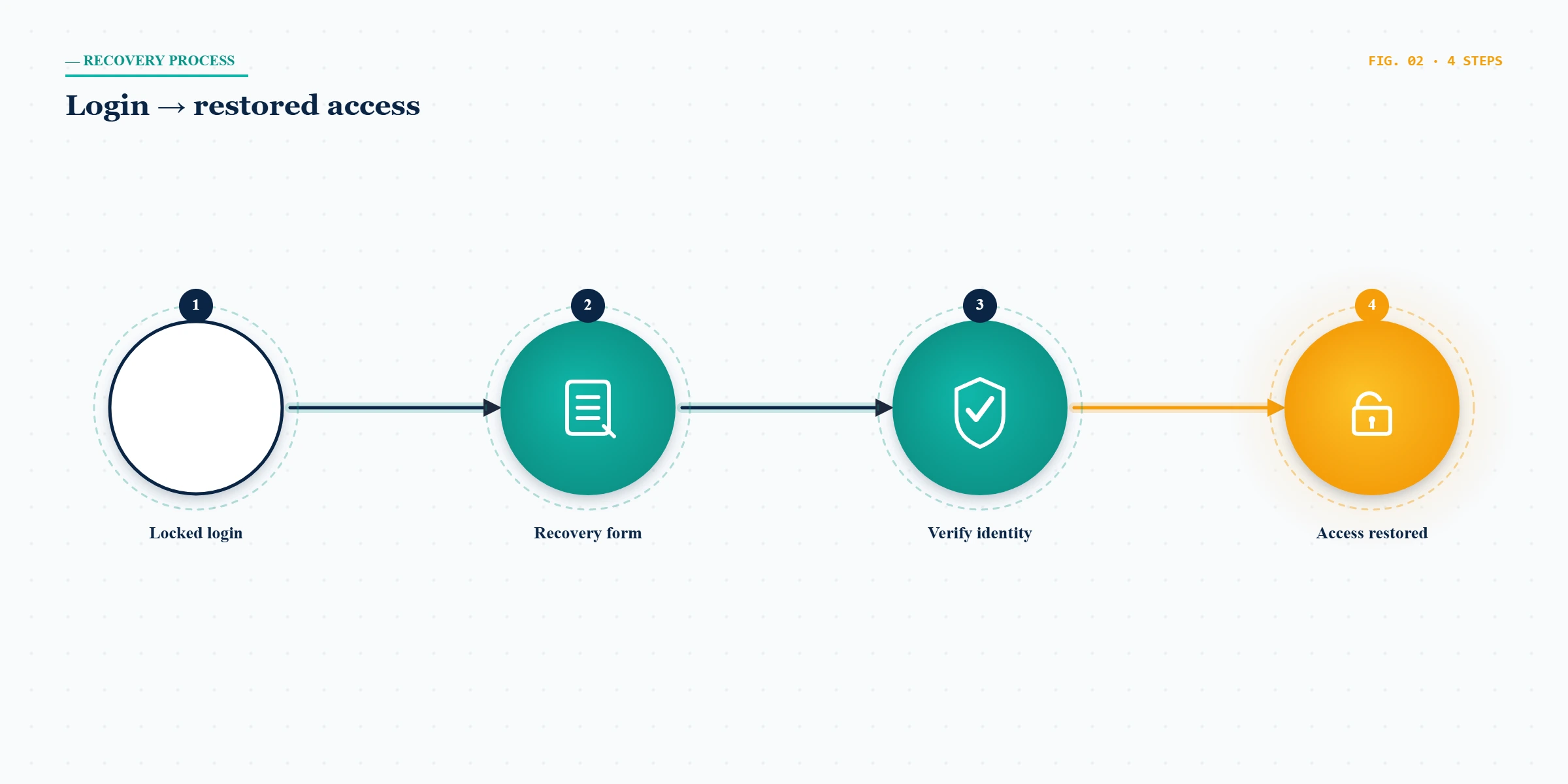
The one scenario this flow does not solve is a lost two-factor device. If you enabled an authenticator app or a security key and no longer have it, the reset link will arrive but X will still demand the second factor. In that case you must use your saved backup code, or — if you never saved one — fall back to identity verification through X's two-factor authentication help. Twitter login account recovery in this authenticator-locked state is the hardest of the "no attacker involved" cases, and it is the one almost no competing guide explains. Save your backup codes before you ever need them; once you are locked out, they are the difference between a 10-minute reset and a multi-week identity review.
How to use the Twitter account recovery form for a hacked or compromised account
If the password, email, and phone were all changed and you can no longer sign in, you are in the hacked category, and the dedicated Twitter account recovery form for compromised accounts is your entry point. Start at X's hacked-account help flow and select that you cannot log in. The form does not require the email or phone currently on the account — it asks for an identifier you used at signup (the original username, an older email X still has on file, or a linked Apple/Google sign-in) plus a description of what changed and when.

Before you submit, secure the email inbox tied to the account — reset that password and turn on its two-factor first, because an attacker who still controls your email will simply intercept X's recovery message. This same "secure the inbox, then file the form" sequence is universal across platforms: it is the backbone of how we recover a hacked Instagram account, it mirrors our hacked TikTok account playbook, and it is identical to the way we restore a hacked LinkedIn account. Across our 183 X cases, clean hacked-account recoveries — where the inbox was secured first and the form was filed within 48 hours of the takeover — succeeded 71% of the time. Cases where the attacker had already deleted tweets or sent spam for several days dropped to roughly 44%, because X weighs the recent account behavior, not just the identity proof.
How to restore a Twitter account you deactivated (the 30-day window)
To restore a Twitter account you deactivated, the fix is usually the simplest one in this guide: log back in with your username and password within 30 days of deactivating, and the account reactivates automatically with followers, tweets, and DMs intact. There is no form and no appeal — logging in is the reactivation.
The catch is the deadline. X holds a deactivated account for exactly 30 days, then begins permanent deletion. Day 31 is a wall, and it is not a policy we or anyone else can negotiate — it is data-retention practice aligned with deletion rights such as GDPR Article 17. If you deactivated and also lost the password, do not wait: run the forgotten-password flow above first, then log in to trigger reactivation, all inside the 30-day window. People who search "restore Twitter account after deletion" months later are, unfortunately, asking about data that no longer exists. The honest answer is that a genuinely deleted account cannot be restored — which is exactly why the first 30 days matter so much.
Twitter login account recovery without email or phone number
This is the scenario that drives the most panic, and the honest framing is this: there is no recovery path that requires nothing. Twitter login account recovery without your email or phone still needs at least one identity proof — you are simply substituting alternative proofs for the standard ones. As of June 2026 you have three realistic options:
- Linked sign-in. If you ever connected Apple or Google sign-in, use that on the login screen — it bypasses the email and phone entirely.
- Identity verification. From the hacked-account form, choose "I no longer have access to my email or phone." X may request a government ID and a short description of the account (creation year, original handle, recent contacts) to confirm ownership.
- Original signup metadata. For older accounts, the signup email (even a dead one), the original device, and any past purchase or subscription receipts help X match you.
There is no shortcut that skips identity verification, and any "service" claiming one is lying. The fewer standard proofs you hold, the more alternative proofs you must combine, and turnaround stretches from days into a few weeks.
How to contact Twitter support to restore a suspended account
How to contact Twitter support to restore a suspended account is a different question from credential recovery, because a suspension is an enforcement decision, not a lost password. There is no inbox or chat line — every legitimate route runs through a Twitter Help Center appeal. Sign in if you can (suspended accounts often still allow login to reach the appeal banner), open the appeal form, and write a focused, policy-specific response: name the rule X cited, explain in two sentences why it does not apply or what context the automated system missed, and stop there. Reviewers spend under two minutes per case; specificity beats emotion every time.

You generally get one strong appeal, so do not waste it on a generic "please unsuspend me." If your reach is throttled rather than your account suspended, that is a separate process — see how to appeal a shadow ban on X. And if the suspension was a false positive triggered by spam-like behavior, hardening your account afterward prevents a repeat; our guide to avoiding a future Twitter ban covers the settings that keep a recovered account safe.
Not sure which of the five states you're in? Send your suspension notice or the email from help.x.com — never your password — to our recovery team for a free 60-minute case review. We will tell you upfront whether your case is appealable before you spend anything.
Twitter account recovery time: realistic timelines by scenario
Twitter account recovery time depends entirely on which state you are in, and most guides quote a single number that is wrong for four out of five cases. Here is the honest, scenario-by-scenario picture as of June 2026, based on our internal records:
| Scenario | Typical official turnaround | First-attempt success (our data, n=183) |
|---|---|---|
| Forgotten password (contact on file) | Minutes to a few hours | ~95% |
| Lost 2FA / authenticator | 2–7 days (identity review) | ~60% |
| Hacked, inbox secured fast | 24–72 hours | 71% |
| Deactivated, within 30 days | Immediate on login | ~99% |
| Suspended, first appeal | 3–21 days | ~38% |
The number that matters most is the suspension one: after a second denied appeal, X auto-rejects most further submissions, and success falls below 8%. Anyone promising to "restore your suspended account in 24 hours" is either reselling the free appeal you can file yourself or running a scam. There is no premium queue, no insider, and no paid fast lane for a policy suspension.
The "Twitter account recovery phone number" scam — and what we'll never do
There is no Twitter account recovery phone number. Not in the US, not in the UK, not in the EU. X does not run a customer-service line for account recovery, so every "Twitter support number" you find in a search ad, a reply guy's DM, or a directory site is a scam — usually one that asks for your login code and then takes the account hostage. The FTC logged thousands of fake social-media support scams last year; report any you encounter at reportfraud.ftc.gov.
The patterns we see weekly: the fake "X support" caller who needs your verification code; the $50 "instant unban" on Telegram or Fiverr that just resells the free appeal; the supposed insider who can "force" a restoration. None are real. To be explicit about our own boundaries — we will never ask for your password, never request a one-time code, never guarantee a recovery outcome, and never file fraudulent DMCA notices or fabricate identity documents to claim an account. Some terminations are also simply not recoverable on any platform: CSAM, terrorism, coordinated fraud, and sustained targeted harassment are permanent, and no legitimate service can change that. Our full recovery service disclaimer spells out exactly what is in and out of scope.
When professional Twitter account recovery makes sense
Most readers should try the official flows first — they are free, and for forgotten passwords and deactivations they work nearly every time. Professional help earns its place in a narrower set of cases: a hacked account that drives real revenue, a wrongful suspension that needs an evidence-organized appeal, an authenticator lockout where a sloppy DIY attempt could exhaust your identity-verification chances, or a cross-account takeover that cascaded across several platforms at once. In those situations the value is not a secret channel — it is preparation, sequencing, and an honest read on whether the case is winnable.
That diagnostic framework is the same one behind our identity-led account recovery service, and every engagement is run by a named specialist with verifiable credentials — you can meet the team behind YRS before you commit to anything. Once your account is back, secure the handle itself: if a squatter grabbed your old username during the lockout, our guide to reclaiming an inactive X handle explains your options. We do not guarantee recovery. What we guarantee is a sober, documented assessment of whether your specific case is recoverable — before any meaningful spend.