
What does reporting someone on Twitch actually do?
A report asks Twitch's Safety Operations team to check one stream, message or account against the Community Guidelines. That is the honest core of how to report someone on Twitch: you supply the evidence, and a human moderator makes the call. Reports enter a queue staffed around the clock, and review time depends on how severe the report is, what evidence it carries and how long the queue runs that day. Viewers cannot remove anyone from the platform. Streamers and their moderators can ban a user from one chat, but only Twitch can suspend an account sitewide, and it does so for a rule break it can see rather than because a crowd asked. Most enforcement never starts with a viewer at all: of 42,623,911 enforcements in the first half of 2025, just 1,552,610 came from user reports (Twitch H1 2025 Transparency Report, 2025).
Put simply, Your Reputation Solution is a reputation and account-recovery service that helps people document abuse on Twitch, report it properly and appeal when their own account is hit.
How to report a Twitch streamer, channel or live stream on desktop
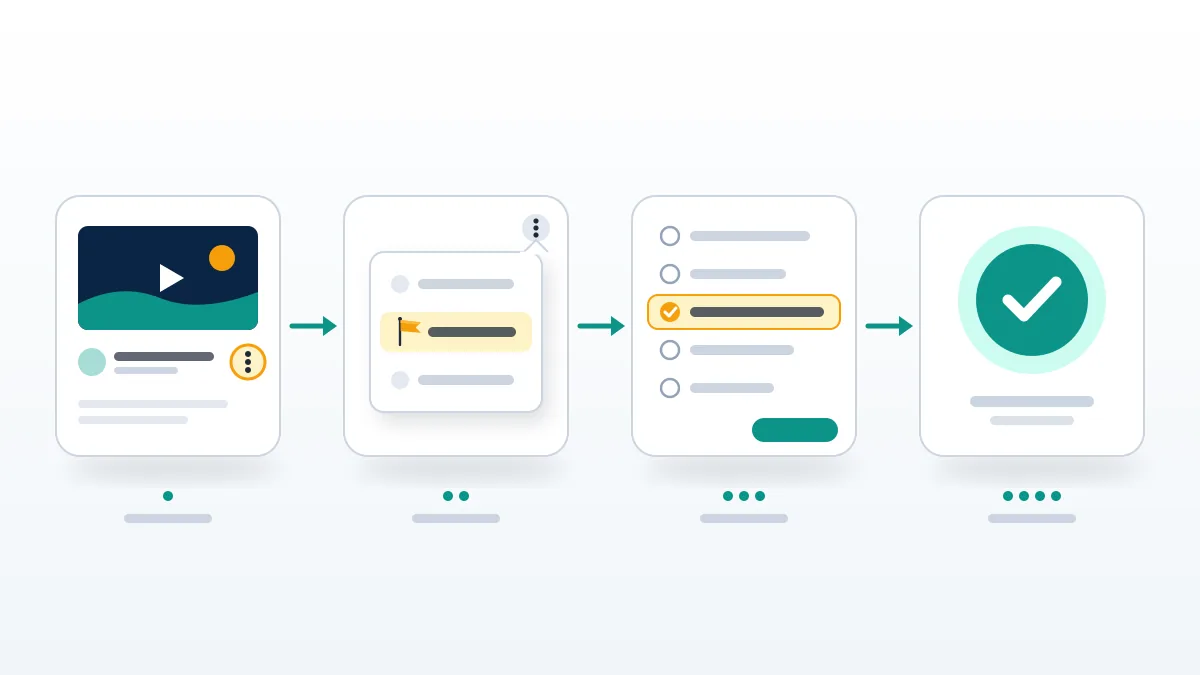
Everything starts under the video player.
- Click the 3 Vertical Dots under the player.
- Pick Report Live Stream, or Report Something Else for a username or old broadcast.
- Search for the matching category.
- Add a timestamp and clip link in Tell Us More.
- Hit Submit Report.
Those five steps answer how to report a Twitch streamer, how to report a Twitch channel and how to report a Twitch stream, since all three sit behind one menu. What changes is the evidence. Live broadcasts keep moving, so the description should carry the exact minute and a clip made at that moment, because past broadcasts are deleted once their storage window ends. Write only what a moderator can check in thirty seconds: who, which rule, where in the video. Adjectives add nothing. People who type "twitch report streamer" into a search bar usually want a louder button, and none exists. Twitch's own guidance on filing a report says a harsher category than the content supports will not speed anything up, so learning how to report a streamer on Twitch well mostly means learning to be precise.
How to report people on Twitch in chat, whispers and the mobile app
Chat messages and whispers have their own report buttons, and Twitch prefers them to the generic form, since a report filed from the message carries the message with it. On desktop, click the username in chat, open the three dots and choose Report; for a whisper, use the cog at the top right of the whisper window. On mobile, tap the three horizontal dots at the top of a channel, a name in chat, or the cog beside a whisper. Every path ends at the category list and Tell Us More box described on Twitch's user report help page. In practice, Your Reputation Solution tells clients to report from the button closest to the offence and block straight after, because a pending report does nothing to stop new whispers. How to report people on Twitch, how to report a Twitch account and a plain twitch report user search all come down to that one habit.
Blocking and reporting stay separate on Twitch. WhatsApp folds them into one screen, as the walkthrough on how to ban someone on WhatsApp shows.
Which report reason fits harassment, impersonation or spam?
Pick the category that names the rule broken, not the one that sounds most serious.
| What you saw | Search for | Evidence |
|---|---|---|
| Insults or a hate raid at one person | Harassment | Message links, raider names |
| Slurs aimed at a group | Hateful conduct | Exact words, timestamp |
| Someone posing as you | Impersonation | Your real channel link |
| Scam links or fake giveaways | Spam or scams | The link text, unclicked |
| Viewers far above chat activity | Botting | Screenshots over time |
| Someone saying they are under 13 | Underage | The moment it is said |
A twitch report harassment search usually comes from someone being hit in waves, so report each account in the wave on its own: one report covers one account, and a raid by forty throwaway names needs the names. Impersonation is handled just as plainly. Twitch's Community Guidelines ban content meant to pass as another person or organisation, from Twitch staff to your friends. For a twitch report impersonation case, file from the impostor's channel, paste a link to your real channel into Tell Us More and list which details were copied. Removing the fake does not hand a name back to you. Reclaiming a handle is a separate process on every platform, as the guides to claiming an inactive or taken Instagram username and claiming an inactive X username spell out, and a report is never a shortcut into it.
Is reporting on Twitch anonymous?
Yes. Twitch says reporting is safe and anonymous, and your identity is not revealed to the reported party.
Your Reputation Solution writes every Twitch report it files around the rule and the timestamp, leaving personal history out, since context is what can point back to a reporter. Expect two emails at most: a receipt, and a second only if Twitch acts.
So is reporting on Twitch anonymous toward everyone? Only toward the person you report. Does Twitch tell you who reported you if you are on the receiving end? No; an enforcement notice names the rule and the content, never the reporter. Can Twitch streamers see who reported them? Reporter identity is withheld from the reported party, and Twitch describes no tool listing reporters for a streamer. Only Twitch itself knows, since you must be logged in to file. This also settles how to report a Twitch streamer anonymously: there is no logged-out mode, and a second account made only to report is a poor idea, since abusing the report tool breaks the rules by itself. Context is the real exposure. If you were the only viewer arguing at minute 43 and the report cites minute 43, the streamer can guess.
How to report someone on Twitch for botting, viewbotting or cheating
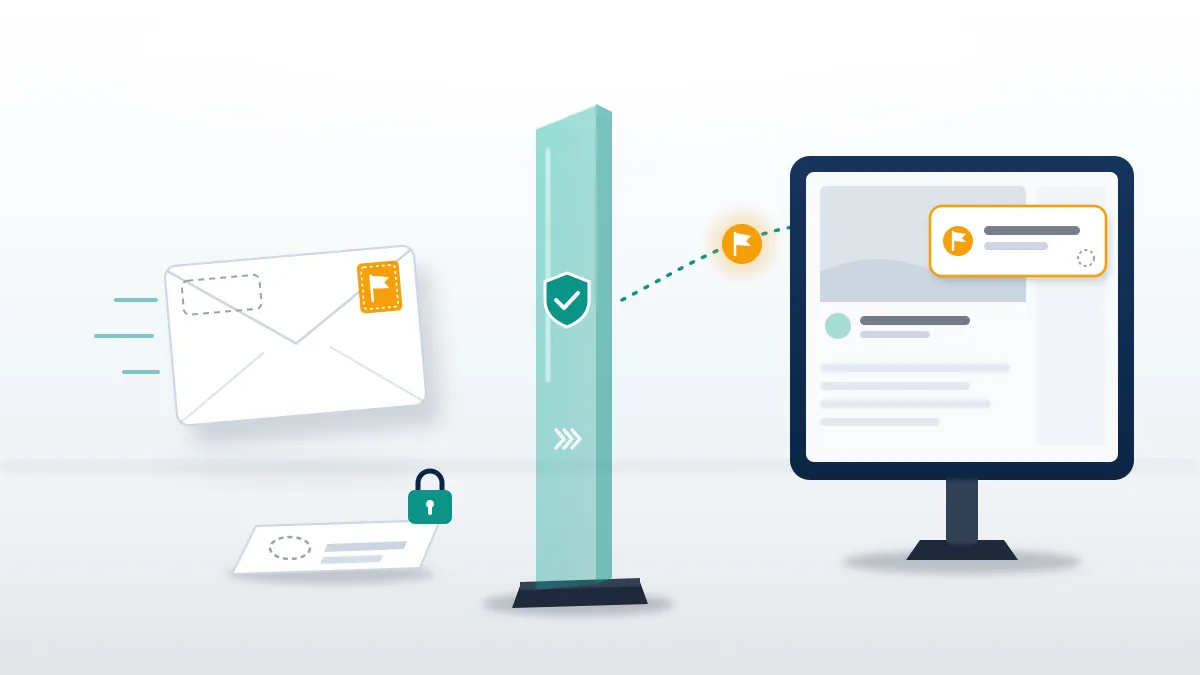
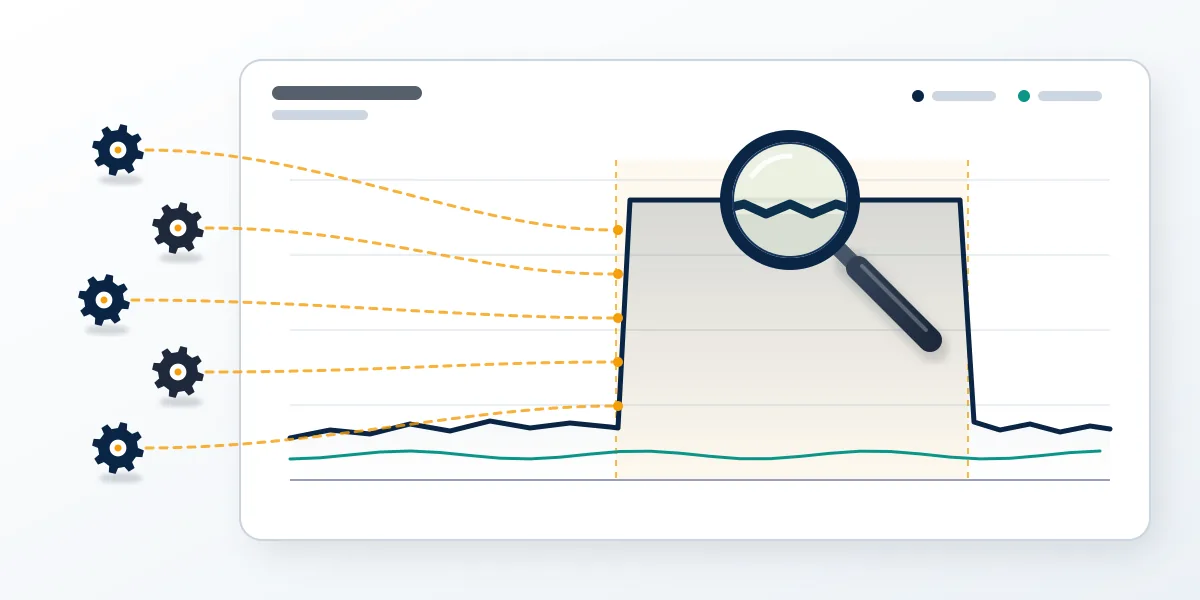
Viewbotting means inflating viewer or follower numbers with fake accounts, and Twitch's guidelines ban it as viewership tampering. Twitch has gone to court before, announcing legal action against seven viewbot sellers in a June 2016 blog post. For how to report someone on Twitch for botting, open the channel, choose Report Something Else and search for the botting or spam reason. Queries like "how to report twitch channel for viewbotting" are harder to act on, because one screenshot proves little. Useful reports show a pattern: a viewer count parked at an oddly steady number for hours, chat nearly silent against it, follows arriving in bursts from accounts created that week. Screenshot the count every ten minutes and note the times. The streamer may be the target, not the buyer, since rivals sometimes send bots to get a channel punished.
Reported a bot farm or a harassment wave and heard nothing back? Your Reputation Solution can review the evidence you already hold, say whether a stronger report is possible and file it through Twitch's own tools. Request a free case review.
Cheating on stream in an online multiplayer game is reportable too, since Twitch's guidelines ban cheats and hacks that give an unfair advantage. When deciding how to report twitch streamer for cheating, clip the moment the wallhack or aimbot is visible and file it with the clip in Tell Us More. Keep expectations modest. Under Twitch's 2025 enforcement-system update, a low-severity strike like cheating expires after 90 days, and only the publisher can ban the game account itself, so send the clip to its support team too.
How to report someone on Twitch for DMCA
Only the copyright owner, or someone authorised to act for them, can file this. Twitch's DMCA guidelines accept notices from anyone but act only on those from rights holders or their agents, so how to report someone on Twitch for DMCA depends on whose work it is. A valid notice carries the elements in 17 U.S.C. § 512(c)(3): the work infringed, the stream, VOD or clip URL, contact details, a good-faith statement that the use is unauthorised, an accuracy statement under penalty of perjury and a signature. Three copyright strikes make a user a repeat infringer, and Twitch terminates the account; the uploader can answer with a counter-notification that goes back to the claimant. Filing a false claim to knock a rival offline is misrepresentation, which can cost damages and attorneys' fees. If the music belongs to someone else, tell them.
On copyright, Your Reputation Solution files nothing for work a client does not own and never uses a DMCA notice as a pressure tactic. YouTube's strike logic is similar: three strikes end a channel, and the way back is an appeal, covered in the guide to recovering a terminated YouTube channel.
What if the streamer is underage or the danger is off Twitch?
Report a user who seems under 13 through the underage category in the report menu, citing the moment their age comes up.
Anyone on Twitch must be at least 13, and its guidelines say that stating you are under 13 anywhere on the service, even as a joke, gets the account deactivated. When Safety Operations finds enough evidence that a user is under 13, the account is suspended indefinitely. So how to report someone on Twitch for underage use comes down to the timestamp where the age is stated, not a guess from someone's voice. Parents have a separate route: a parent can email [email protected] to close a child's account or delete its data. Conduct away from Twitch has its own channel. Since April 2021 the Off-Service Conduct policy lets Twitch act on severe offences committed off the platform, such as violent extremism, credible threats of mass violence, sexual assault or child sexual exploitation, and those reports go to [email protected] with any evidence. Immediate danger goes to local emergency services first.
Can you get someone banned on Twitch by mass reporting?
No. Twitch says repeated reports of the same content will not speed up an investigation or raise the chance of enforcement.
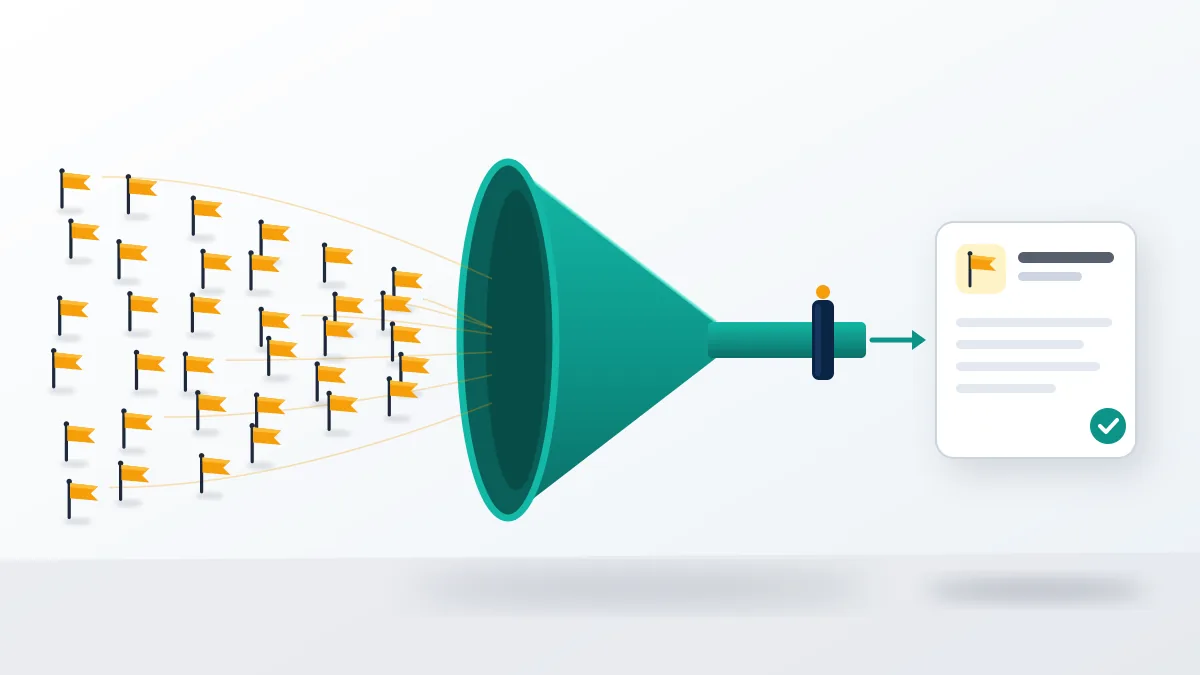
That is the direct answer to how to mass report someone on Twitch, and to most versions of how to get someone banned on Twitch. Abuse of the user report tool violates Twitch's Terms of Service and Community Guidelines, and its spam rules cover large amounts of repetitive user reports, so the reporters are the accounts at risk. Friends filing the same complaint hand one moderator fifty copies of one question. Mass report sellers pitch the same idea on every platform, and Your Reputation Solution turns down every request to run one. How to get someone banned from Twitch, then, has one real answer: find a rule they broke, capture it and report it once, in detail. Searches such as "how to get someone banned on twitch reddit" or "how to report a twitch streamer reddit" pull up forum threads trading brigading tips, and Twitch's wording above settles the argument.
| Platform | The mass-report pitch | What works |
|---|---|---|
| Instagram mass report tools | Instagram account takedowns | |
| TikTok | TikTok mass report bots | Fast TikTok takedowns |
| WhatsApp mass report bots | Getting someone's WhatsApp banned | |
| Telegram | Telegram mass report bots | Telegram channel takedowns |
| Facebook mass reporting | One detailed report per violation |
Even the spam-cleanup version of the pitch fails for the same reason, as the review of Instagram spam report bots found.
If the report lands on you, and what we won't do
Being reported is not the same as being punished. If Twitch does act, the enforcement notice names the rule, and the Appeals Portal under Safety in your profile menu lists active and past violations with their expiry dates. Appeals show as Pending, Accepted or Rejected. An account indefinitely suspended for piling up violations can ask for reinstatement after six months under the 2025 enforcement rules. Here, Your Reputation Solution helps prepare the appeal and the evidence behind it, and it stops where the platform starts: Twitch makes the final decision, and no service can promise the outcome. Nobody working a case legitimately needs your password, a 2FA code or payment for a "guaranteed" ban or unban, and anyone asking is running a scam. The same limits hold on the platforms below, and the full list of what the service will not do sits on the disclaimer page.
| Platform | Suspended or banned | Appeal or way back |
|---|---|---|
| Permanently disabled Instagram accounts | Instagram unban guide | |
| Disabled Facebook account recovery | Facebook Marketplace unbans | |
| TikTok | Suspended TikTok accounts | Permanently banned TikTok accounts |
| X | Suspended Twitter accounts | Appealing a shadow ban on X |
| Telegram | Frozen Telegram accounts | Telegram account recovery or the Telegram recovery service |