What does it mean to recover an X account?
Recovering an X account means restoring either your access (you cannot log in) or your standing (you can log in, but the platform has throttled your reach or hidden your media) on the service formerly known as Twitter. As of June 2026, the search "how to recover x account" covers five genuinely different problems, and each one uses a different official tool: a hacked or compromised login, a lockout after losing two-factor authentication, an account suspension, a shadowban (algorithmic reach throttling), and a sensitive-content label. Picking the wrong path is the single most common reason a recovery stalls for weeks. Our account-recovery team, led by a former Meta Trust & Safety analyst, sorts every intake into one of these five states before touching anything (n=164 X cases since January 2024). If you only need a standard credential reset, our broader Twitter account recovery walkthrough covers that linear flow — this guide goes deep on the harder scenarios.
The reason the distinction matters: an access problem (hacked, lost 2FA) is solved at the login screen and at X's help forms, while a standing problem (suspension, shadowban, sensitive-content flag) is solved through appeals and account settings. The recoveries that fail are almost always cases where someone filed a suspension appeal for what was really a hacked login, or kept resetting a password on an account that had actually been suspended. Every case below is run by a named specialist with verifiable credentials, not an anonymous service — that matters in a category this saturated with scams.
How do you recover a hacked X account?
To recover a hacked X account, go straight to the compromised-account flow at X's official help center rather than the normal password reset, because an attacker has usually already changed your password, email, and phone. Start the password reset using the username you signed up with — not the email, which the attacker may have replaced. X will offer to send a reset code to the original email or phone still on file before the change fully propagates; act within the first hours, when this window is widest. If the attacker enabled their own two-factor authentication, submit the compromised-account form and request a security review. X disables the account's login sessions during this review, which logs the attacker out. Clean hacked-account recoveries resolve in 24–72 hours; cases where the attacker has actively used the account for days run longer, because X manually reviews the activity trail.
Once you regain entry, treat the first ten minutes as triage: change the password, revoke every session under Settings → Security and account access → Apps and sessions, remove unknown connected apps, and reset two-factor authentication with an authenticator app or hardware key rather than SMS. The hacked-account playbook is near-identical across platforms — if the same attacker hit your other accounts, our hacked Telegram account recovery guide walks the parallel flow, including the linked-auth fallbacks that often unlock a recovery when the email is gone.
How to recover a Twitter account after lost two factor authentication
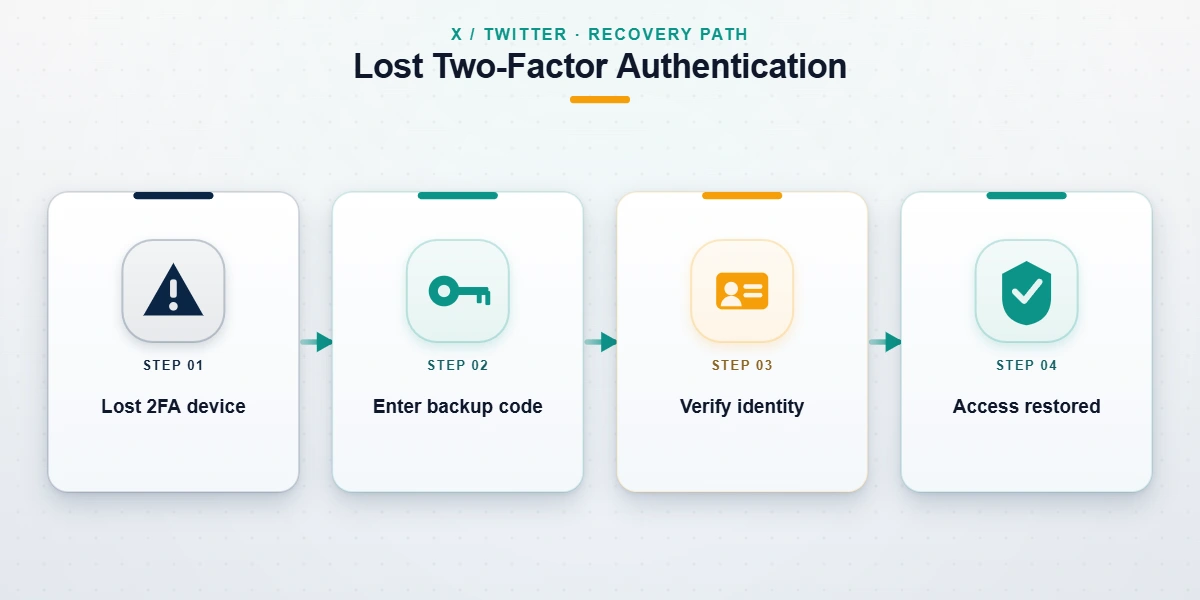
Knowing how to recover a Twitter account after lost two factor authentication depends entirely on what you still have. Two-factor authentication on X can be an authenticator app, a hardware security key, or SMS — and when you lose the device, the recovery path branches in three directions, documented on X's two-factor authentication help page:
- You have your backup code. When you first enabled 2FA, X showed you a single-use backup code. Enter your password, choose to use the backup code instead of the app, and you are in. This is the fastest exit — under five minutes.
- You lost the device but still control the email or phone on the account. Use the "Need help?" link on the 2FA prompt to request a temporary password by email, then sign in and disable or reset 2FA from Settings → Security and account access.
- You have no backup code, no device, and no access to the email or phone (the triple lockout). This is the hardest case. You must submit an identity-verification request through X's help form and supply government ID plus the account details X already holds — signup date, original handle, and recent login locations.
The triple-lockout scenario is where most DIY recoveries die, because the official guides simply say "contact support" and stop. The practical move is to combine every proof you have: a screenshot of an old confirmation email, the original phone number even if disconnected, and a clearly photographed ID matching the account's name. If the account was also suspended or banned at the same time as the lockout, the appeal path differs — our X account unban and recovery guide covers that combined case, where you must clear the enforcement action before the credential recovery can complete.
How to appeal a shadowban on Twitter

A shadowban on X is not a suspension — your account works, you can post, but the platform quietly limits where your content appears (search, replies, "For You"). Because there is no notification, the first task in learning how to appeal shadowban Twitter restrictions is confirming one exists: check Settings → Privacy and safety → Your X data → see whether your account is flagged, watch for a sudden, unexplained collapse in impressions, and test whether your replies appear to logged-out users. X's own term for most of this is "visibility filtering" or "deboosting." If you confirm throttling, the appeal route is to file a report through the help center stating that your reach has been limited in error, and — critically — to fix the behavior that triggered it first: aggressive following, repetitive posting, flagged links, or mass-blocking.
Shadowbans usually lift on their own within days to a few weeks once the triggering pattern stops, which is why an honest appeal pairs a help-center report with a behavior change rather than promising a switch-flip. For the full diagnostic checklist, see our breakdown of how to appeal a shadow ban on X and the companion guide on how shadowban reach limits actually work. Anyone selling a guaranteed "instant shadowban removal" is selling something X does not offer.
How to unlock Twitter sensitive content
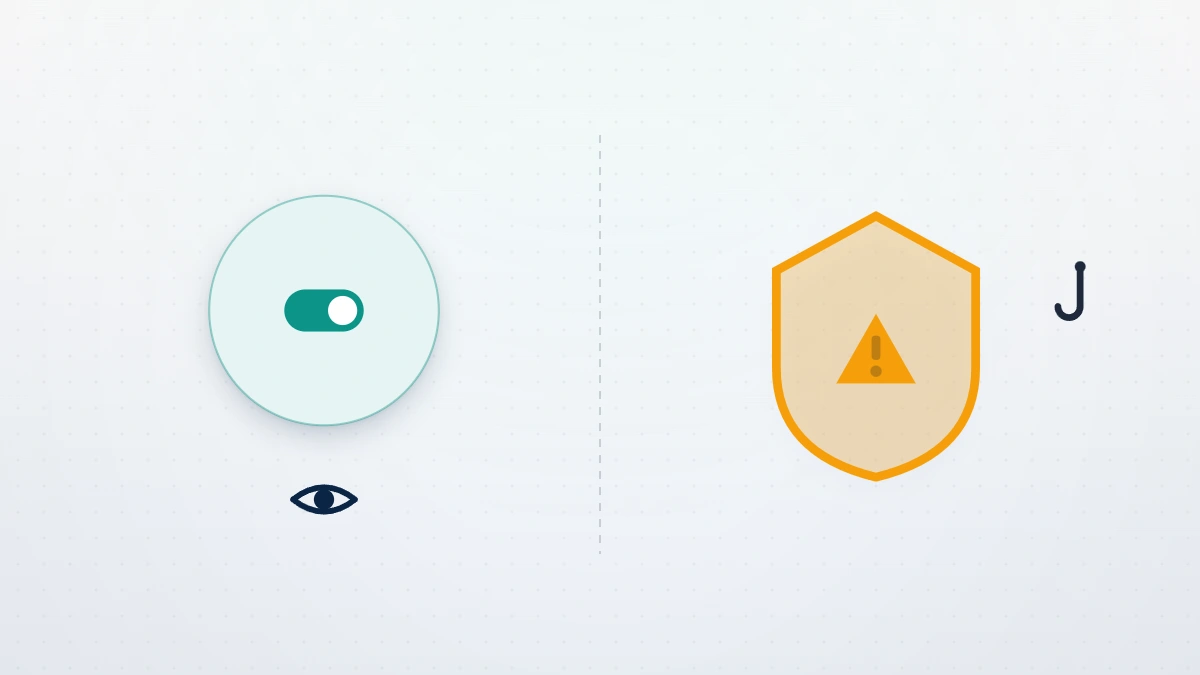
There are two sides to how to unlock Twitter sensitive content, and they are constantly confused. The viewer side — seeing posts X has hidden behind a "this media may contain sensitive content" warning — is a one-minute settings change: go to Settings → Privacy and safety → Content you see and enable Display media that may contain sensitive content. On the web you can also toggle Search settings → Hide sensitive content off. If your account is registered as under 18 or you have not confirmed your birth date, X locks this control until you verify your age.
The creator side is the one that hurts brands and gets almost no coverage: X has flagged your own posts or your whole account as sensitive, so other users see your media behind a warning by default. Fix it at Settings → Privacy and safety → Your posts, where you can uncheck Mark media you post as having material that may be sensitive if it was set incorrectly. If X applied an account-level sensitive-media label automatically, you cannot toggle it off — you must appeal through the help center, the same way you would a suspended X account. Correcting a wrongful sensitive label is reputation work, not a setting, because it suppresses your reach until X re-reviews the account.
Not sure which of the five problems you actually have? Send us the error message or notice you're seeing and we'll tell you — in a free 60-minute case review — exactly which recovery path applies and whether it's realistic, before you spend anything. See our recovery service disclaimer for what's in and out of scope.
Twitter X account recovery scams to avoid
The entire Twitter X account recovery space is saturated with fraud, and a panicked, locked-out user is the perfect target. These are the patterns we see weekly in intake:
- The fake "X support" DM or reply. Someone messages "I'm from X support, send your code to verify." X employees never DM users for account issues, and no legitimate party — including us — ever needs your one-time login code. Report it and move on.
- The $50 instant-recovery seller. A Telegram, Fiverr, or reply-guy account promises to recover a hacked or suspended X account in 24 hours for a flat fee. They are either reselling X's free forms or taking the money and vanishing.
- The "insider at X" claim. Anyone claiming a current contact inside X Trust & Safety who can force a reversal is lying; reviewers cannot act outside the appeal pipeline.
- The pay-to-remove / fraudulent-DMCA offer. Filing false copyright notices to take down a rival and "restore" your standing is a federal crime under 17 U.S.C. § 512(f), and we won't do it.
If you've already paid one of these, report it at reportfraud.ftc.gov. What we will never do, on any case: ask for your password, request a verification code, demand payment before reviewing your situation, or guarantee an outcome.
What's recoverable on X — and what isn't
Honesty about limits is the most useful thing a recovery guide can offer. Recoverable cases are the ones where access was lost (hacked, lost 2FA, forgotten password) or where an enforcement action was a genuine error — a false-positive automated flag, mistaken-identity reporting, or an account takeover where the attacker's activity, not yours, triggered the action. These have real success curves. Roughly half of clean credential cases resolve on the first attempt, and well-documented wrongful-suspension appeals carry meaningful odds.
Some terminations are permanent and not subject to any appeal, by anyone. As of June 2026 these include accounts actioned for child sexual abuse material, credible violent threats, terrorism-related content, sustained targeted harassment, ban evasion (operating a replacement account after a permanent ban), and coordinated platform manipulation. No legitimate service can reverse these, and any that claims to is taking your money. On timelines: clean credential recoveries run 24–72 hours, suspension appeals 3–21 days, and a wrongful sensitive-content or shadowban review can take several weeks. We do not offer or imply anything faster, because the speed is X's to control, not ours.
When professional X account recovery makes sense
If you have not yet tried the official path, try it first — it is free, and a large share of clean cases resolve there. Professional X account recovery earns its fee in a narrower set of situations: the account drives real revenue (creator, brand, or business) and a sloppy second appeal would cost more than the engagement; the case is genuinely wrongful and you need the evidence organized into a reviewer-ready package; or you are facing a triple lockout where the identity-verification submission has to be exactly right the first time. It does not make sense when the violation category is non-appealable or when two prior appeals already carry final-decision language.
After any recovery, hardening is what keeps the account — most re-compromises happen within 90 days. Reset two-factor authentication to an app or hardware key, audit connected apps, and review your login history; our guide on how to avoid a Twitter ban covers the behavioral side. If your handle was taken or squatted during the lockout, see how to claim an inactive X username. For hand-off cases across platforms, our account recovery services run the same diagnostic framework on Instagram, Telegram, TikTok, and LinkedIn — and we'll always tell you the honest answer first.