Paid a scammer already? Call your bank, then report a scam on Facebook
Money first, report second. Reporting can take a scam profile off Facebook, but it cannot pull a payment back: Meta's guidance on avoiding scams says it offers no refunds for person-to-person or off-site transactions.
Federal Trade Commission advice for people who paid a scammer, updated in June 2026, sorts the first call by payment method. Card payments go to the card issuer, through the number on the back of the card, with a request to refund the charge. Bank transfers and wires go to your bank or the wire company, with a request to reverse the payment. Payment apps such as Zelle, Venmo, Cash App and PayPal get that same request inside the app. Gift cards go to the card's issuer, and crypto goes to the exchange or ATM operator that handled it. Every one of those instructions says immediately, because a transfer that has not settled can still be stopped. Note who you spoke to, the time and any case number. Police will ask for all three.
Read as a Facebook scams report, the FTC's April 27, 2026 data release is blunt: $2.1 billion lost in 2025 to scams that started on social media, eight times the 2020 figure, with more lost to scams that began on Facebook than on any other platform.
With those calls made, the answer to how can I report a scam on Facebook is to report the object it lives on. Your Reputation Solution is an account-recovery and online-reputation firm that helps people restore Facebook, Instagram and other accounts through each platform's own appeal routes, and it does not recover lost money. Anyone promising otherwise is the next scam.
Which Facebook report fits the scam in front of you?
Report the object the scam lives on: a profile, a Messenger chat, a Marketplace listing, a Page or an ad. Facebook runs no single scam form, so how to report a scam on Facebook depends on your row.
| Scam | Report first | Report next |
|---|---|---|
| Stranger or cloned profile asking for money | The profile | The chat |
| Hacked friend asking for money | The conversation | Call the friend |
| Fake seller or buyer | Listing or seller, under Scam | The Messenger thread |
| Romance or investment "mentor" | Chat and profile | FTC and IC3 |
| Scam ad, giveaway or loan post | The ad, post or Page | The profile behind it |
Anyone asking how do I report Facebook scams is holding one of those five situations, and Meta's own warning signs map onto them. Its scam guidance lists people claiming to be a friend or relative in an emergency, strangers or famous people asking for money, advance fees for a loan or prize, requests to move the conversation off Facebook, and romance that arrives fast and turns into a request for money. It also flags accounts with no friends, no profile photo and no real-looking activity. Cloned-friend scams chain two of those signs: a copy of someone you know sends a friend request, then a message about an emergency, then a payment link. Knowing how to report scams on Facebook starts with naming your row, and before filing for a client, Your Reputation Solution records that row first.
Profiles copying a real person also count as Facebook impersonation, and reporting a scam ad on Facebook answers how to report Facebook scam ads and the Page behind them.
Stolen photos can resurface on Instagram, where getting an Instagram account taken down turns on one specific violation, not a pile of complaints.
How to report a Facebook scammer's profile
Learning how to report a Facebook scammer starts on the profile: a Facebook scammer report filed there is the one that can end the account, because the account is what Meta restricts or removes. Meta's reporting instructions give the desktop path:
- Open the profile from your Feed or through search.
- Click Options to the right.
- Click Report profile.
- Choose the option that best describes the problem, which for a scammer is the scam or fraud choice.
- Submit if the next screen offers it, then click Done.
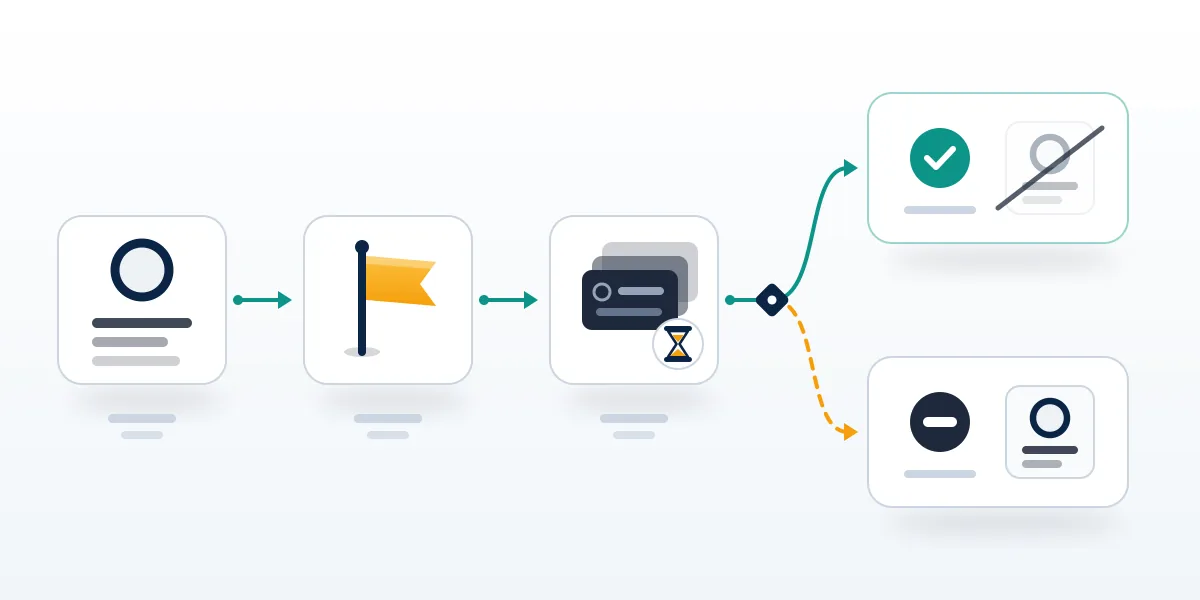
Step five hides the deciding detail. Depending on your feedback, the page says, you may then be able to submit a report, and for some types of content Meta asks for none and uses the feedback to help its systems learn. Feedback trains a classifier. Submitted reports put the profile in front of review and leave a status you can check. So press submit whenever the flow offers it, and when it ends without one, report the Messenger chat as well, since a conversation report carries messages. That is the practical answer to how to report a FB scammer who has already taken money: file the profile, file the chat, keep screenshots of both. Phones show the same option in the profile's three-dot menu, which covers anyone asking how to report FB scammer profiles from the app.
For readers wondering how do I report a Facebook scammer who never messaged them, the profile is the whole case. Before anyone taps Report, Your Reputation Solution saves the profile URL and dated screenshots of each payment request, because a scammer who notices a report can rename the account. A TikTok suspension appeal runs on the same precision, naming the exact guideline.
How do you report a scammer on Facebook when it started in Messenger?
Report the conversation itself, because a Messenger report hands Meta the messages as evidence. Here are the app steps from Meta's guide to reporting a conversation, the direct answer to how do you report a scammer on Facebook:
- From Chats, open the conversation.
- Tap the person's name at the top.
- Scroll down and tap Report.
- Select a category, then tap Submit report.
One message alone? Press and hold it, then tap More and Report. If the chat moved to WhatsApp, blocking there is instant, but a ban is Meta's decision.
That page carries a number worth knowing: Meta reviews up to 30 of the most recent messages in a conversation reported by an account. Thirty messages is plenty of context for a scam that lasted a day and thin evidence for a romance or investment scam that ran for months, so screenshot the early messages, where the story was built, before you report. WhatsApp is narrower still, sending only your last five messages, which is why getting someone's WhatsApp banned depends so heavily on timing. Deleting a chat removes it from your inbox, not the scammer's, and Messenger's own help tells you to take a screenshot before you delete anything. Anyone working out how to report scammer on Facebook Messenger should keep that order every time: capture, report, then block. Screenshots should show the profile name and the date.
Money requests from a friend's account need a phone call first, since the account may belong to a real friend who was hacked. For the question of how do I report a scammer on Facebook who took over a friend's account, the chat report comes after that call. Messenger's scam detection can also flag a new chat on phones. Recovering the friend's account is a separate job, and Your Reputation Solution covers it further down.
Marketplace fraud: report the seller, the listing or the buyer
Marketplace has its own Scam option, and Meta's Marketplace scam page opens with an instruction people skip: stop communicating with the buyer or seller, then report.
- Seller: Marketplace → Buying → the listing → the seller's name → Options → Report → Scam.
- Listing: open the listing → Options below the title → Report listing → Scam.
- Buyer: Marketplace → Selling → Seller dashboard → the listing → your message with the buyer → More options → Report → Scam.
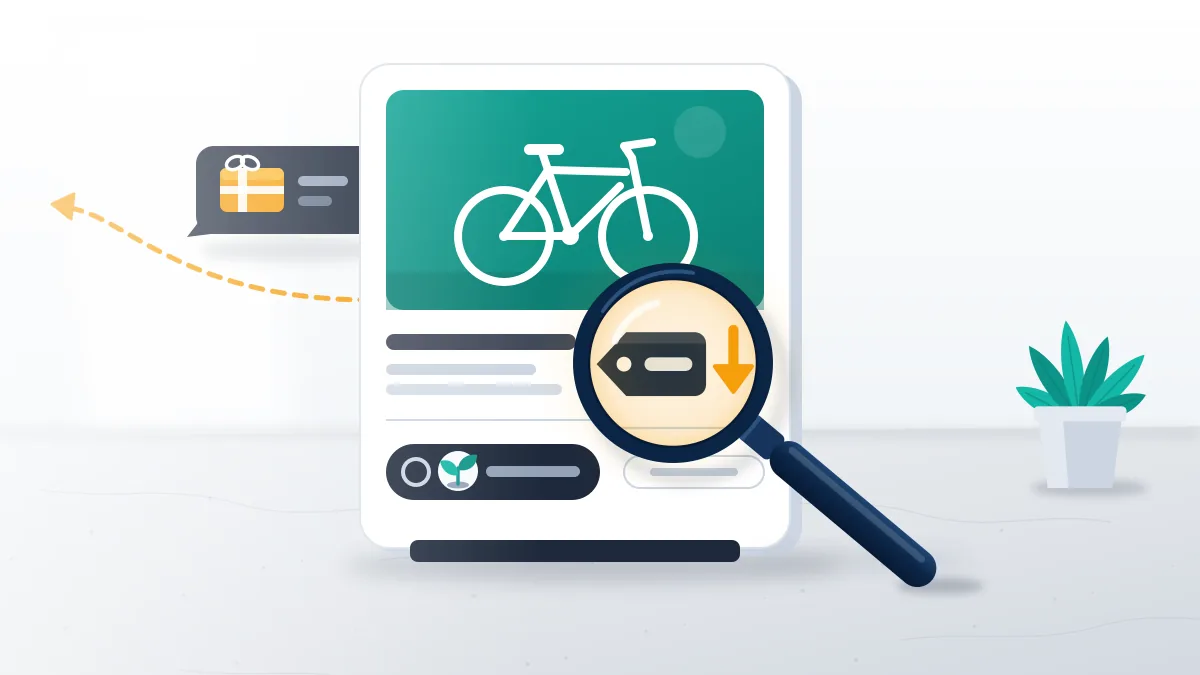
Figuring out how to report a scammer in Facebook Marketplace comes down to which side of the sale you were on. Buyers whose item never arrived report the seller, because the seller's account is what Meta can restrict, and report the listing too while it is live. Sellers hit with a fake payment screenshot or an overpayment "refund" request report the buyer from the Seller dashboard, the only route that starts on the selling side. All three end at the same Scam choice, the one constant in how to report scam on Facebook Marketplace. Purchase Protection is narrow: Meta covers eligible items bought through on-site checkout and refunds nothing paid person to person, so cash and Zelle deals go back to your bank. The five ways to report a seller on Facebook Marketplace go further.
How to report a scammer to Facebook when they have blocked you
Ask a friend with an account to file it; that is Meta's own answer to how to report scam to Facebook content you can no longer see. Its page on reporting what you can't see adds that Meta can't act until it finds the content, so the friend's report should carry links and screenshots. Blocked clients asking how to report a scammer to Facebook get one early request from Your Reputation Solution: the listing URL and the seller's profile link.
What happens after a Facebook scam report?
Meta checks the reported item against its Community Standards, removes it or leaves it up, and sends the decision to your Support Inbox. Every Facebook scam report follows that path.
When Meta leaves a scam post or profile up, you can often ask for a second look: click your profile picture, then Help and support, Support Inbox and Reports about others, open the decision, click See options and choose Request another review where it appears. Meta's page on reports it didn't act on says that second review usually lands within 24 hours, and some decisions upheld twice can go to the Oversight Board, which takes only a handful of eligible appeals. Throughout, the scammer isn't told who filed: Facebook's page on reporting abuse says reporter details are left out when Meta contacts the reported account. Outcomes run from no action to a removed post to a disabled account. As of September 2026, Meta's latest count shows 10.9 million accounts linked to criminal scam centers taken down in 2025 (Meta, March 11, 2026).
People asking how to report Facebook scammer accounts a second time, with friends joining in, pull the wrong lever: Facebook mass reporting doesn't change a profile's standing, and an Instagram spam report bot adds nothing, since Instagram weights reports by evidence.
Expect a review window: even on TikTok, urgent takedowns are reviewed within 24 to 48 hours.
Will mass reporting get a Facebook scammer banned faster?
No. Facebook's answer on report counts says the number of times something is reported doesn't determine whether it's removed.
Group chats about how to report Facebook scammers tend to end in one plan: everyone files, and the account falls. Nothing in Meta's process works that way. The paid version is worse, because sellers of Instagram mass report bots and tools are selling access to a threshold that doesn't exist, and most of them are scams in their own right. TikTok follows the same logic: report count alone never triggers a ban there, since each report is weighed against the Community Guidelines. Your Reputation Solution does not sell or run mass reporting, for exactly that reason. For anyone deciding how to report scammers on Facebook as a group, the version that counts is one accurate report from each person who dealt with the scammer directly, filed from their own account with their own dated screenshots.
Telegram report panels only press the app's ordinary Report button from many accounts, as a look inside those panels shows, and a WhatsApp mass report bot wants a standing key to your Gmail. Handing a stranger your email to punish a scammer is how people get robbed twice.
When the scammer is using your account, or a friend's
Readers asking how do you report a scam on Facebook sent from their own hijacked account need recovery first. Five official Facebook recovery routes start at facebook.com/login/identify, from an email or phone reset to ID verification.
Change the password on your email account first, because a hijacker who controls the email can take the Facebook account straight back. While a scammer holds the account, each message sent to your friends can become someone else's loss, so warn your contacts on another channel that the account isn't you. Where Meta disabled the account over what the scammer did, the route becomes the ID-backed appeal in Facebook disabled account recovery, which is realistic for wrongful disables; proof of the takeover is what makes yours one. Keep the login-alert emails Meta sent, since they date the takeover. Hijackers who post fake listings can also get the owner's Marketplace access pulled, which is appealed from Account Quality → Marketplace → Request Review, as getting unbanned from Facebook Marketplace explains. Not one of these routes requires handing your password to anyone.
Linked Instagram accounts can fall in the same takeover, and the Instagram unban appeal ends in an identity-confirmation video selfie.
Off Meta the principle holds: X reinstates suspended accounts on specific, evidence-backed appeals, and Telegram's frozen-account appeal goes to human moderators.
Scammer using your account? In a free case review, Your Reputation Solution maps the Meta route that fits and prepares the appeal with you, without ever asking for your password; it cannot recover money that was sent. Book the free 60-minute case assessment.
How to report scams to Facebook, the FTC and the police
Searchers asking how to report scams to Facebook expect Meta to chase the money; it won't. Knowing how to report scammer to Facebook is half the job, because Meta judges accounts while theft belongs to regulators and police. In the United States, file with the FTC at ReportFraud.ftc.gov and, when money moved, with the FBI's Internet Crime Complaint Center at ic3.gov.

Each body does a different job. FTC reports go into Consumer Sentinel, the complaint database the FTC shares with law enforcement, which is how a run of identical Facebook profiles becomes a case. IC3 is the FBI's intake for internet crime and the place to file when a bank transfer, wire or crypto payment left your account. Police add a report number, and a bank disputing your payment may ask for it. Knowing how to report Facebook scams to the authorities means filing all three with one evidence pack: the scammer's profile URL, screenshots of the messages and listing, payment receipts with dates and amounts, and the case number from your first call to the bank. Outside the US, England, Wales and Northern Ireland use Report Fraud, Canada uses the Canadian Anti-Fraud Centre and Australia uses Scamwatch.
Investment scams that start on Facebook often move victims into a Telegram channel full of fake profit screenshots, and taking down a Telegram channel runs through Telegram's Report menu or its @notoscam bot. So the full answer to how do you report Facebook scams is a checklist, and learning how to report a scam to Facebook is its first line. Your Reputation Solution builds that pack in the same order for every case.
Why do recovery scammers message you after a Facebook scam?
Prior victims are a known target: on July 20, 2026 the FBI warned that scammers impersonate IC3 itself to reach people who were already defrauded.
IC3's alert calls it re-targeting, and its key line is short: IC3 will never ask for payment to recover lost funds, nor refer anyone to a company that does. Fake recovery agents find people fresh from learning how to report a Facebook scam, working comments, DMs and victim groups, promising to recover the money or get the scammer banned for a fee. Three tells give them away. They want payment upfront, often in crypto or gift cards. Next they ask for your login, a one-time code or remote access to your phone. And they claim a private line into Meta, the same story told by sellers of unlockable Instagram usernames, who misrepresent what Meta enforces. X has no public reclaim form for inactive handles either, as claiming an inactive username on X shows, so anyone selling one is selling fiction.
Fake forms are the other trap: Telegram has no recovery form, so a link to one is phishing. Legitimate help looks different, and a real Facebook account recovery service diagnoses the case and prepares Meta's own appeal, never asks for your password and never promises the result.
What Your Reputation Solution will and won't do after a Facebook scam
Scope first: Your Reputation Solution files and escalates reports through Meta's own channels and restores accounts through official appeals, while Meta makes the final call on every account and nobody at the firm can recover money you sent. Nobody on the team will ask for your password or a login code, charge a fee to "get your money back", promise that a scammer's account will be banned, or file reports in bulk. Some losses are final whoever handles them. Permanently disabled Instagram accounts can't be restored by any legitimate service once the deletion window closes, and some permanent TikTok bans cannot be reinstated by anyone. Clients hear those limits before any fee is discussed, because a case that cannot be won should not be sold. No report filed by the firm carries a promised outcome either.
Each platform keeps its own door as well. A terminated YouTube channel returns only through YouTube's official appeal, filed once, and X's automated visibility filters have no formal appeal at all.
Any service worth paying says whether a case is recoverable before payment, as the Telegram account recovery service does; the full list of limits sits in the disclaimer.