
Can you delete a TikTok account, and what does deleting actually do?
Yes. Every TikTok account has an owner-initiated delete path, and TikTok does not charge for it, gate it behind a support ticket, or require a reason. What trips people up is that the button labelled deletion does not delete anything on the day you press it.
TikTok runs three different exits, and they are not interchangeable.
| Action | What happens immediately | Reversible? | What it does to your data |
|---|---|---|---|
| Deactivate | Profile, videos and comments hide from everyone else | Yes, any time you log back in | Nothing is removed |
| Delete account | Account enters a 30-day hold, still hidden | Yes, but only by logging in before day 30 | Removal begins after day 30 |
| Formal erasure request | Nothing visible changes at first | No, once processed | Targets stored personal data under GDPR or CCPA |
Deactivation is a curtain. Deletion is a countdown. A formal erasure request is a legal instrument aimed at the data TikTok holds about you rather than at the profile itself, and it runs on a separate clock through a separate team. Most people who arrive wanting the third thing actually want the second, and most people who press the second are surprised to learn they have a month to change their mind. That distinction decides your next move, because the three routes fail differently: a stuck deactivation is usually an app problem, a stuck deletion an account-state problem, a stuck erasure request a paperwork problem.
If this sounds familiar, it should. The same architecture governs deleting an old Instagram account you can't access, and the mismatch between what a button is called and what it does is not unique to TikTok. Telegram goes further in the other direction: a frozen Telegram account still exists and still holds everything you wrote, it simply cannot speak, and clearing it takes an appeal rather than a delete button.
How to permanently delete a TikTok account, step by step
Two searches land on this page more than any others in this cluster — "how to permanently delete tiktok account" and "how to delete tiktok account permanently" — and both resolve to one menu path. As of August 2026 it runs like this in the mobile app:
- Open TikTok and tap Profile, bottom right.
- Tap the menu icon (three horizontal lines), top right.
- Choose Settings and privacy.
- Tap Account.
- Tap Deactivate or delete account.
- Choose Delete account permanently, not the deactivation option beside it.
- Verify with the six-digit code TikTok sends to the phone number or email on file.
- Read the consequences screen, confirm, and the 30-day clock starts.
Two caveats. TikTok has moved this menu more than once, so older guides still show a Manage account step that current builds no longer have; if your wording differs, find the word Account and work down from there rather than hunting for an exact label match. Step 7 is where most attempts quietly end, because it needs a contact method you still control.
Try the browser version at tiktok.com when the app misbehaves, which it does often enough that we reach for desktop as a first-line fix rather than a last resort. Desktop is no full substitute, though. It handles password resets and session management well, but identity checks needing a camera push you back to the phone, a limit we mapped in our desktop TikTok recovery guide. Every step above was walked on a live account by our operations team before publication.
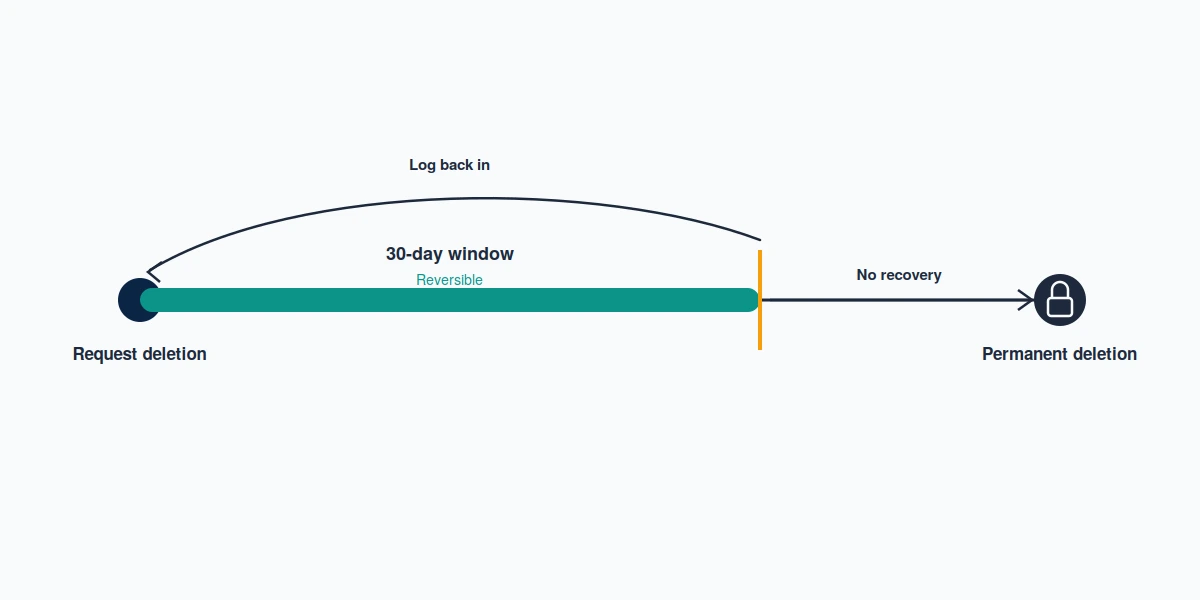
How long does it take to delete a TikTok account?
Thirty days from the moment you confirm, and not one day less. TikTok holds the account in a hidden, logged-out state for that period, and a single successful login inside the window cancels the deletion entirely and restores the profile as it was. Nothing accelerates this. There is no priority queue, no support escalation that shortens it, and no service that can buy you a faster purge — anyone selling one is selling a calendar they do not control. After day 30 the account stops being recoverable through any product route, and TikTok begins removing the content associated with it.
Removal of the underlying data is slower and far less visible than the profile disappearing. TikTok's published position is that personal data is deleted or anonymised once the account closes, with some categories retained where law requires it, but no public day count is committed to for the purge itself. Figures circulating in other guides are estimates rather than policy.
Formal requests run on statutory clocks instead, and those are firm. Under GDPR Article 17, an erasure request from someone in the EEA or UK must be answered without undue delay and in any case within one month. California residents get a different deal: the CCPA as amended by the CPRA gives businesses 45 days to respond to a verifiable deletion request, extendable once by a further 45, and a new state account-deletion law took effect on 1 January 2026. Neither route deletes your profile for you. Both target the data behind it.
How to delete a TikTok account without login, password, or email
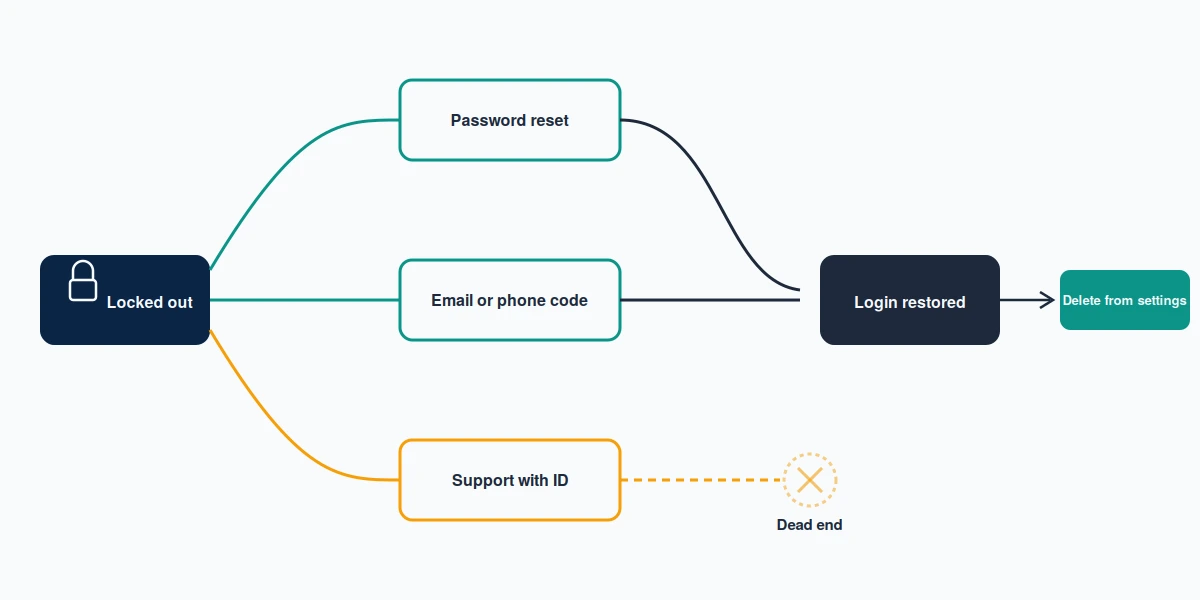
Here is the part most guides skip. The queries "how to delete tiktok account without login" and "how to delete tiktok account without logging in" describe something TikTok does not offer, and neither do the variants "how to delete tiktok account without password or email" and "how to delete tiktok account without email". There is no logged-out delete button. TikTok will not close an account on the word of someone it cannot authenticate as the owner, which is the same policy that protects your account from a stranger doing exactly that. So the honest reframing is this: you are not looking for a way to delete without logging in. You are looking for a way back in, after which deletion takes ninety seconds. Two routes exist, and they differ mainly in how much proof each one demands of you.
When the email or phone on file still works
Start at the login screen and choose Forgot password. TikTok sends a six-digit code to the number or address on the account, and its own password reset documentation covers the standard flow. Codes expire fast, so use the newest rather than the first. Nothing arriving? Check spam and promotions, then try the other channel before assuming the account is unreachable — carrier filtering swallows more of these codes than people expect, particularly on prepaid plans and while roaming. A Google, Facebook or Apple sign-up is a door too, and it needs no code at all. The full set of reset routes lives in our TikTok password recovery walkthrough.
When both the email and the phone are dead
Now it gets slower. Your remaining route is a support request through TikTok's in-app Report a problem flow or its web feedback form, where you argue ownership with evidence rather than a code: previous usernames, the approximate signup date, linked social accounts, device details, and in some cases photo ID. Reviewers are looking for a coherent story, not a sympathetic one. Vague submissions get closed.
One case we could not verify, and neither could anyone else we checked: whether TikTok will delete an account that never had a verified email or phone attached at all. No published policy addresses it and reports go both ways, so file the support request anyway, keep the ticket reference, and hold a formal erasure request in reserve. Proving ownership without the contact details on file is a wall on every network, and the arguments that clear it are much the same everywhere — the identical evidence logic drives Facebook recovery without email access, and X refuses the same request for the same reason even though people assume the username is the login key.
What happens when you delete your TikTok account
The visible losses land first. Your videos, drafts, likes, comments, saved sounds, follower list and direct messages go with the account, and messages you sent do not vanish from the other person's inbox. Purchased coins and any unspent balance are forfeited. Your username is released back into the pool, and TikTok gives no guarantee about how long it stays free — if the handle matters to you, that alone is a reason to deactivate instead.
Less obvious is what survives. Content other people downloaded or reposted is theirs now and stays up, and videos of yours that were duetted or stitched persist inside those derivative works. Anything a platform is legally required to keep, such as records tied to an unresolved report or a payment, is retained regardless of what you pressed. Deletion also does nothing to search results about you elsewhere on the web, which is a different problem on a much longer timeline.
Regret cases are the ones we see most. People delete during a bad week, then want the account back in month three, and the answer by then is genuinely no. Inside the window it is trivial; outside it, no support route reopens the account, a limit we go through in full in our guide to recovering a deleted TikTok account. Instagram runs seven distinct account states with seven different routes back, and knowing which one you are in decides everything. So does the difference between an account you closed and one the platform closed: if TikTok suspended you, deletion is not your first move, and the order of operations mirrors appealing a suspended YouTube channel, where enforcement has to resolve before you control the account again.
Why won't TikTok let me delete my account?
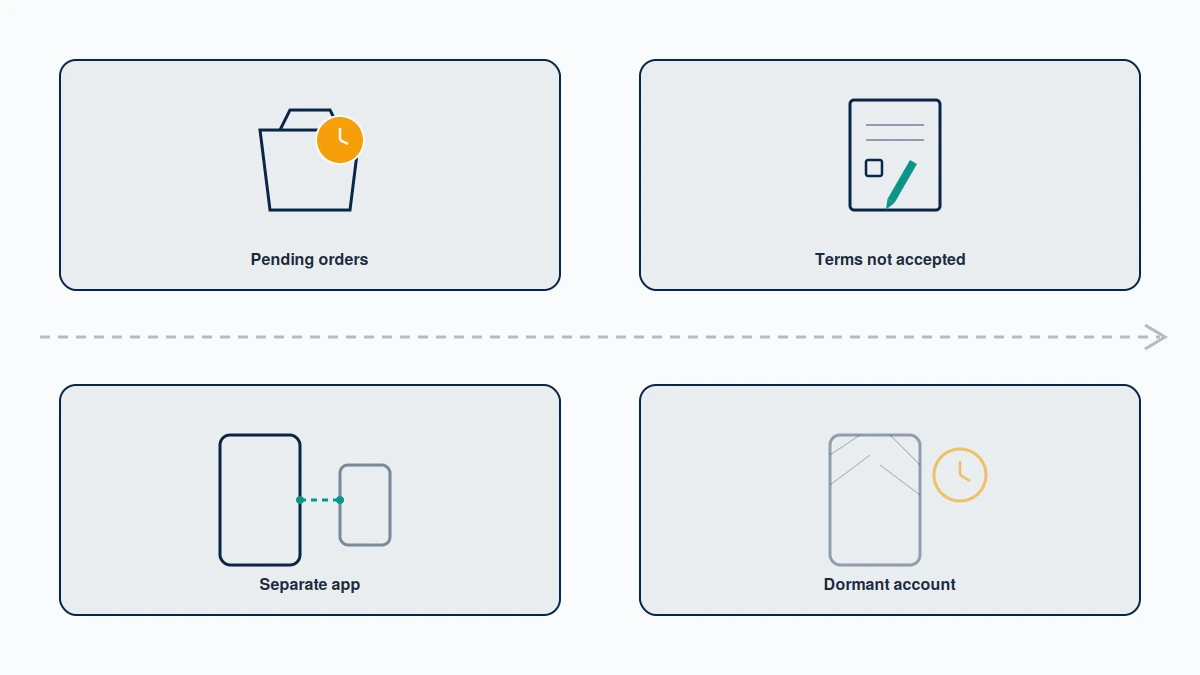
"Can't delete tiktok account" is a search with at least six different causes behind it, and the fix depends entirely on which one you have hit. Work down this table before assuming the account is broken.
| Symptom | Likely cause | What to do |
|---|---|---|
| Verification code never arrives | Dead or changed phone or email on file | Reset via the other channel, or file a support request with ownership proof |
| Delete option greyed out or missing | Outdated app build, or the menu moved | Update the app, or use tiktok.com |
| A terms screen blocks every menu | New terms of service pending acceptance | Try the desktop site, or the web feedback form |
| "Delete failed" error on confirm | Pending data-download request, or a server-side fault | Cancel or complete the data export, then retry after 24 hours |
| Deletion blocked on a seller profile | Open TikTok Shop obligations | Close the Shop through Seller Center first |
| Account shows suspended, not active | Enforcement action, not a deletion problem | Appeal the suspension before attempting deletion |
When new terms block the menu
People searching how to delete tiktok account without agreeing to new terms are describing something real and widely reported through 2026: a terms-of-service acceptance screen that must be cleared before any settings menu opens, including the one holding the delete button. The obvious objection — that leaving should not require agreeing to anything — is fair. Three practical answers exist. The desktop site often presents the menu without the same wall, the web feedback form reaches a human who can act on the request, and a formal erasure request needs no acceptance at all. Cached-screen and airplane-mode tricks circulating on forums are user reports rather than supported routes, and we would not build a plan around them when legitimate paths exist.
Closing a TikTok Shop account
Sharpest edge in the topic, because "how to delete tiktok shop account" is not the same request as deleting your personal profile. Seller accounts live in Seller Center rather than the app, and closure carries real preconditions: no new or open orders for 90 days, all listings deactivated, every dispute and frozen withdrawal resolved, fees settled. TikTok then posts a 30-day closure notice, and the closure is irreversible. Run it through Seller Center to My Account, then Account Settings, then Close Shop Account; TikTok's own Seller University page sets out the conditions. Commerce accounts holding a closure hostage until the money settles is a pattern worth recognising early, and it is the same logic that makes an enforced WhatsApp Business account harder to untangle than a personal one.
TikTok Lite, and the account you can no longer find
Two loose ends. On "how to delete tiktok lite account": the steps and the 30-day policy in Lite match the standard app exactly, which points to a shared backend, but we could not confirm that Lite accounts are formally the same object as the main app in every market. Delete from whichever app you can sign into, then check the other. On "how to delete old tiktok account", the obstacle is almost never the deletion and almost always the identification — you cannot remember the handle, the email is a decade-old address, and you are not certain the account still exists. Search old inboxes for TikTok or Musical.ly signup mail, check password manager entries, and see which accounts your Google or Facebook login still connects to. A username puts you back in the lockout lane above. Banned rather than forgotten is a different question, and our banned TikTok account recovery page covers what is appealable.
When the account isn't yours to delete
A share of the people asking how to delete a TikTok account are not asking about their own — an ex-partner's profile, an impersonator, an account a former employee still controls. The answer is the same in every version: you cannot delete an account you do not own, and no legitimate service can do it for you either. Only the owner and TikTok itself can close a profile, which is precisely the protection you would want applied to yours. We wrote the identical sentence about Meta in how to delete someone's Facebook account.
One genuine line exists. Your own account with someone else holding the login is a recovery case, and we will work it — but only when ownership is proven through TikTok's own verification, never on your say-so, never by asking for a password, and never on cases involving child safety, terrorism, fraud or sustained harassment. When the account belongs to someone else, the honest route is a report on stated grounds rather than a deletion, and mass-reporting it is a violation you commit rather than a lever you pull. Reports do not vote; a reviewer confirms a specific policy breach or nothing happens, which is the mechanic we broke down in what actually gets a YouTube channel removed.
Reporting an account is not the same as deleting it
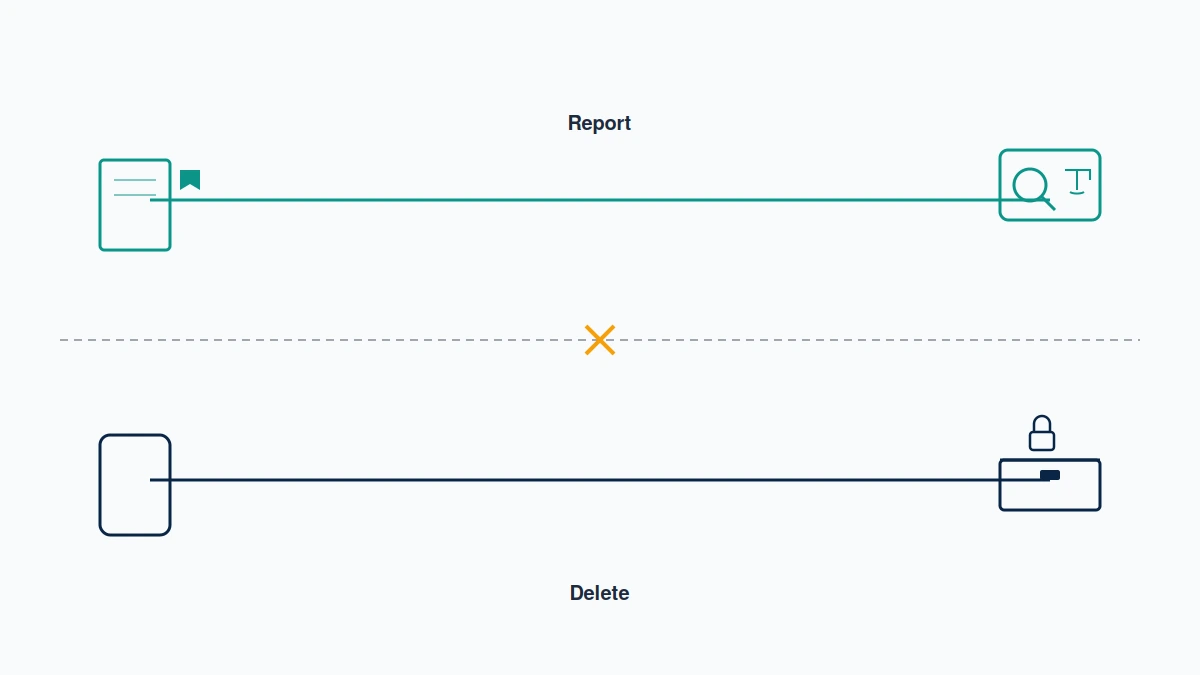
These get conflated constantly, and the difference is worth stating plainly. Deletion is a product feature available to an owner. A report is a request for a policy decision, judged against rules you do not set, with an outcome you do not control. Reporting your own account will not close it. Reporting someone else's will not close it either unless a human reviewer agrees a rule was broken, and the removal that follows is TikTok's action, not yours.
A second question always follows the report: who finds out. On TikTok, as on every major platform, the reported party is not told who filed. That holds so consistently that the one narrow exception elsewhere was worth its own article — whether Instagram ever names your reporter — and TikTok publishes nothing contradicting the general rule. Where content targets you specifically, impersonation or otherwise, the right instrument is a takedown request on named grounds, and the evidence standard barely changes between networks; our LinkedIn takedown guide sets out what a well-argued one contains.
Getting help without getting scammed
Most people reading this need no help at all. The steps above are free. They are also the only official steps that exist, and anyone charging you for that sequence is charging for a menu path. We say so on a page that could easily have sold something instead, because a deletion guide that ends in a pitch is not a guide.
Paid help is honest in one narrow case: your account, no working email or phone, a support queue that already said no once, and an argument that needs making properly. That is recovery work, and knowing what it costs before anyone quotes you matters — which is why we publish real recovery pricing rather than ranges that move. The tells that separate a real provider from the rest hold across platforms, and we set them out in how to check whether a recovery service is legitimate.
Not sure whether you are in the lockout lane or just stuck behind a terms screen? Tell us what you're seeing and we'll tell you which one it is, free, including when the answer is that you don't need us.
A last note on scope, because deletion articles attract requests we turn down. We do not delete accounts on anyone's behalf, we do not accept cases aimed at someone else's profile, and we do not promise outcomes on decisions we do not make; our disclaimer sets those limits out in full. One thing that has not changed, for the record: the US joint venture that took over TikTok's American operations closed on 22 January 2026, accounts and data moved across automatically, and no change to the deletion mechanism or the 30-day window has been reported since.