The 30-day rule that decides everything
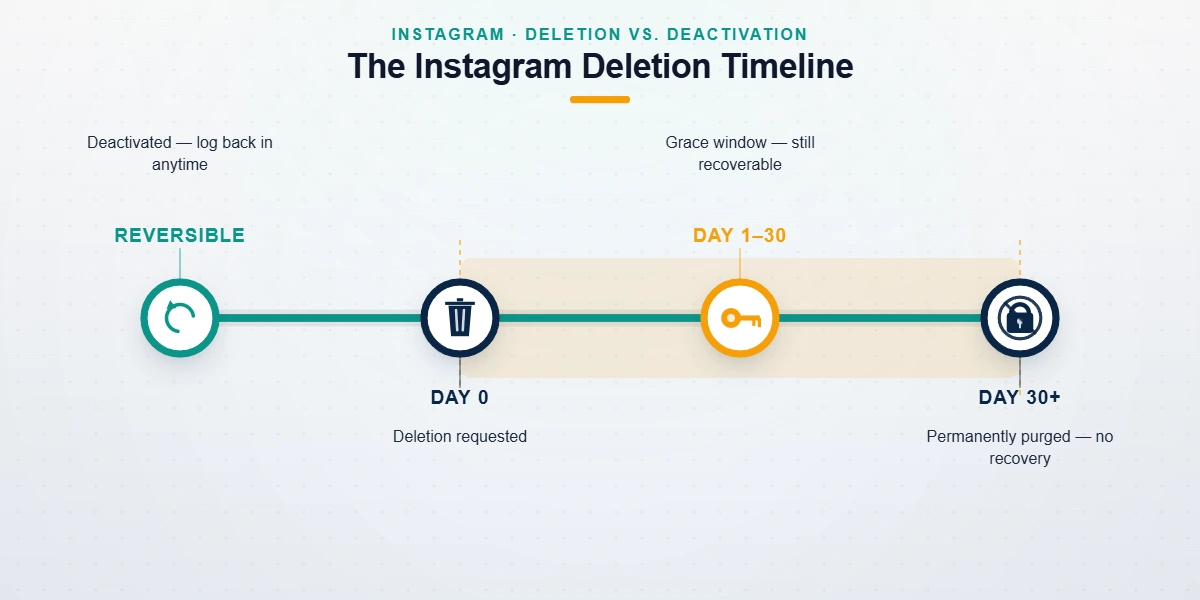
Everything in this guide hangs on one date. When a deletion request is submitted for an Instagram account, the profile disappears from public view immediately, but Instagram keeps the account fully intact for 30 days. Logging back in during that window cancels the deletion and restores everything: followers, posts, DMs, story archive, the username itself. Once the 30 days pass, the account enters a purge queue that nobody can reverse. Not Instagram support. Not a lawyer, not the police, not a paid "recovery agent" on Telegram. So the honest answer to "how to recover deleted instagram account permanently" splits in two. Inside the window, recovery is fast and free. Outside it, recovery does not exist, and anyone who claims otherwise is after your money rather than your account. Your deadline, precisely: the date on Instagram's deletion confirmation email, plus 30 days.
Instagram's policy page says it plainly: after you request deletion, your account and everything in it is permanently removed once the grace period ends, and you won't be able to retrieve your information afterward (Instagram Help Center, accessed July 2026). Residual copies, the same documentation notes, can take up to 90 days to clear from backup systems. That 90-day figure misleads people constantly: it describes internal data purging, not a second chance, and there is no hidden 90-day recovery window.
All of this assumes the deletion was your choice. If Instagram disabled the account over a policy violation, you're in a different process with its own appeal path. Merely deactivated it? Then there is no clock at all. Five situations, five different answers:
| What happened | Can it come back? | How |
|---|---|---|
| You deactivated it | Yes, anytime | Log back in |
| You deleted it, under 30 days ago | Yes | Log in and cancel the deletion |
| You deleted it, over 30 days ago | No | Nothing restores it; rebuild instead |
| Instagram disabled it | Often | Appeal through Instagram's forms |
| A hacker deleted it | Sometimes | Report at instagram.com/hacked fast |
Searches for Instagram delete account recovery after 30 days spike every January in our intake logs, four to six weeks after the December wave of resolution-driven deletions (YRS intake records, 2024–2026). It's a predictable rhythm. People delete in a burst of resolve. Then they want back in, just after the door has closed.
How to recover deleted Instagram account under 30 days (step by step)
Anyone searching "recover permanently deleted Instagram account before 30 days" can take a breath: nothing is permanent yet. Instagram treats a within-window login as proof you changed your mind. Cancelling takes minutes when your credentials still work, and a little longer when they don't.
- Go straight to the login screen. Use the app or instagram.com and sign in with the username and password the account had when it was deleted. Autofill from your browser or password manager helps if you're not sure what the password was.
- Reset the password if you need to. Tap Forgot password? and enter the username, email, or phone number tied to the account. A deleted-but-in-window account still receives reset links. When the reset email doesn't arrive, check spam, then try every address you have ever used for Instagram.
- Choose to keep the account. After a successful login, Instagram shows a prompt asking whether you want to keep the account or continue with deletion. Confirm you're keeping it. That single tap cancels the deletion request.
- Verify the restoration. Posts, followers, and DMs should be exactly where you left them. In the cases we've handled, profiles reappeared to followers within minutes, while search and hashtag visibility lagged by 24–48 hours (YRS internal records, n=87 in-window cases since 2023).
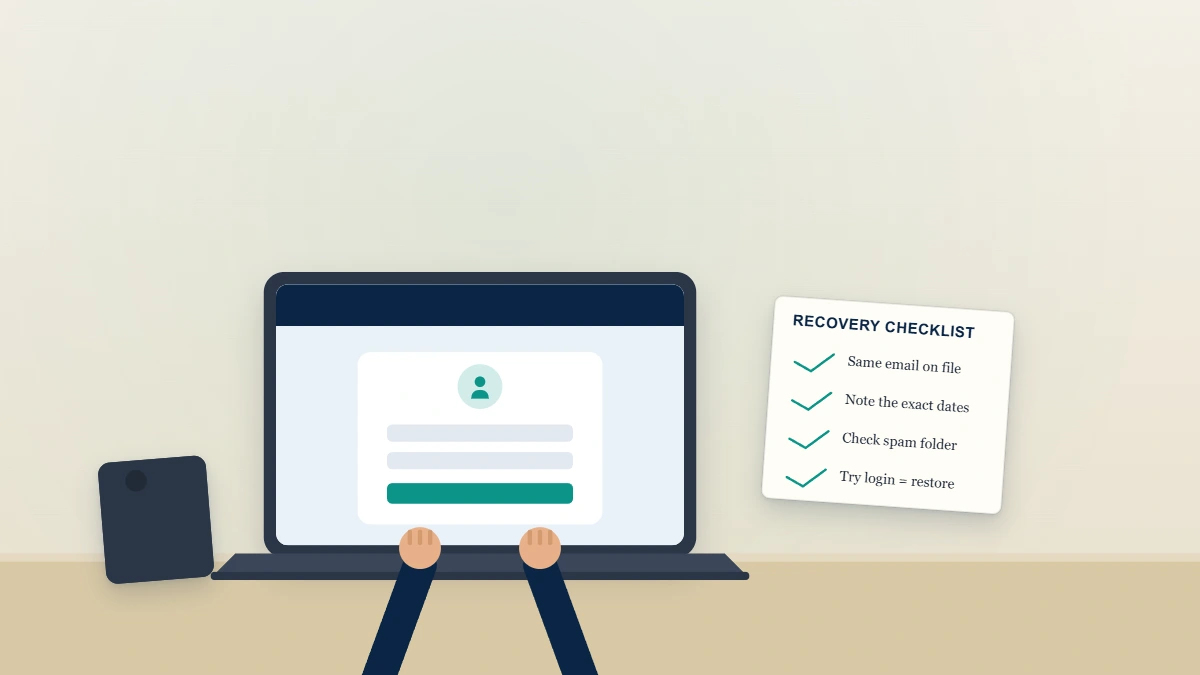
A note from our recovery desk: when an in-window login gets stuck in a verification loop, meaning the code never arrives or Instagram keeps asking for ID, don't burn days retrying the same path. Loops most often hit accounts whose recovery email was a work or school address the owner no longer controls, and repeated failed attempts can make the automated system more suspicious, not less. Prepare a government ID whose name matches the account's details, keep the deletion confirmation email handy as proof you're still inside the window, then work the flow once, properly. When we escalate stuck cases through Meta's official identity-verification channel, the loop usually clears within 24–72 hours. Every restored in-window account we've handled came back complete. We have never lost data on one, in three years of doing this.
Meta applies the same design to Facebook, with the same deadline, so if you have ever cancelled a Facebook deletion the mechanics will look familiar. One difference worth knowing: since Meta consolidated account controls into Accounts Center during its 2023–2024 rollout, the deletion flow now lives under Settings → Accounts Center → Personal details → Account ownership and control → Deactivation or deletion. That path matters if you suspect someone else deleted the account from a logged-in device.
What's really possible after 30 days, after 1 year, or years later?
Past the 30-day mark, the account is gone in the fullest sense a platform can manage. Queries like "recover permanently deleted instagram account after 30 days" and "permanent delete account instagram recovery after 1 year" fill forums with hopeful threads, and the replies are where scammers hunt. Here is our first-party record on it: of the 41 post-window recovery requests brought to us between 2023 and June 2026, the number we could restore is zero (YRS case records, June 2026). And not for lack of trying. Meta removes the data from production systems on its own schedule, ownership verification has nothing left to attach to, and Instagram's support staff have no tool for reversing a completed purge. For business profiles the loss usually reaches further, since linked Facebook Pages, ad accounts, and Commerce Manager assets tied to the deleted profile don't come back either. A Page that vanished after a pile-on is a different situation entirely, enforcement rather than deletion, and the surface-by-surface breakdown for Facebook explains which of those assets Meta will actually review. Any service claiming otherwise is describing a product that cannot exist.
Every month someone asks us how to recover deleted instagram account from years ago, usually hoping an old archive survives somewhere. It doesn't. Even Meta's own Download Your Information tool returns nothing once the purge completes. Your old username usually stays retired too: Instagram doesn't automatically release handles from deleted accounts, though some eventually become claimable if Instagram ever releases the handle back into the pool.
There is one lesson worth carrying forward. Before any deliberate deletion, run Download Your Information from Accounts Center and save the export somewhere safe; it captures your photos, videos, messages, and profile data while they still exist. Data-protection laws like the GDPR and CCPA give you the right to that export, but the right expires with the data. An archive on your hard drive is the only version of a deleted account that survives day 31.
Emailing Instagram won't change the outcome either. Knowing the contact channels that actually reach a human at Instagram helps with disabled and hacked cases, but none of them can resurrect purged data. Platforms differ here. X, for instance, holds deactivated accounts for a full year before purging, which is why restoring a deleted X account has friendlier odds. Instagram gives you 30 days. That's the whole negotiation.
Not sure which category your account is in? Tell us when it vanished and what you last saw on screen, and we'll tell you honestly whether recovery is realistic, before you spend anything. Request a free case assessment — we never ask for your password.
Deactivated is not deleted — and it has no deadline
Deactivation is Instagram's pause button, and it obeys none of the rules above. A deactivated account is hidden from the public but stored indefinitely: no 30-day countdown, no purge queue, no deadline. The worry behind searches like "recover deactivated instagram account after 30 days" evaporates on contact with the actual policy. You can reactivate after 30 days, 30 weeks, or five years by logging in with the old credentials. In March 2026 we reactivated a client's account that had sat deactivated since 2019; it returned with every post and follower intact, minus roughly a dozen followers who had left the platform in the meantime (YRS case notes, March 2026). Instagram's only real constraint governs how often you can deactivate, currently once per week, not how long you stay away. Deactivation, in short, is a parking space rather than a countdown.
One diagnostic tip: search your inbox for old emails from Instagram. Deactivation leaves no email trail. Deletion requests generate a confirmation email; enforcement actions usually produce a "your account has been disabled" notice. Whichever email you find dates the event and names the process you're actually in.
How to recover deactivated Instagram account password
Most "can't reactivate" cases are really password cases. Use Forgot password? on the login screen and send the reset link to the email or phone number on file; a deactivated account receives resets normally. No access to either? Try a device or browser where Instagram remembers the session, then update your contact details from inside Settings before logging out again. Should the account show as suspended or disabled when you try, stop. That's an enforcement action, not deactivation, and it needs Instagram's appeal-form process instead.
Locked out with no username, email, or phone? Your options
Credential loss turns an easy in-window recovery into detective work. Good news: Instagram verifies the account and your identity, not your inbox. If the account still exists in any state, there is usually a way to prove you own it. Start with whichever identifier you're missing.
How to recover deleted Instagram account without username
You need the handle before any recovery flow will talk to you. Check old notification emails (search your inbox for "instagram.com"), look at tagged photos or story mentions on friends' profiles, scan the saved logins in your browser's password manager, or find the profile URL in old DMs on other platforms. Friends can also check their own followers lists. Once you have the exact handle, the login and reset flows behave normally.
The harder problem: how to recover deleted instagram account without email and phone number access. Instagram's fallback is identity verification. From the login screen, tap Forgot password?, follow the "need more help" prompts, and you'll reach a video-selfie or photo-ID check (the exact wording shifts between app versions as of July 2026). Accounts with photos of you pass the selfie check far more often than meme pages or brand accounts, which generally need business documents instead: utility bills, invoices, or registration papers carrying the same name the account uses. Start the same day you notice the loss: identity review can take several days, and every one of them counts against the 30-day window if a deletion is running underneath. The same identity checks apply whether the account was deleted or disabled; the mechanics don't change.
Suppose you never deleted anything and the account simply vanished. Assume compromise until proven otherwise: hijackers usually change the email and phone first, and sometimes request deletion second, which still honors the 30-day window. Go to instagram.com/hacked immediately and work through the guided checks there. Catching the deletion on day 6 is a non-event; finding it on day 36 is permanent.
Disappearances after a coordinated harassment campaign are usually enforcement, not deletion. Report floods can trip automated systems into disabling an account, and that follows the appeal path rather than the deletion clock. We've tested whether mass reporting actually removes Instagram accounts, then repeated the experiment with TikTok mass-report bots, X mass report bot panels, Snapchat report-bot tools, and Telegram report bots. The short version never changes: report volume alone rarely decides anything, and the Instagram spam-report bots sold in Telegram groups fail the same way.
Recovery scams vs. legitimate help: how to tell the difference
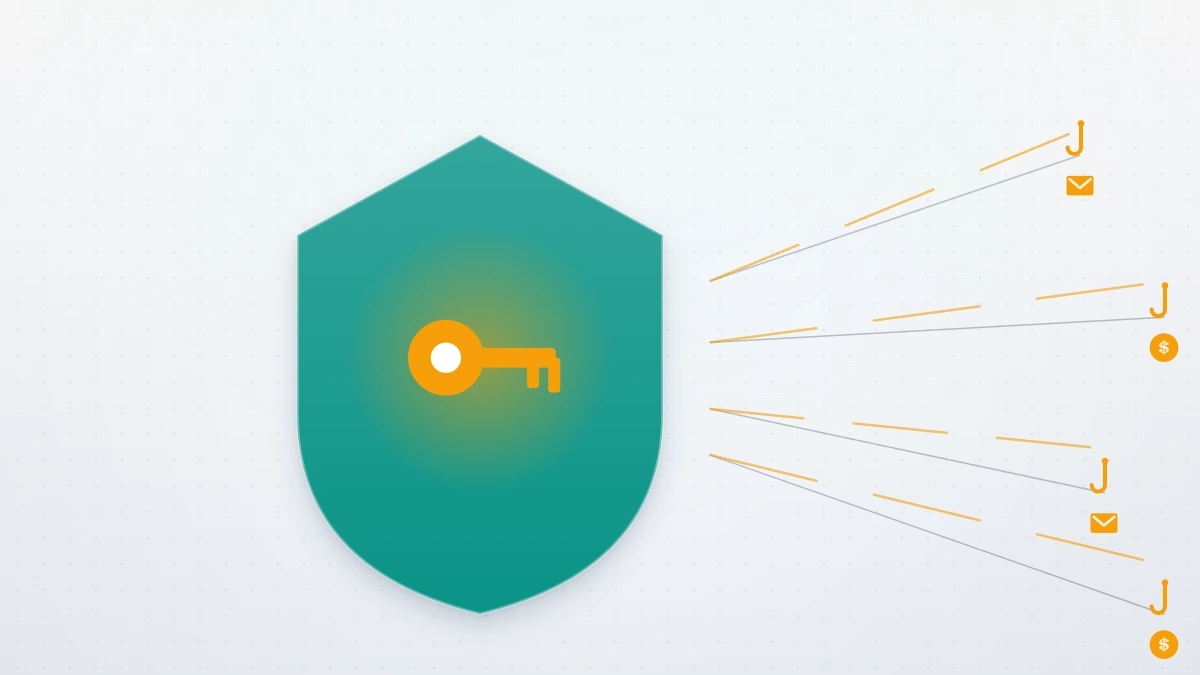
The despair that follows a missed window is a business model. Consumers reported more than $2.7 billion in losses to scams that started on social media between January 2021 and June 2023, more than any other contact method (FTC Data Spotlight, October 2023), and fake account-recovery services are a steady slice of that figure. What we hear in intake calls barely varies: an Instagram or Telegram profile claims insider access at Meta, demands $100–$500 up front, asks for your password "to run the recovery," then either disappears or invents a second fee. Urgency theater is the third tell: countdown timers, "our Meta contact goes offline tonight" pressure, payment demanded in gift cards or crypto. Each of those requests is disqualifying on its own. No legitimate provider needs your password, and nobody has an insider switch for data that no longer exists.
Our own rules are published and deliberately boring. We don't guarantee recoveries, because outcomes belong to Meta rather than to us. We never ask for passwords. Post-window deletion cases get turned down outright, and we tell those clients the truth even though "it's gone" is unbillable. Our full list of what we will and won't do is public; any provider who won't publish an equivalent is telling you something.
Where professional help genuinely earns its fee: in-window cases stuck in verification loops, hacked accounts where the attacker changed every contact detail, business profiles tangled with ad accounts and linked Facebook Pages, and impersonation cleanup after a rebuild. Those are process problems, and process problems respond to experience. Clean, eligible cases typically resolve in 24–72 hours once verification clears; nothing legitimate moves faster. If that matches your situation, our Instagram account recovery service starts with a free assessment and a straight answer about whether your case is workable.
Impersonation is the one post-deletion problem with a real fix. When a copycat profile picks up your name and photos after your account disappears, report it through the platform's impersonation process, and do the same wherever the copycat spreads: we keep step-by-step takedown guides for Instagram accounts, Facebook accounts and pages, TikTok accounts, Twitter (X) accounts, Snapchat accounts, Telegram channels, WhatsApp numbers, and YouTube videos.
And if the window has truly closed, the useful move isn't another recovery attempt: it's rebuilding under a handle you control, with security strong enough that you never need a guide like this again.