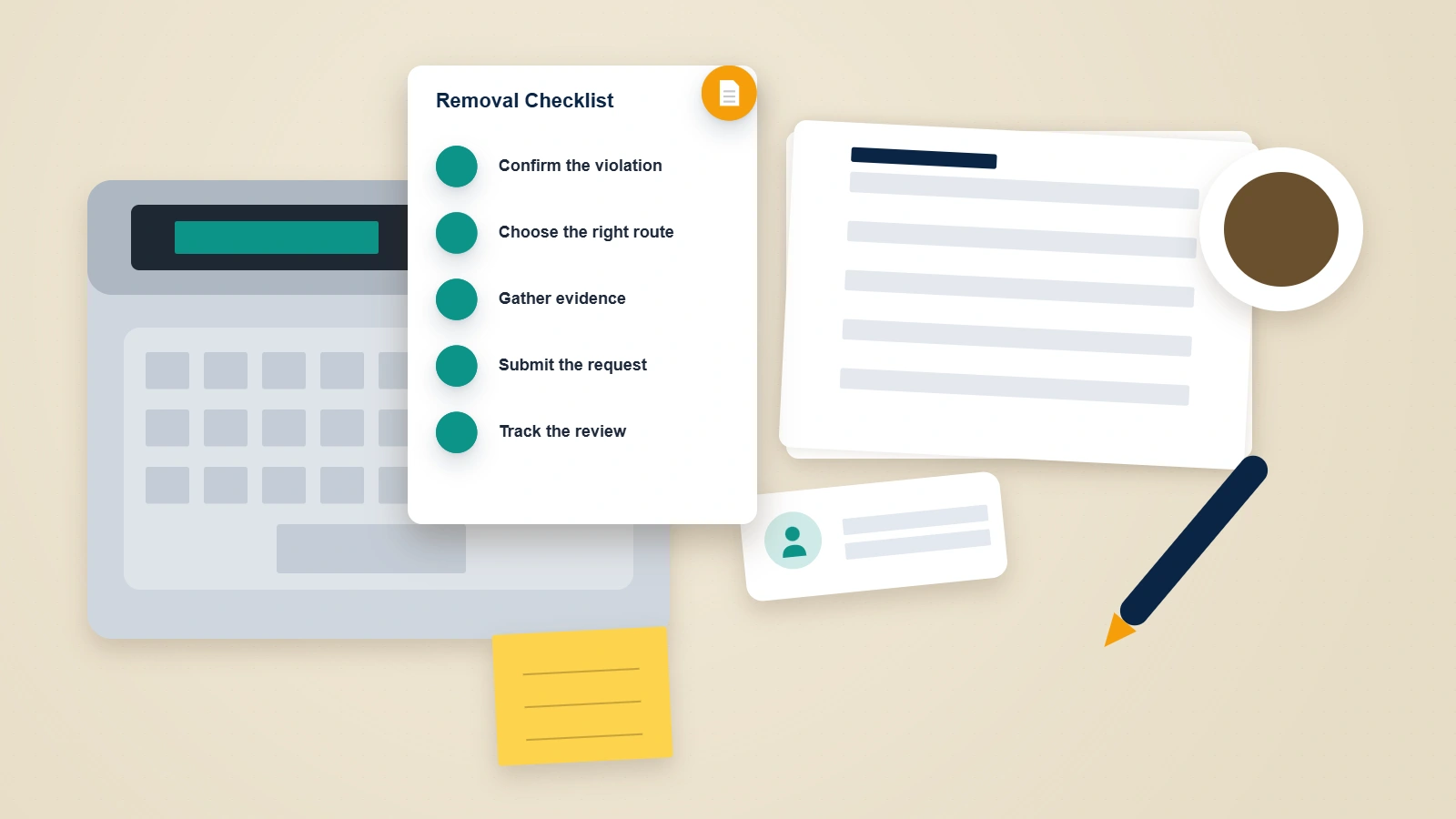
What does it mean to "take down" a YouTube video, channel, or account?
Taking down YouTube content means one of three fundamentally different actions, and confusing them is the single biggest reason people spend weeks getting nowhere. Removing your own content — a video, a Short, a whole channel, or the Google account behind it — is done from your own YouTube Studio in minutes, with no permission required. Getting content you do not control taken down — a video that harasses, impersonates, or defames you, exposes your private information, or reuses your copyrighted work — is a request YouTube weighs against a specific policy or law, and it succeeds only when the content genuinely breaks a rule. Appealing a takedown — when YouTube has already removed or struck one of your own uploads and you believe it was wrong — runs through a separate counter-notification and strike-appeal process. A YouTube take down request can mean any of the three, so before you touch a single button, work out which situation you are actually in.
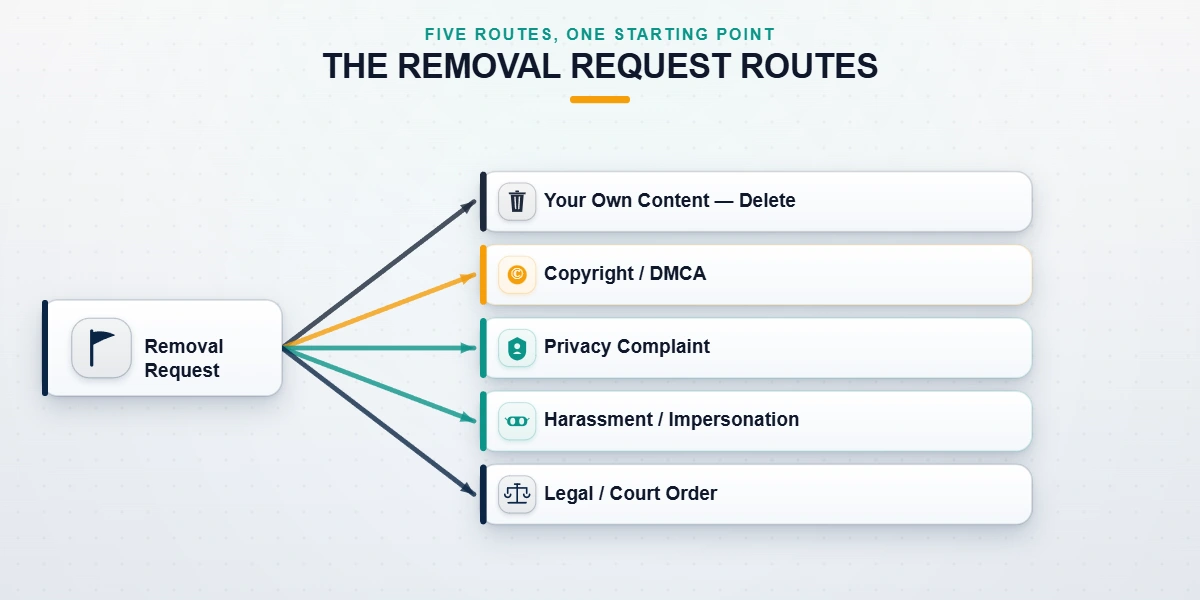
For content you do not own there is no single "remove this" button. There are five legitimate routes, and each has different eligibility, evidence, and timelines: copyright or DMCA, a privacy complaint, a harassment or impersonation report, a legal removal request or court order, and — only for content you own — deletion. Choosing the route that fits your facts is the whole game; the wrong route burns the window on the right one. If you searched for how to get an Instagram account taken down or how to take down a Facebook account, the underlying logic is identical across platforms — only the forms change.
How to take down your own YouTube video, channel, or account
To take down a YouTube video you uploaded, open YouTube Studio, go to Content, hover over the video, open the three-dot menu, and choose Delete forever — or, if you only want it out of public view rather than gone, switch it to Private or Unlisted instead. This is how you take down a video from YouTube when you are the uploader, and it is the same on desktop and in the mobile app. Deletion is immediate and permanent; there is no trash or grace period for a deleted video, so download it first (Studio, Content, Download) if you might want it later. Anyone asking how do you take down a video on YouTube that they did not upload is in a different situation entirely — see the reporting sections below.
To take down a YouTube channel you own, open YouTube Studio, then Settings, then Channel, then Advanced settings, and choose Remove YouTube content. YouTube will ask you to sign in to your Google Account again, then offer two options: hide the channel (reversible — videos, comments, and subscriptions are hidden but recoverable) or permanently delete it. Per YouTube's delete or hide your channel guide, deleting a channel does not delete the Google Account behind it; deleting the Google Account itself removes the channel along with everything else Google-related. Choose the channel-only deletion unless you truly want to erase the whole account.
How to take down an old YouTube channel or old videos
To take down an old YouTube channel or old videos, the mechanics are identical — the obstacle is usually access, not the delete button. If you have lost the login for an orphaned channel, you cannot delete it through Studio at all; you first have to recover access, then remove it. Our guides to recovering a YouTube account and YouTube account recovery without the original email cover the identity-verification flow that has to come first. In our internal case records (n=188 YouTube matters handled in the twelve months to July 2026), roughly one in four "I want my old channel taken down" requests turned out to be an access problem in disguise, not a deletion problem.
How to take down a YouTube Short
To take down a YouTube Short you posted, open YouTube Studio, go to Content, select the Shorts tab, hover the Short, and choose Delete forever from the three-dot menu — the same flow as a long-form video. Deleting the original does not automatically remove Shorts that other creators built by remixing your clip; those are separate uploads you would need to address through the reporting or copyright routes below.
How to get someone else's YouTube video or channel taken down
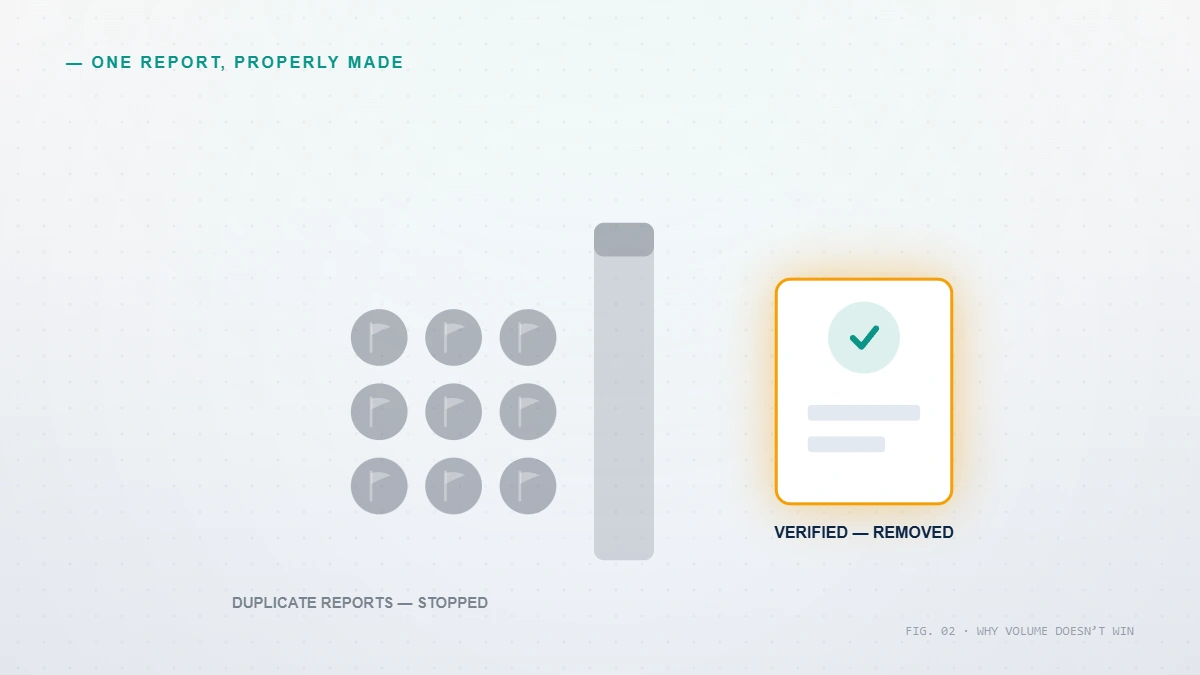
Start with the fact that half the internet gets wrong. You cannot get a lawful YouTube video or channel taken down by reporting it many times. The number of reports is irrelevant: ten reports and ten thousand reports have exactly the same effect on content that breaks no rule — none. YouTube's systems route reported content to policy review, where a reviewer measures it against a specific Community Guideline; they do not tally votes. This is the fact that separates real takedowns from the "mass reporting" and "brigading" services that flood this market, and much of the Reddit advice on how to get a YouTube video taken down is built on the same myth. Coordinated false-flagging does not remove lawful videos, and organising it is itself a Terms of Service violation that can get your own account actioned.
How to get someone's YouTube video taken down (harassment, privacy, impersonation)
To get someone's YouTube video taken down, you match the specific harm to the policy that covers it and file through that channel. If the video shows your face, full name, home, contact details, or financial information without consent, use YouTube's privacy complaint process: YouTube reviews it, and if it qualifies, gives the uploader 48 hours to remove the content before acting. If the video targets you with threats, sustained abuse, or reveals personal information to intimidate, report it under the harassment and cyberbullying policy from the video's three-dot menu. If a channel copies your name and photo to pose as you, file under YouTube's impersonation policy. Precision wins: name the exact policy and attach proof, exactly as we describe for a cross-platform case in our X/Twitter takedown walkthrough.
How to get a YouTube channel or account taken down
To get a whole YouTube channel or account taken down, the channel itself — not a single video — has to violate policy, usually through repeated Community Guidelines strikes, dedicated impersonation, or spam and scams. Report the channel from its About tab using the flag icon and Report user. The same rule holds: a channel comes down on a genuine, documented violation, not on the volume of complaints. To get someone's YouTube channel taken down for merely being critical, unflattering, or a competitor is not possible through any legitimate route, and any service that claims otherwise is either lying or planning to break YouTube's rules with your name attached to the paperwork.
How to ask or request YouTube to take down a video
To ask or request YouTube to take down a video, there is no generic "please remove this" form — you choose the request type that matches the harm. Copyright infringement of your work goes through the copyright removal request; privacy violations through the privacy complaint process; harassment and impersonation through the in-app report; and lawful-but-harmful content through the legal removal routes further down this guide. Filing the right request the first time is the difference between removal in days and a rejection that costs you weeks.
Being harassed, impersonated, or defamed on YouTube right now? Request a free case review and a reputation specialist with a former platform background will tell you honestly which route fits your situation — and whether the video is actually removable — before you spend a cent.
How to use a copyright claim — and does YouTube take down videos with copyrighted music?
Copyright is the fastest and most reliable removal route on YouTube, but only if you actually hold the rights. If someone reposts your video, film, photos, or music without permission, you file a copyright removal request (a formal DMCA notice) through YouTube's copyright webform, naming the original work, the infringing URL, and a good-faith statement — the same legal mechanism defined by the US Copyright Office's DMCA provisions. Valid claims are often actioned within hours to a few days. But copyright is not a general reputation tool: it only works on your own protected content, and filing a false claim on material that is not yours carries real legal liability under 17 U.S.C. § 512(f), which is exactly why we never submit a copyright notice on content we do not own. The same discipline applies to the infringement route in our guide to taking down a Telegram channel.
Does YouTube take down videos with copyrighted music? Yes — automatically, through Content ID. YouTube's audio-fingerprinting system scans uploads against a database of protected recordings, and the rights holder decides whether to mute the audio, block the video in some or all countries, monetise it, or leave it up. This is why the question of whether YouTube will take down your video with music usually resolves within minutes of upload without any human report. A Content ID claim is not the same as a copyright strike: a claim affects one video's visibility or revenue, while a strike is a penalty against your channel. After a successful removal, a determined uploader can re-upload, but Content ID and repeat-infringer tracking make persistent re-uploading progressively harder — the second and third attempts are usually caught on upload.
Can YouTube take down private or unlisted videos?
Yes. A video's privacy setting controls who can find it, not whether YouTube's rules apply to it. Community Guidelines, copyright, and legal removals reach private and unlisted videos exactly as they reach public ones — so a private YouTube video can be taken down, and unlisted YouTube videos can be taken down, whenever they violate a policy or law. The practical difference is exposure. A truly private video, visible only to people the owner invited, is rarely reported because almost no one sees it to report it. Unlisted videos are the real risk: they do not appear in search or on the channel, but anyone with the link can view and share it, and a rights holder or a person harmed by the content can still file a complaint that reaches YouTube's review teams. If your concern is an unlisted link circulating about you, the privacy and copyright routes above apply in full — the "unlisted" label offers the uploader no shield.
What if YouTube won't remove the video? Court orders and legal escalation
Sometimes a video is genuinely harmful but does not breach any YouTube policy — a defamatory accusation, for instance, where YouTube declines to judge whether a statement is true or false. When YouTube will not remove content on policy grounds, the escalation path is legal. YouTube accepts court orders and other legal demands through its other legal complaints process, and for defamation you will usually need a court order, because platforms do not adjudicate truth. Where the uploader is anonymous, lawyers can seek a "John Doe" subpoena to unmask them before pursuing a takedown or damages. Residents of the EU and UK have an additional lever: the right to erasure under Article 17 of the GDPR, which can compel removal of certain personal data and support delisting from Google Search independently of YouTube's own policies.
Be realistic about timelines, because no honest guide gives you a single number. In our records, copyright claims where you hold the rights resolve fastest and most reliably; privacy complaints take days to a few weeks and are discretionary; harassment reports are decided case by case and are often declined when the content sits close to the line; and legal routes involving court orders run weeks to months. When a video is lawful and simply cannot be removed, the durable answer is search-result suppression — pushing it down and out of view — which is measured in months, not days. Anyone quoting you a same-day guaranteed removal for a lawful video is selling false hope. The team behind our reputation practice sets that expectation before any work begins, not after.
How to appeal when YouTube takes down your video — and why YouTube removes videos
Why does YouTube take down videos in the first place? Almost always one of three reasons: a Community Guidelines violation (spam, harassment, dangerous or misleading content), a copyright claim or strike, or a legal removal. If YouTube took down your video and you believe it was wrong, you have a formal appeal, and it works. For a copyright removal you disagree with, you file a copyright counter notification; for a Community Guidelines strike, you request review from the strike notification. Prepare before you click: cite the specific policy, explain the context an automated system missed, and note your channel's clean history. Three copyright strikes leads to channel termination, so treat the first one seriously — how to not get your video taken down on YouTube comes down to holding the rights to everything you upload and staying inside the Community Guidelines. If your channel was already terminated, our guides to appealing a YouTube channel ban and recovering a terminated YouTube channel cover the reinstatement route in depth.
Can you still watch YouTube videos that were taken down?
Usually, no — and that is by design. When a video is removed for a policy or copyright violation, YouTube deletes it from its servers, so there is no legitimate way to watch, view, or download a YouTube video that was taken down through YouTube itself. Occasionally the Internet Archive's Wayback Machine has cached a video's page, but it typically preserves the title, description, and thumbnail rather than a playable file. If a creator merely set a video to private, it is not gone — it is just hidden from you, and only the owner can restore public access. Two cautions: downloading content that was removed for legal reasons can itself be unlawful, and this cuts both ways — if you successfully got something about you taken down, residual copies (screenshots, re-uploads, archives) can persist, which is precisely why lasting reputation work pairs removal with ongoing monitoring rather than treating one takedown as the finish line.
What we won't do — and what YouTube won't take down
Because this niche is crowded with scams, transparency is our product. We never ask for your YouTube or Google password, we never charge a fee that "guarantees" removal of lawful content, and we do not file false copyright notices, fraudulent DMCA claims, or coordinated mass reports to force a takedown — boundaries spelled out in what we won't do on a removal request. Anyone promising to erase a truthful negative review, a competitor's lawful channel, or an honest but unflattering video for a flat fee is either lying or planning to break YouTube's rules with your name on the filing.
It is just as important to know what YouTube will not take down, no matter who asks or how many times: lawful criticism, honest negative reviews, satire and parody, accurate factual reporting, and any content that does not breach the Community Guidelines or the law. Setting that expectation honestly is the difference between our reputation management services and the guaranteed-removal operators. Where content genuinely violates a policy or your legal rights — copyright infringement, a privacy breach, harassment, impersonation, or defamation with a court order — removal is realistic, and a well-built case is what gets it done. Legitimate clean recovery and reporting typically resolves within 24–72 hours to a few weeks; durable search suppression takes 90–180 days. Anyone quoting faster is selling false hope.