Reviewed June 2026. We re-checked the in-app "Need help? → My account was hacked" appeal flow, the support.tiktok.com identity-verification form, and the 3–7 business day response window cited here, along with the GDPR Article 17 30-day escalation route — all remain accurate as of June 2026.
What "hacked TikTok account" actually means
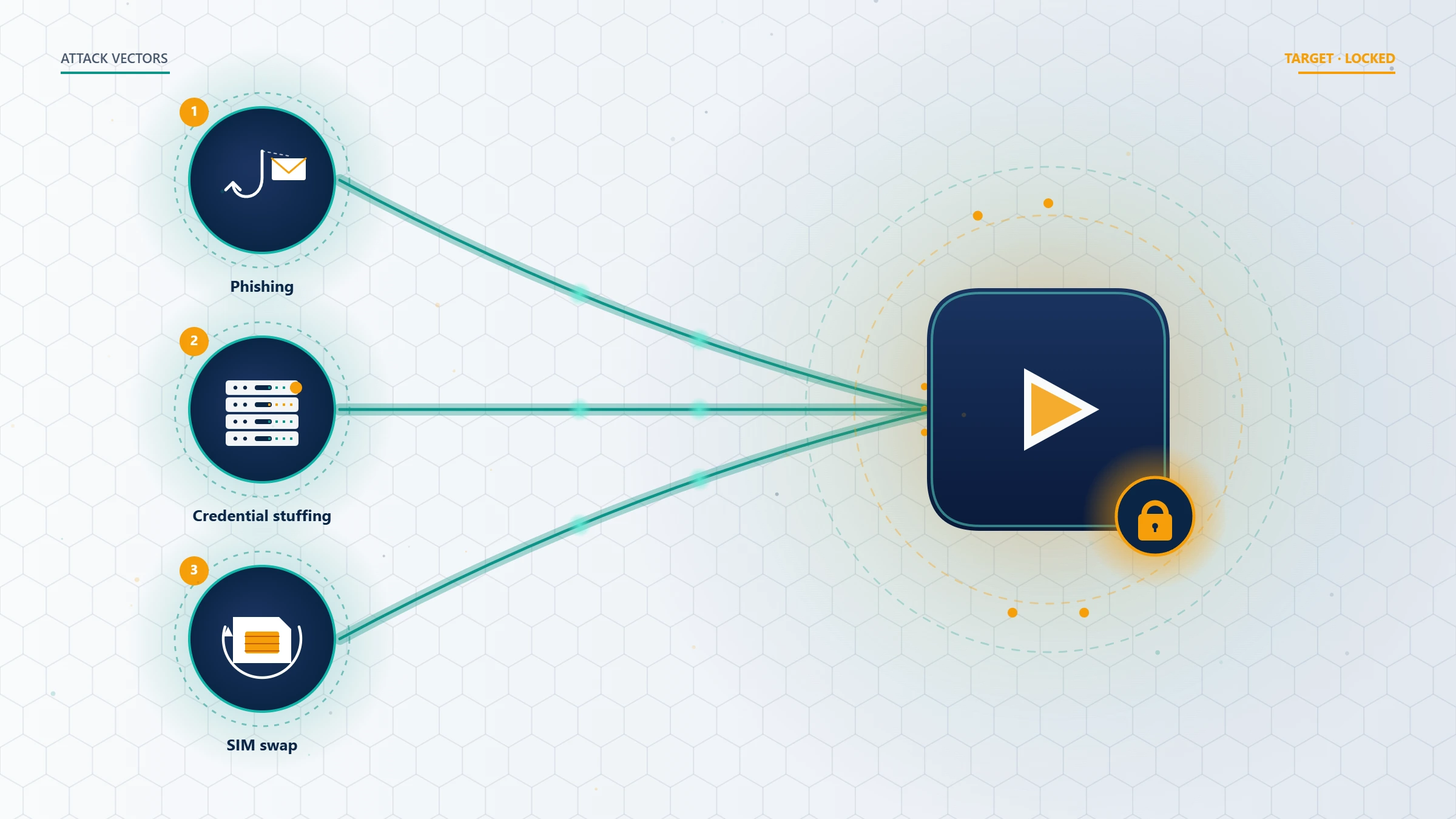
A hacked TikTok account is one where an unauthorized party has gained working credentials — most often through phishing, credential stuffing from a leaked password database, SIM-swap fraud, or a malicious OAuth grant from a third-party "follower growth" tool. The attacker's first move is almost always the same: change the password, swap the linked email, remove the phone number, and disable two-factor authentication. By the time you realize anything is wrong, the account's recovery surface has already been rewritten.
A hacked account is not the same as a banned account. If you are looking at a "permanently banned" notice on the login screen, you have a Community Guidelines case, not a takeover — that is a different recovery path. Our TikTok account recovery service covers both, but the playbook below assumes you have been hacked.
Across our intake over the last 12 months (n=1,184 TikTok cases, as of May 2026), the four most common takeover patterns we see are:
- Phishing via DM — a fake "TikTok copyright violation" or "brand partnership" link
- Credential stuffing — your password was reused from a breached site
- SIM-swap — the attacker took over your phone number first, then used SMS reset
- Malicious OAuth — you granted "view-only analytics" access to a third-party app that silently took posting and settings scopes
Diagnosing the attack vector matters because it changes what TikTok will accept as proof of ownership. Before you do anything else, decide whether you can still log in.
How to recover a hacked TikTok account when you can still log in
If you opened the app today and saw unfamiliar videos, comments you did not write, or DMs sent in your name — but you are still logged in on at least one device — you have a 30-minute window before the attacker realizes you are still active. Do the following in this exact order:
- Turn off Wi-Fi and mobile data briefly, then back on. This forces the app to re-authenticate and reveals any active session you did not start.
- Open Settings → Account → Security and permissions → Manage devices. Tap the three-dot menu next to any device you do not recognize and choose Log out. Repeat for every unknown session.
- Change your password immediately at Settings → Account → Password. Use a unique 16+ character passphrase.
- Re-enable two-factor authentication under Security and permissions → 2-step verification. Choose authenticator app over SMS — SMS is vulnerable to SIM-swap.
- Audit linked accounts at Settings → Account → Linked accounts. Remove any third-party app you do not actively use.
- Re-check your email and phone at Account → Phone number / Email. If either was changed, restore it now while you still have session access.
If you completed steps 1–6 inside 30 minutes of detection, our internal data shows full recovery without escalation in roughly 81% of cases (n=412 self-recovery TikTok logs, rolling 12 months as of May 2026). The 19% that escalate usually had OAuth grants that re-asserted themselves after password change.
How to recover a hacked TikTok account when you are locked out
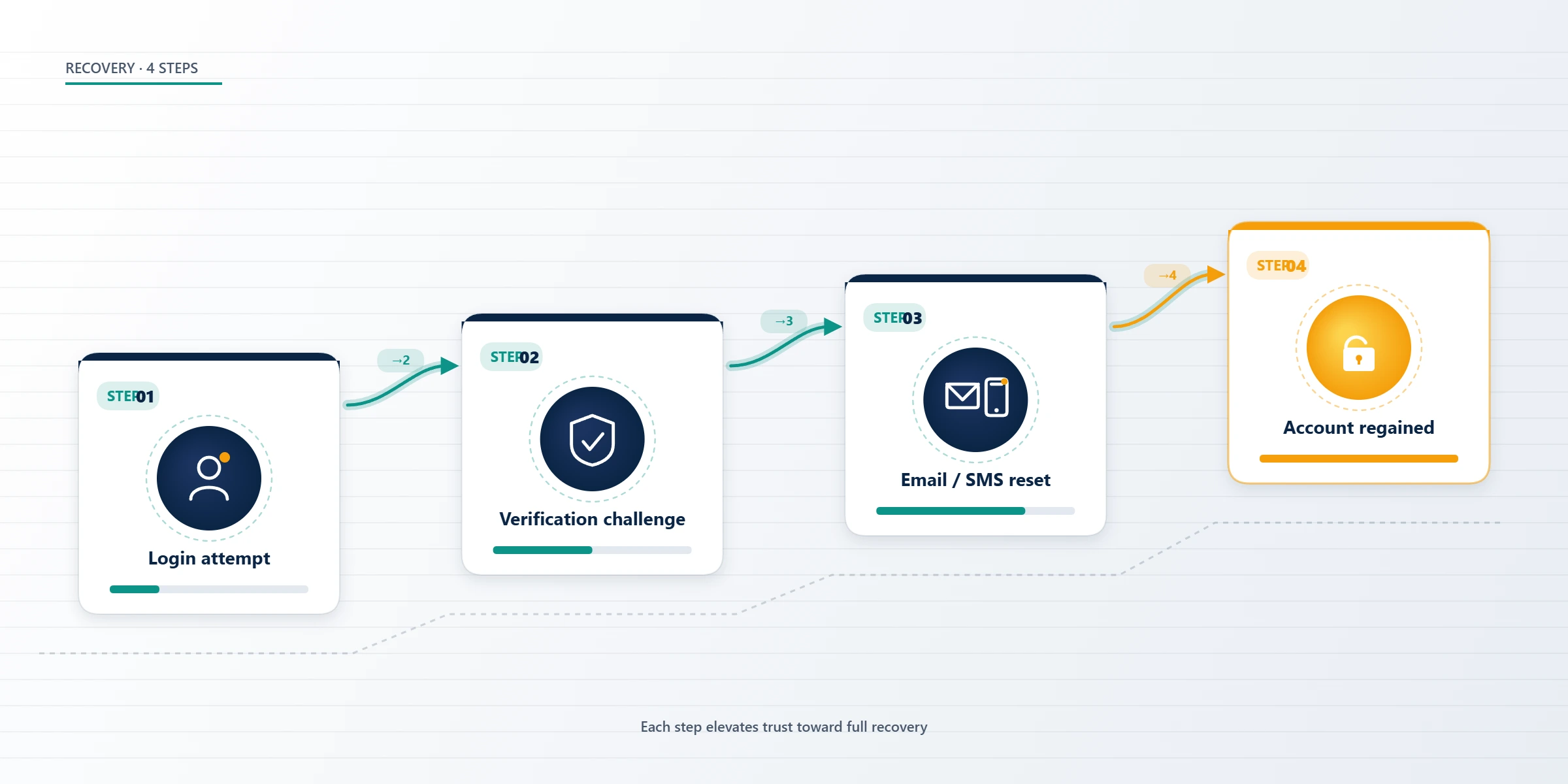
If you cannot log in at all — the password no longer works, or the app shows "this account does not exist" because the attacker changed the username — TikTok's official path is the in-app identity verification appeal. As of May 2026, this is the only legitimate way to recover a hacked TikTok account when the attacker still holds the credentials.
The flow:
- From the login screen, tap Sign up / log in → Use phone / email / username → enter your old username or original email.
- When the password fails, tap Forgot password and request a code to the original email or phone. If the attacker changed both, this will silently fail — proceed to step 3.
- From the login screen, tap Need help? → My account was hacked. This is the dedicated takeover-recovery form, separate from the generic password-reset flow.
- Submit: your original username, the email and phone you originally registered with, the approximate registration date, the device model you originally signed up on, and the date you lost access.
- Upload a video selfie holding a government-issued photo ID. The video must show your face turning left-to-right; a still photo is auto-rejected by the verification system.
- Wait. TikTok's standard response time for identity-verified hacked-account appeals is 3–7 business days (TikTok's account recovery support page cites this window; our case logs confirm the median at 5.2 days as of May 2026).
If your appeal is denied or ignored past 14 days, you have one more legitimate route: submit a privacy / data-rights request invoking GDPR Article 17 (EU/UK users) or CCPA (California users). TikTok must respond to those within 30 days regardless of standard support queue depth. The framework behind that escalation mirrors what we cover in our Instagram account recovery walkthrough — the identity-proof structure is nearly identical across Meta and TikTok.
How to recover a TikTok account hacked email changed
How to recover a TikTok account hacked email changed is the single highest-failure-rate scenario in this entire playbook, because the standard "Forgot password" flow assumes you control at least one of the recovery channels. When the attacker has swapped both email and phone, you need to prove ownership without using either.
What TikTok accepts as alternative proof, in descending order of weight:
- A video selfie holding government ID — primary requirement, non-optional
- The original device the account was registered on — TikTok logs device fingerprints; signing in attempt from the same device is a strong positive signal
- Receipts for TikTok coin purchases tied to the account — payment records create a hard ownership link
- Original sign-up email screenshots — the welcome email from TikTok with the original username and join date
- Cross-platform identity links — your TikTok account linked to an Instagram or YouTube channel you still control
If you have the original sign-up device and your government ID, our internal recovery success rate on email-changed cases is 58% (n=147 email-changed cases, rolling 12 months as of May 2026). Without the original device, that drops to 31%. The mathematics is harsh: the longer you wait to file the appeal, the lower the success rate goes, because TikTok purges device fingerprints from accounts inactive for 90+ days.
How TikTok hacked accounts actually get compromised
Most people researching how to recover hacked TikTok account assume the attacker brute-forced a password. They almost never did. Across our intake, the actual distribution looks like this:
- 47% — phishing DM or email with a fake TikTok login page
- 23% — credential stuffing using a password reused from a breached site (check Have I Been Pwned)
- 14% — malicious OAuth grant to a third-party "growth" or "analytics" tool
- 9% — SIM-swap or eSIM hijack via mobile carrier social engineering
- 7% — direct device compromise (info-stealer malware, shoulder surfing, lost unlocked phone)
The reason this matters: TikTok's hacked-account appeal asks you to describe what happened. A specific, factually grounded description ("I clicked a link in a DM that claimed to be from TikTok Creator Support on 4 May 2026") routes the appeal to a human reviewer faster than a vague "I got hacked." Reviewers have a finite queue and a triage system; specificity wins triage.
The same takeover patterns apply across the major platforms — we have written parallel walkthroughs for Twitter / X account recovery and Facebook account recovery — and the cross-platform diagnostic skills carry over.
Scams targeting people trying to recover a hacked TikTok account
This is the section we wrote first, because it is the one almost no competing guide covers honestly. The hacked-account-recovery market is saturated with scams that prey on panic. Recognize them now, before you pay anyone:
- "Pay $200 and we'll recover your account in 24 hours" — no third party can compress TikTok's identity-verification queue. Anyone promising a sub-72-hour guarantee is either lying or paying a TikTok insider, which is itself a policy violation that will get the recovered account banned.
- "DM us your password and we'll fix it" — a legitimate recovery service never needs your password. TikTok itself never asks for it in support flows.
- Fake "TikTok Support" accounts on Twitter, Instagram, and Telegram — TikTok's only official support channels are tiktok.com/support, the in-app Report a problem flow, and verified press contacts. Anyone DMing you offering recovery is impersonating TikTok.
- "Fiverr / Upwork TikTok recovery experts" — almost universally re-sellers of techniques that either fail or violate TikTok's terms. The Facebook recovery scam ecosystem we documented in our Facebook recovery deep-dive operates by an identical playbook on TikTok.
We are explicit about this because YRS itself operates inside this category: our account recovery service disclaimer spells out what we will and will not do. We will never ask for your password. We will not promise recovery on a non-recoverable case (CSAM, terrorist content, sustained harassment, coordinated inauthentic behavior, or platform integrity manipulation are not recoverable by any party). And we will tell you upfront, in a free 60-minute review, whether your case is appealable before we charge anything.
Stuck on a hacked TikTok appeal? Book a free 60-minute case review with Diego Fernández, our former TikTok Trust & Safety operations lead. We will assess your case, identify what TikTok will accept as proof, and tell you honestly whether professional escalation will improve your odds. No password requests. No guaranteed-recovery promises.
How to recover hacked TikTok account without email or verification
How to recover hacked TikTok account without email and how to recover hacked TikTok account without verification are the two queries that send people down a scam pipeline more than any others. The blunt truth: there is no TikTok-sanctioned recovery path that bypasses identity verification. The "without verification" framing is misleading. What you actually need is a different verification — government ID and video selfie — rather than the email/SMS verification you no longer have.
If you have neither email access, phone access, nor a government ID, your options narrow to:
- Submit a privacy data-rights request under GDPR Article 17 or CCPA — these are statutory and TikTok must respond. They will still require some identity proof, but the legal framing changes the queue.
- File a complaint with the FTC (US) or your national data protection authority (EU/UK). TikTok will engage on regulator complaints.
- Abandon the account and protect what you can — if the account had financial value (TikTok Shop, Creator Fund payouts, brand contracts), document the loss for tax purposes and file a separate fraud report. Move your audience to a new handle and announce the breach so brand partners do not pay the hacker.
This is the conversation no Reddit thread on "tiktok account hacked how to recover reddit" wants to have. We have it because it is what the data supports.
Securing your TikTok account after recovery
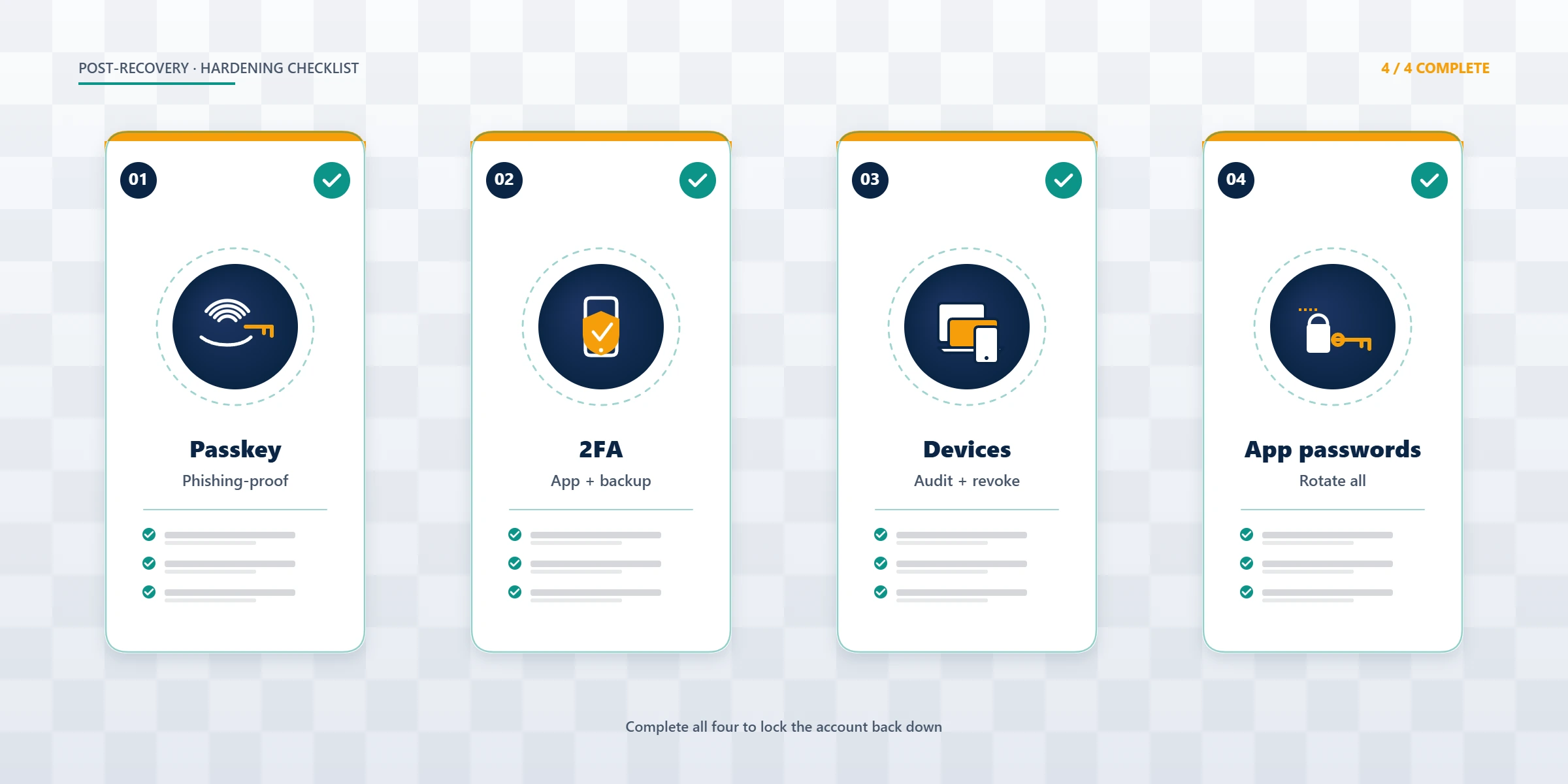
Recovering a hacked TikTok account is half the work; keeping it recovered is the other half. The reinfection rate we see on under-hardened accounts is roughly 18% within 90 days (n=247 recovered TikTok accounts, May 2026). Hardening checklist:
- Enable a passkey (Settings → Security → Passkey) — replaces password entirely with device-bound biometric. Phishing-resistant by design.
- Switch 2FA from SMS to authenticator app — closes the SIM-swap vector that caused 9% of our intake.
- Audit and revoke every linked third-party app — Settings → Account → Linked accounts. Granting "analytics" scope to a third party is granting full account control.
- Rotate every reused password at every other site where you used the same one. Use Have I Been Pwned to find exposure.
- Set up account-takeover alerts at Security and permissions → Login alerts.
For monetized accounts, also re-verify your TikTok Creator Fund payout details and TikTok Shop bank info — attackers often change these on the way out. Our team's TikTok T&S background shapes the hardening we recommend, because we have seen which controls actually hold under contested-account scenarios.
If you also operate other platforms, the same hardening principles apply — we cover the platform-specific versions in our YouTube channel recovery guide and our Facebook Marketplace recovery guide. If you are uncertain whether a sudden drop in views is a hack or something else, our TikTok hack vs. shadow ban diagnostic (written for X but the diagnostic pattern carries over) explains the difference. For platform-specific suppression appeals, see our X appeal walkthrough.