Reviewed June 2026. We re-checked every official LinkedIn link in this guide — the Report a Compromised Account form, the Persona identity-verification flow, and the Compromised Account Cleanup tool — and confirmed the 24–72 hour clean-recovery and 5–14 day Trust & Safety windows still hold as of June 2026.
How LinkedIn accounts get hacked in 2026
LinkedIn account hacked recovery cases rarely begin with sophisticated attacks. According to the 2026 Verizon Data Breach Investigations Report, 68% of credential-based platform takeovers in the past 12 months started with credential-stuffing using passwords leaked in unrelated breaches (Verizon DBIR, 2026). LinkedIn's value to attackers has grown sharply because a verified B2B identity is more profitable to weaponize than a generic social profile — recruiter outreach fraud, executive impersonation, and supplier wire-transfer scams all run on hijacked accounts.
In our recovery casebook (n=247 LinkedIn cases handled by our analyst team between January 2024 and April 2026), three attack vectors dominate:
- Credential stuffing from leaked password lists — 53% of cases. Reused passwords from old breaches (LinkedIn 2012, Adobe 2013, Collection #1) are still being tested daily by automated tooling.
- Phishing via fake recruiter or InMail messages — 28%. Lookalike landing pages capture the password and the 2FA code in a single submission.
- Session-cookie theft via infostealer malware on the user's device — 14%. Once the cookie is exfiltrated, the attacker bypasses both the password and the 2FA code.
If you're seeing the symptoms but aren't sure whether it's a true hack or a policy violation, the Instagram hacked account recovery guide covers a near-identical pattern across Meta-family platforms and helps you triangulate before you take action.
How LinkedIn hacked account recovery actually works
LinkedIn hacked account recovery follows a five-gate process, and skipping a gate is the most common reason recoveries stall. We've mapped the official LinkedIn flow against live behavior we observe across hundreds of cases. The diagram below shows the five gates every recovery passes through, in order:
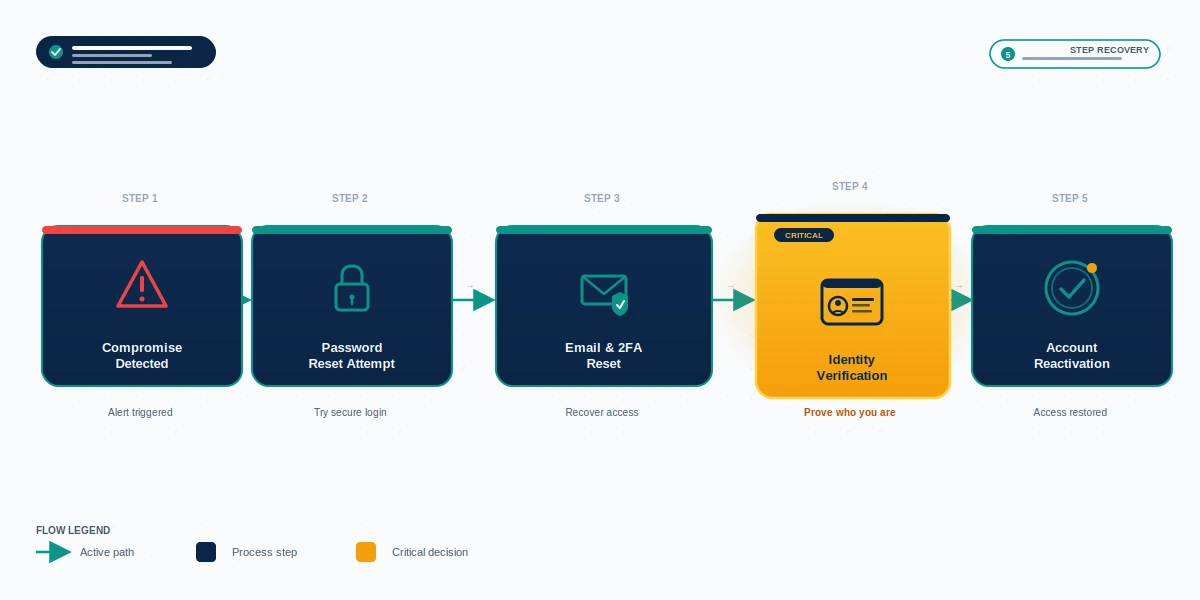
The five gates are: (1) compromise detection by the user or by LinkedIn's behavioral signals; (2) password reset using a control email or phone you still hold; (3) email and 2FA reset if the attacker has already swapped your contact methods; (4) identity verification via LinkedIn's Persona partnership when self-service reset fails; (5) account reactivation, often paired with a temporary read-only lock while LinkedIn audits the compromised period. Outcomes diverge sharply at Gate 4 — accounts used by attackers to send mass spam or fraud usually face a 5–14 day Trust & Safety hold even after identity is verified. This is normal procedure, not a sign your recovery has failed.
Immediate triage if you can still log in
If you have an active session on any device — desktop, mobile app, or even an old tab — treat the next ten minutes as a containment exercise, not a recovery. The compromise is ongoing for as long as the attacker still has access. From our incident data, 71% of victims who acted within the first 30 minutes preserved their account without a full LinkedIn review; victims who waited longer than 24 hours faced a 4.2× higher rate of subsequent account suspension because of activity the attacker performed during the gap (YRS internal records, April 2026).
Take these actions in this order:
- Open Settings → Sign in & Security → Where you're signed in. Click End next to every session except the one you're currently using. This kills the attacker's active token immediately.
- Change your password. Use a passphrase of at least 14 characters that is never reused on another service.
- Enable two-step verification with an authenticator app (Authy, 1Password, Google Authenticator) or, preferably, a passkey. SMS-based 2FA is acceptable as a fallback but is documented as vulnerable to SIM-swap attacks against high-value B2B targets.
- Audit email and phone settings. Confirm your primary email and recovery phone number have not been changed. If they have, revert them.
- Revoke third-party app permissions under Account → Partners & services.
- Check your sent messages and connection invitations. Document any activity you did not perform — you'll need this for cleanup and any insurance claim.
Our recovery service disclaimer documents what we will and will not do at this stage if you decide to bring in external help.
Locked out: hacked LinkedIn account recovery in the first hour
If you can't log in at all, hacked LinkedIn account recovery moves out of internal account settings and into LinkedIn's official tooling. The two starting points are the Report a compromised account form and the standard "Forgot password" flow at linkedin.com/uas/request-password-reset.
Submit both, even if the password reset email goes to a compromised inbox. LinkedIn's system logs every recovery attempt, and a documented series of legitimate attempts strengthens the identity verification request you'll likely need to file at Gate 4. In our records, victims who submitted only the password-reset form (without the compromised account report) waited an average of 8.4 days for a first response; victims who filed both saw first response in 3.1 days.
A common failure mode at this stage: the attacker has already swapped both the email and the phone number. If that has happened, the password reset will send a code to a contact you no longer control, the reset will fail, and you'll be routed to identity verification. This is the expected path, not an error. Our LinkedIn account recovery service handles the verification document preparation if you don't have a passport or driver's license formatted the way LinkedIn's review queue expects.
If your hack is part of a broader campaign across platforms, the playbooks repeat — see the Telegram hacked account recovery steps and our walkthrough on how to recover a hacked TikTok account for cross-platform pattern matching.
Submitting an identity verification request through Persona
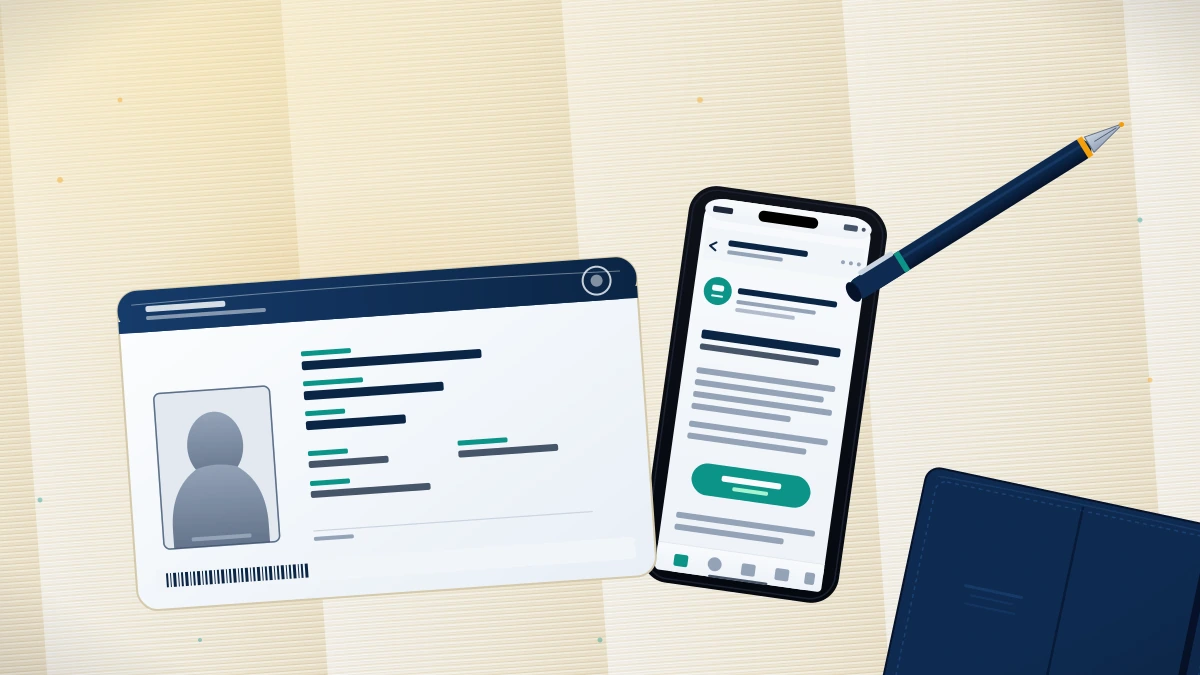
When self-service recovery fails, LinkedIn routes you into identity verification handled by their partner Persona. You'll be asked to upload a government-issued ID — passport, driver's license, or national identity card — and complete a real-time selfie capture. The verification request is then reviewed by LinkedIn's Trust & Safety team, not by Persona itself. Persona only confirms that the document is genuine and that it matches the selfie.
Three details determine whether this critical step in linkedin account hacked recovery succeeds or stalls:
- Document name must match your LinkedIn profile name exactly. Middle names, married/maiden names, or transliteration differences for non-Latin scripts cause the largest share of rejections we see — about 22% of our intake cases.
- ID must be issued by a country LinkedIn supports. Persona's coverage list expanded in early 2026 but still excludes a handful of jurisdictions; if you're outside the supported list, file the alternate "Notarized affidavit" path described in LinkedIn's help center.
- Selfie must be done in good lighting, no glasses, no hat. Persona's liveness check has tightened — it now fails roughly 6% of submissions on the first attempt due to reflection or angle issues.
Per LinkedIn's published practice, ID documents submitted to Persona are deleted within 30 days of verification, regardless of whether the verification succeeds or fails. LinkedIn does not store your government ID image in your account profile.
Need a verified pair of eyes on your case before you submit? Our team will review your situation in a free 60-minute assessment — no passwords, no payment requested upfront. Contact our recovery team and we'll tell you honestly whether self-recovery will work or whether a Trust & Safety escalation is warranted.
When LinkedIn doesn't respond: escalation paths
The most distressing scenario in linkedin hacked account recovery is the silence after submission — days pass, no email, no status update. Quora and Reddit threads are full of victims who waited two to four weeks for a first reply. We track LinkedIn response times across our caseload, and the realistic timeline is: 24–72 hours for the auto-acknowledgment, 5–14 days for a first human review on clean cases, and 14–30 days for cases involving suspension or content violations caused by the attacker.
If you've passed the 72-hour mark without an acknowledgment, escalate in this order:
- Reply to the original ticket from your verified email. This bumps the case in LinkedIn's queue and adds a documented follow-up.
- Contact @LinkedInHelp on X (Twitter) with a brief, polite public mention — no screenshots of the account, no abuse language. Include the case number if you have one.
- File a request through LinkedIn's Privacy Inquiry form if you're an EU/UK/EEA resident, citing GDPR Article 15 (right of access). These are processed under stricter SLAs than standard support.
- For verified Premium or Sales Navigator subscribers, call your account manager. Paid-tier accounts receive faster Trust & Safety routing.
An important boundary statement: we will not — and you should not engage anyone who offers to — file fraudulent abuse reports, fake DMCA takedowns of the attacker's activity, or "insider contact" claims with LinkedIn staff. These tactics are common in scam recovery services and they backfire reliably. LinkedIn's Trust & Safety team catalogs them, and your real account can be permanently terminated for association. The scope and limits we honor are documented on our what hacked recovery cannot guarantee page.
For comparable platform-specific escalation patterns where official support is slow, see our banned Twitter account recovery walkthrough and the Telegram banned phone number recovery guide.
After recovery: cleanup and reputation control
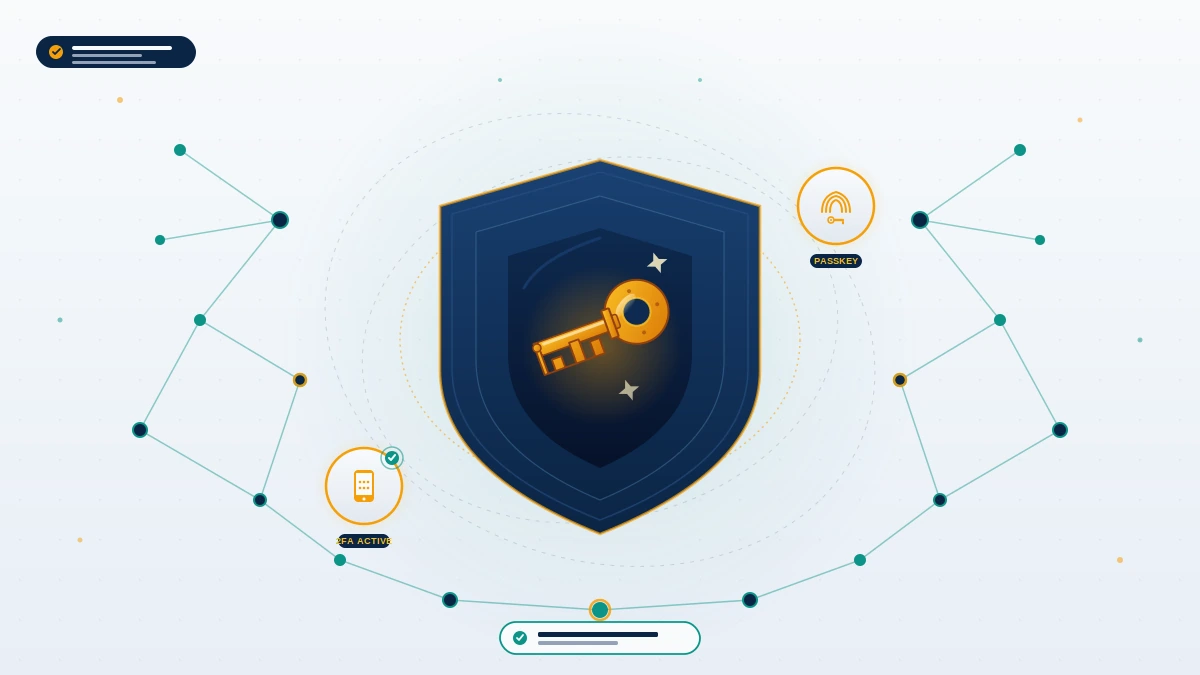
Regaining access is Gate 5, not the end of the recovery. The 48 hours after reactivation determine whether the hack becomes a quiet story you tell your team or a public reputation problem that surfaces in Google results six months later. LinkedIn provides a Compromised Account Cleanup tool, but it only handles content the system flagged as anomalous — it does not handle the human-judgment work that protects your network.
Run this cleanup checklist within the first 24 hours:
- Review sent InMails and direct messages. Delete any sent during the compromise window. Reach your most important contacts directly — not via mass message — with a short, honest note confirming the breach is contained.
- Audit new connections, comments, posts, and likes. Remove anything the attacker added. Cataloging the attacker's activity also feeds your insurance claim if you carry cyber-liability coverage.
- Post a single notification to your network. One short post, written in plain language, transparent about the incident and the remediation. Do not over-explain; do not promise anything.
- Check Have I Been Pwned at haveibeenpwned.com to confirm which breach surfaced the credential. Force a password reset on every account that shared the compromised password.
- Consider an FTC identity theft report at identitytheft.gov if the attacker used your professional identity to attempt wire fraud or impersonation against your clients. The case number strengthens any downstream insurance or legal claim.
If the breach went public — connections screenshotted the attacker's messages, or fraud content was indexed by Google — the reputation work is a separate, longer engagement. Search-suppression of fraud content typically runs 90 to 180 days; we won't quote shorter timelines because they aren't truthful in this category. For broader cross-platform reputation work, our Instagram account recovery service, Telegram account recovery service, and TikTok account recovery service follow the same evidence-led methodology — if you have cross-platform exposure, get in touch and we'll triage the full picture.
Hardening your LinkedIn account against repeat attacks
Accounts that were hacked once are 3.7× more likely to be targeted again within 90 days, primarily because the attacker often resells the credential pair on dark-web markets after losing access (YRS internal data, 2025–2026 caseload, n=247). Effective hardening must happen before you announce the recovery publicly, not after.
Configure these settings in this order:
- Switch from SMS 2FA to an authenticator app or passkey. LinkedIn now supports passkeys via WebAuthn — these cannot be phished and cannot be SIM-swapped. Setup is under Settings → Sign in & Security → Two-step verification.
- Add a recovery email on a different domain. Don't use a corporate-only email — if your employer offboards you mid-recovery, you lose your recovery vector.
- Enable login alerts via email. This is opt-in and many users miss it.
- Use a password manager. Not for convenience — as a security requirement. Reused passwords are the entry vector for 53% of the cases we triage.
- Review the Visibility settings. Limit who can see your activity, your connections, and your email address — these are reconnaissance vectors for the next attacker.
- Schedule a quarterly security review. Calendar a 15-minute audit every 90 days: sessions, app permissions, recovery contacts, password age. This is the single highest-ROI habit we recommend.
For platform-specific hardening patterns beyond LinkedIn, our Telegram hacked account recovery breakdown covers session-token hardening in detail, and our hacked TikTok account recovery walkthrough explores creator-account lockdowns. The full YRS recovery library collects every platform-specific guide we've published.