What "getting someone banned from Facebook" actually means
Three different situations hide behind that one phrase, and working out which one you're in saves weeks of wasted effort. The first is reporting another person's profile — someone harassing, impersonating, or defrauding you — so Meta reviews it and disables the account. The second is clearing someone out of a space you control: blocking them, or banning them from your own Facebook Page or Group. The third is the opposite problem, where your account got swept up in a report wave and you want it back. Each runs on a separate track, and confusing them is why people report over and over and watch nothing change.
Want to clear someone out of a space you own? You don't need Meta involved at all. On a Page you manage, open the moderation settings or tap the three-dot menu on a comment to ban that commenter; in a Group, open the member list, tap the person's name, and choose to remove or block them. Those actions take effect immediately and are entirely yours. Reporting a stranger's personal account to Meta is the slower, evidence-led route this guide covers, and it overlaps with taking down a Facebook account, Page, or post. Landed here because someone is trying to remove you? Start instead with how to get unbanned from Facebook.
The violations Facebook actually acts on
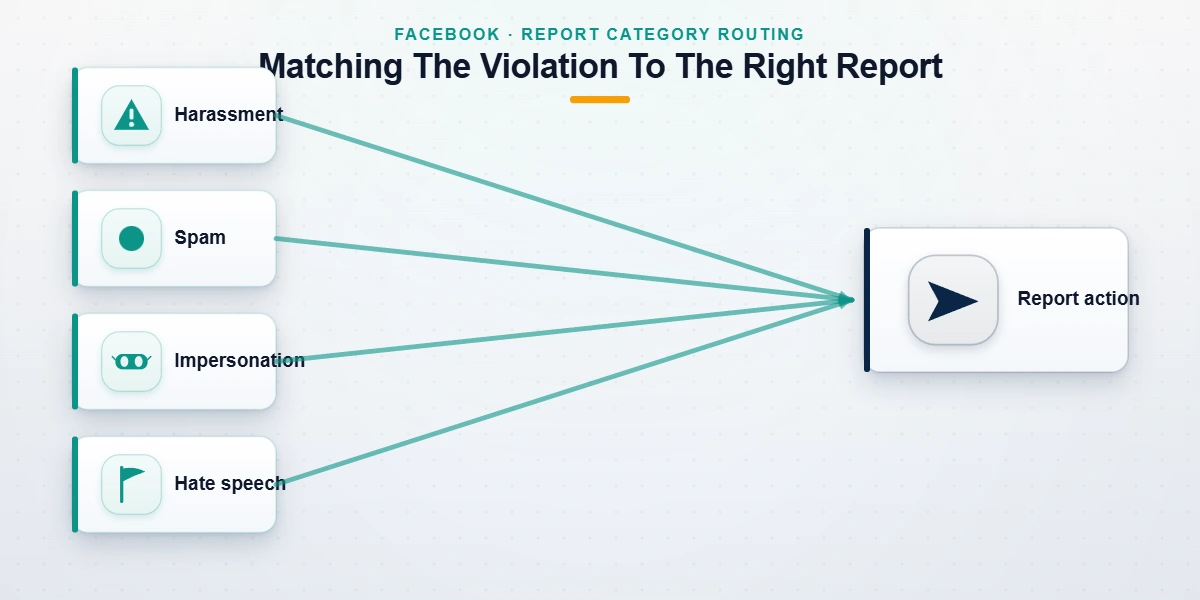
Facebook, which is owned by Meta, disables accounts for breaking its Community Standards, not for being rude, unpopular, or on the losing side of an argument. Getting the category right is the biggest single factor in whether a report goes anywhere. As of July 2026, the violations Meta will act on include:
- Harassment and bullying, meaning repeated unwanted contact, targeted abuse, or threats aimed at a specific person.
- Impersonation and fake accounts, where a profile pretends to be you, your business, or a public figure. This is one of the cleanest, fastest cases for removal.
- Credible threats and incitement of violence, which Meta treats as urgent.
- Scams and fraud, from investment cons and fake sellers to phishing links.
- Hate speech that attacks people over protected characteristics.
- Spam and inauthentic behavior, including bot networks and fake engagement.
- Severe illegal content such as child sexual abuse material or terrorism, which draw the hardest permanent bans.
What is not bannable matters just as much. Someone blocking you, unfriending you, disagreeing with your politics, or coming out ahead in an old dispute has broken no rule, and reporting it as though they had wastes the reviewer's time and can read as abuse of the tool. Of the Facebook cases our team logged since January 2024, well over half described exactly this kind of non-violation (our internal records as of July 2026). A report asks Meta to check an account against a written policy. It is never a button that removes whoever you aim it at.
How to get someone banned from Facebook, step by step
So how do you get someone banned from Facebook the legitimate way? You report the profile, with evidence, through the tools Meta's reviewers actually see. The flow barely changes between the app and the desktop site.
- Open the profile you need to report.
- Tap the three-dot menu (⋯) below the cover photo.
- Choose Find support or report profile.
- Pick the category that matches the violation, such as Pretending to be someone, Harassment, or Scam or fraud.
- Follow the prompts and submit. Facebook confirms it received the report, then reviews it privately.
To flag a single post, photo, or comment rather than the whole account, use the three-dot menu on that item and choose Report — handy when one piece of content clearly breaks a rule even though the profile as a whole doesn't. For a private message, open the chat, press and hold the message, and report it there.
Gather your evidence before you block anyone. Blocking can hide the profile and the conversation from you, so capture timestamped screenshots of the posts, messages, profile URL, and any scam links or payment demands first, then note what happened and when. That record is what turns a vague grievance into something a reviewer can act on. It is also exactly what a professional team would ask you for. Strong, specific evidence is the closest thing there is to making a report "work," because enforcement follows demonstrable violations, not the mood of the person filing.
Does the number of reports matter? The mass-report myth
No. There is no magic number of reports that flips an account into a ban, and the popular claim that "three reports disable a profile" is simply wrong. When an account is reported, Meta's systems and reviewers look at what it actually did: the content, and the pattern of behavior behind it. One well-evidenced report of a real violation can trigger action, while a thousand coordinated reports over a grudge routinely achieve nothing.
Volume is not the lever.
That is why Facebook mass reporting rarely works the way sellers promise, and the same logic holds across Meta's apps. Coordinated reporting also puts you at risk. Organizing a group to mass-report a profile is itself a form of inauthentic behavior under Meta's rules, it seldom changes the result, and it can turn enforcement back toward the reporting accounts.
The honest version of how to get someone banned from Facebook comes down to the quality of your evidence, not the size of your crowd. It's the same evidence-first approach that decides whether you can get someone's WhatsApp reported and banned on Meta's other apps. If one truthful report of a serious problem doesn't resolve it, the fix is better documentation and the right escalation.
Reporting a fake profile or impersonation
Impersonation is the strongest case you can bring, because it's concrete and quick for a reviewer to verify against a real identity.
How can you get someone banned from Facebook for impersonation?
Facebook runs a dedicated process for reporting an account that's pretending to be you or someone you know, and you can file it even without a Facebook account of your own. Open the fake profile, choose Find support or report profile → Pretending to be someone, and follow the identity-verification prompts; where a friend is the target, Meta lets you report for them.
If it's your business or brand being cloned — a fake support page or a phishing profile trading on your logo — handle it as brand protection rather than a personal quarrel. Assemble one evidence pack: screenshots of the fake profile and its URL, examples of the deception, proof you own the genuine brand, and a short timeline. When we file business-impersonation reports for clients, Meta usually moves faster on a single well-documented submission than on a scattered burst of complaints, because a reviewer finds everything in one place. Cloned identities rarely sit on one platform, so treat it as a coordinated takedown; the same evidence-first method also drives getting an Instagram account taken down.
What Facebook does after you report someone
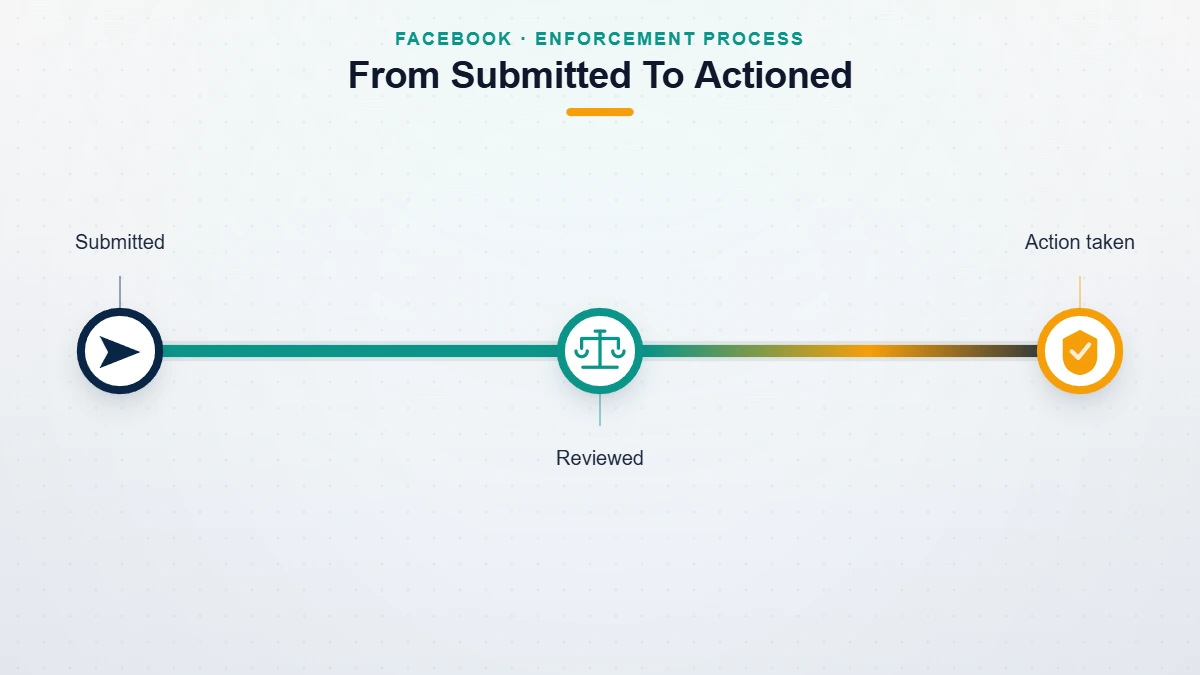
Reports are confidential. The person is never told who reported them, and your name isn't shown to them at any stage, which is what protects people flagging harassment and impersonation from retaliation. Reviewers weigh the reported content against policy and pick from a ladder of outcomes: a warning, a feature restriction that blocks posting or commenting for a while, a temporary lock, or a permanent disable for serious or repeated breaches. Meta counts strikes against a profile over time, so a first small slip is handled very differently from a documented pattern. Clean, clearly evidenced reports are usually reviewed within about 24 to 72 hours, though borderline cases take longer and plenty end with no visible action because the behavior didn't cross the line. Meta reports the scale of this in its Community Standards Enforcement Report, where fake-account removals alone run into the billions each quarter.
You generally won't see a case-by-case verdict, so measure success by whether the behavior stops, not by a confirmation message. Should the account keep operating after a legitimate report, escalate rather than repeat: preserve evidence, report each fresh violation as it happens, and for serious harassment or fraud bring in the relevant authorities. And if the fallout lands on your own access, a retaliation report wave for instance, that's usually a recoverable appeal rather than a lost account.
Being harassed, impersonated, or scammed, and the reports aren't sticking? Speak with a specialist about your case for a free, no-obligation review. We'll tell you honestly whether it's actionable, and we never charge to "guarantee" a ban.
What our team will and won't do
This is a category thick with scams, so our lines are worth stating plainly. We do not mass-report accounts, and we won't help anyone do it: coordinated false reporting is abuse of the platform, it usually fails, and it can flag the reporter's own account. We never guarantee a ban, a takedown, or a timeline, because Meta disables accounts only on violations it verifies and judges independently. And we never ask for your password or anyone else's, never charge a "pay-to-remove" fee, and never file fabricated reports or fraudulent legal claims. If a service sells you an instant, guaranteed Facebook ban, it's a scam — the same machinery we take apart in how a paid Facebook ban service really works.
Where a genuine case is stuck, whether that's ongoing harassment, an organized scam ring, or business impersonation that self-reporting hasn't fixed, a professional team helps by structuring the evidence, filing through the correct official channels, and recovering anything lost on the way. That work is led by former Meta and TikTok Trust & Safety specialists who have triaged these reviews from the inside. The point is never to weaponize reporting; it's to get a real, provable violation in front of Meta in the form its reviewers can act on. The limits of what we will and won't take on are set out in our reporting and recovery limits.