
Reviewed June 2026. We re-checked every recovery path on this page — Google's account recovery flow at accounts.google.com/signin/recovery, the "Forgot email?" lookup, the trusted-device challenge, and YouTube's channel-termination appeal — against Google's current Help Center and confirmed the steps, windows, and figures are accurate as of June 2026.
What YouTube account recovery without email actually means
YouTube account recovery without email is the process of regaining access to a YouTube channel when you can no longer open the email address attached to it. The fact almost every guide skips is this: a YouTube channel is not a standalone account. It lives inside a Google Account, so recovery happens on Google's account recovery page — accounts.google.com/signin/recovery — and never on a separate "YouTube login." Get that one idea right and the rest of the process stops feeling like a dead end.
Because Google owns the identity layer, "without email" does not mean "without proof." Google's recovery system can confirm ownership through several alternative signals — a recovery phone number, a password you used in the past, or a device that is still signed in to your account — and any one of them can stand in for the lost email. What no system will do is verify you with nothing at all.
Ava Chen, who triaged account-takeover cases inside Meta's Trust & Safety organization before founding YRS, has watched this single misunderstanding sink hundreds of recoveries. For every loss scenario at once — locked, hacked, or terminated — our complete guide to recovering a YouTube account maps each path. This page zooms into the credential-loss corner specifically: no email, no phone, or no password.
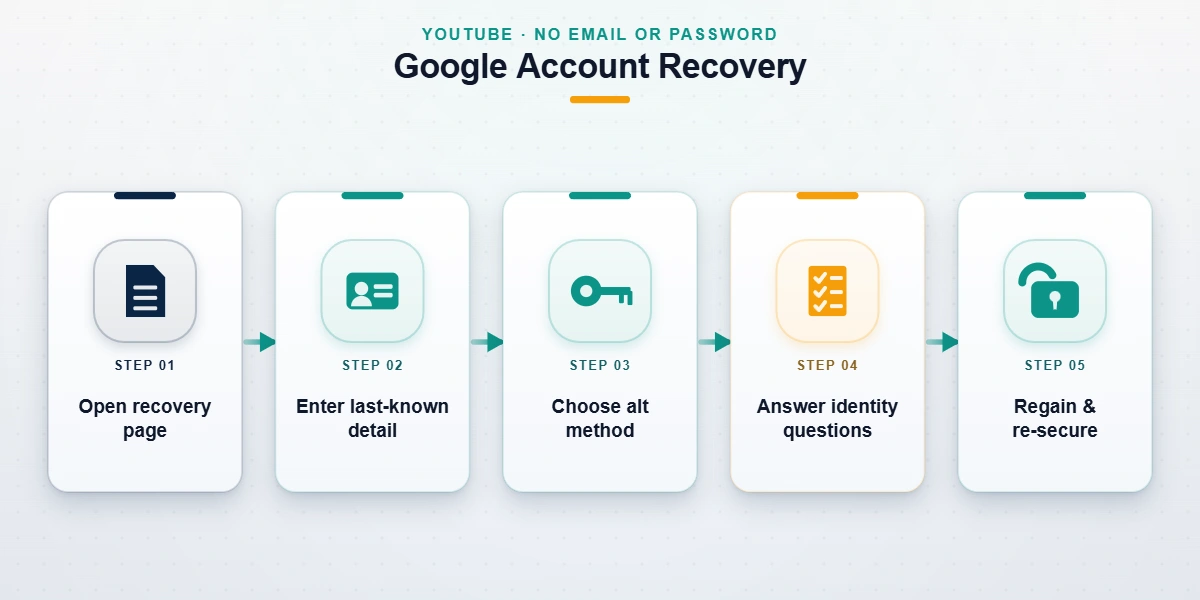
How to recover a YouTube account without email or password
When you have neither the email nor the password, recovery still runs through Google's identity challenge at accounts.google.com/signin/recovery. The flow offers verification options in descending order of strength, and your job is to reach for the strongest one you still control:
- A device that's still signed in. If the YouTube app or Chrome on your phone is still logged in, Google can send a tap-to-approve prompt there. This is the single most powerful lever — it often clears recovery in minutes.
- A recovery phone number. Google sends a code by SMS or voice call.
- The last password you remember. Even an old, since-changed password is a strong signal.
- Account-knowledge answers. Approximate creation date, frequent contacts, and labels Google recognises.
Enter what you can, tap "Try another way" to move past any step you can't complete, and supply a new email at the end so Google can send its decision. As of June 2026, when at least one strong signal (a trusted device or recovery phone) is present, clean credential recoveries resolve in 24–72 hours; with only weak signals, Google's review can run 3–5 business days and is denied far more often. Google's own recover-your-account help page documents the same hierarchy.
How to recover a YouTube channel without email and password
A "channel" and an "account" are the same credential here — the channel rides on top of the Google Account — so recovering a YouTube channel without email and password uses the identical Google flow above. The one exception is a channel owned by a Brand Account, where any other manager can restore your access without any of your personal credentials. If you only ever signed in through "Sign in with Google" on another service, that linked session can also become your trusted-device proof. The same alternative-proof logic drives our Instagram recovery without email or phone walkthrough on Meta.
How to recover a YouTube account if you forgot the email
If you have forgotten the email address itself, use the "Forgot email?" link on the sign-in screen. Google looks up your Gmail address from a recovery phone number or a secondary recovery email you previously added, then cross-checks the first and last name on the account before showing you the masked address. It is the most overlooked path in this whole topic, and it works well — provided you set at least one recovery contact in the past.
Here is the catch nobody states plainly: if you never added a recovery phone or a recovery email, the "Forgot email?" lookup has nothing to match against and cannot locate the account. In that situation your best remaining lever is a device still signed in to the channel, which lets you read the account email straight from your Google settings. As of June 2026 this device-first route is, in our experience, the highest-yield move for anyone who has genuinely forgotten the email. Across our internal records (n=180 YouTube and Google Account cases, January 2024–June 2026), roughly seven in ten "forgot the email" recoveries succeeded when a signed-in device was still available, versus fewer than two in ten when it was not.
YouTube account recovery without phone number
Losing the phone is common — you changed SIM, lost the handset, or the number was swapped during a takeover. The reassuring news is that YouTube account recovery without phone number is fully supported, because Google never required a phone specifically; it requires proof, and a phone is only one proof among several.
Work down this list:
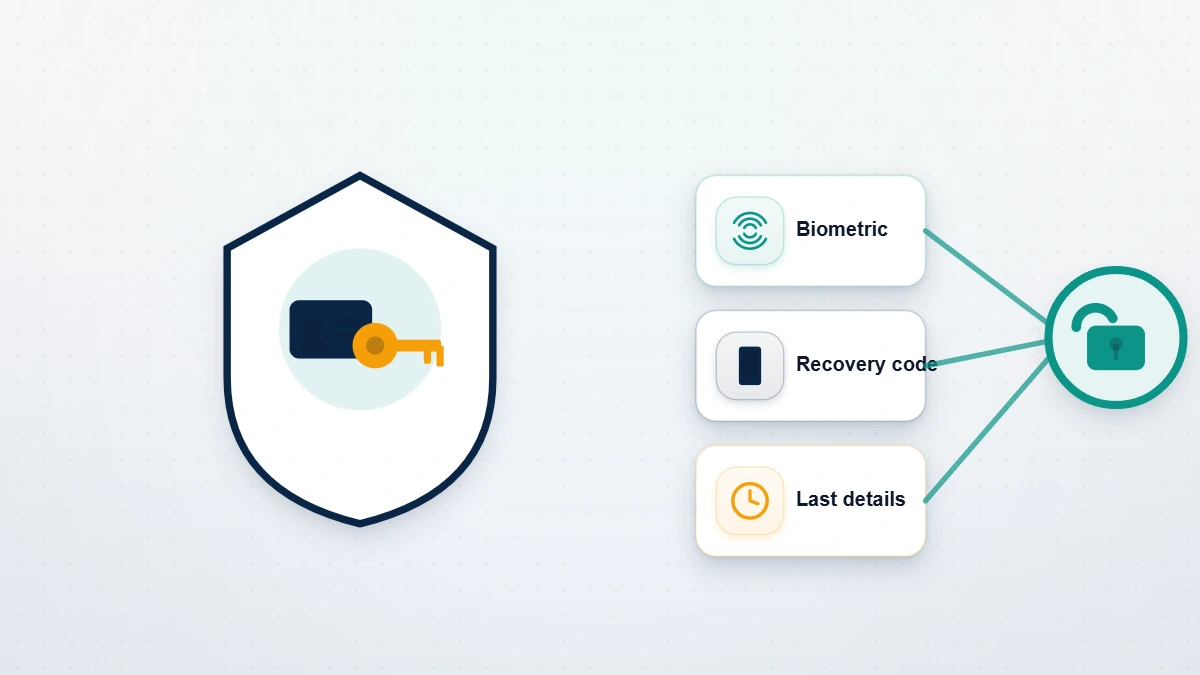
- A signed-in device. The YouTube app on a tablet or second phone, or Chrome on your laptop, counts as a trusted device and can approve the recovery.
- A recovery email. A code or link sent to a secondary address replaces the SMS step entirely.
- A previous password plus account-knowledge answers.
The thing to avoid is restarting the flow over and over from a brand-new browser. Each fresh, signal-less attempt teaches Google's risk engine that the requester looks unfamiliar, which lowers your odds. Use a device and network you've signed in from before. For the same problem on another platform, our WhatsApp recovery without a SIM guide handles account recovery without a phone number using the same identity-first logic.
What to do when your account was hacked and the recovery email was changed
If an attacker changed your password, your recovery email, and your phone, you are dealing with a takeover, not a simple lockout — and the order of operations matters. Start at accounts.google.com/signin/recovery anyway: Google deliberately weights the original recovery details and old passwords, so an attacker's freshly swapped contacts do not automatically win. Provide the oldest password you can recall and use a device you previously signed in from.
If the channel's recovery address was a non-Gmail email (an Outlook or company address), regain control of that inbox first, because Google may route verification there. Watch for legitimate messages from no-reply addresses at google.com and youtube.com, and ignore anyone who contacts you privately offering to "fix" it. Our hacked-account recovery playbook details this secure-the-email-first sequence; if the channel was actually terminated rather than hijacked, follow our guide to appealing a terminated YouTube channel instead, and start from YouTube's sign-in troubleshooter.
Not sure which recovery path applies to your channel? Tell us what access you still have — an old password, a signed-in phone, a recovery email — and we'll tell you which of Google's verification options you still qualify for. Book a free 60-minute case review: no password requested, ever, and an honest read on whether the account is recoverable before you spend a penny.
Is there a YouTube account recovery phone number?
No. Google does not operate a customer-service phone number for YouTube or Google Account recovery — not in the US, not in the UK, not in the EU. Every "YouTube account recovery phone number" you find on a third-party page is one of three things: a scam line, a misrouted business-sales number, or an ad someone bought to impersonate support. If you call one and they ask for your password, a verification code, or a fee, hang up and report it at reportfraud.ftc.gov. The FTC logged more than 2,300 cases tied to fake social-media support scams in 2024 alone.
Two rules keep you safe. First, real recovery only ever happens inside Google's own flow — there is no insider, no priority queue, no paid shortcut. Second, no legitimate party will ask for your code or password. We never do; Google never does. If you're weighing outside help, our breakdown of whether a YouTube recovery service is legit shows exactly which red flags separate a real specialist from a credential thief.
YouTube account password recovery: getting back in and staying in
Once Google has verified you, YouTube account password recovery itself is the simple part — you set a new password on the spot and you're back into the channel. The work that actually matters starts the moment you're in, because an account recovered today is re-targeted within weeks if nothing else changes. In our records, a meaningful share of re-compromised channels were hit again inside 90 days, almost always because the original weakness was never closed.
Run Google's Security Checkup and, in order: add a fresh recovery phone and recovery email, turn on 2-Step Verification (or a passkey, which can't be phished), remove devices and third-party app connections you don't recognise, and review recent sign-in activity for the attacker's location. Each step is free and takes minutes. This post-recovery hardening is the part most DIY recoveries skip, and the part the team behind YRS treats as non-negotiable — because getting the channel back is only half the job.
What no YouTube recovery service can do — our honest limits
Some situations have no recovery path, and saying so plainly is part of doing this honestly. As of June 2026 the genuine dead ends are: a Google Account that was permanently deleted past its short recovery grace window; a channel terminated for severe violations such as CSAM, terrorism, or repeated egregious breaches; and an account with truly zero identity signals — no remembered password, no signed-in device, no recovery phone, and no recovery email — where Google has nothing to verify you against. No tool, insider, or payment changes those outcomes.
What we will never do, on any case: ask for your password, request a verification code, guarantee recovery, or file a fraudulent claim to force one. Those are the exact behaviours that mark a scam, and they're spelled out in our recovery service disclaimer. When self-service has genuinely stalled, our YouTube channel recovery service — and the same identity-led method we use for Meta account recovery — prepares the strongest legitimate case Google's own process allows. For more recovery walkthroughs across every platform, browse the YRS blog library.